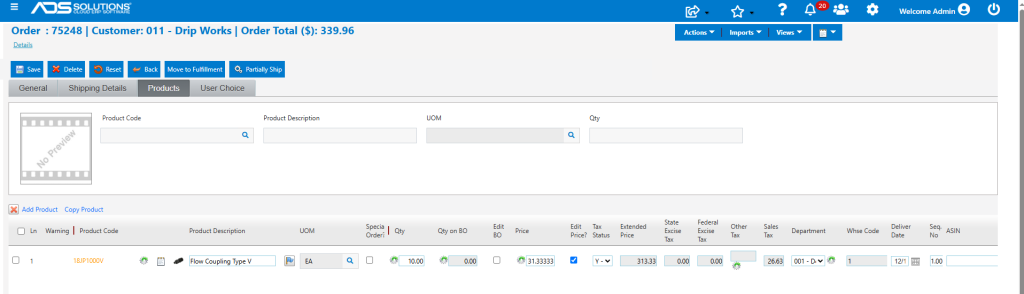
For users that do not need complex pricing, Accolent ERP provides order entry price shortcuts based on Discount from List, Markup from Std Cost, Markup from Special Cost or Std Margin Target. Default values for each of these pricing methods can be entered in the System Configurations. Then when the price shortcut method is selected in order entry, the price will be calculated based on the default value or the user-entered value.
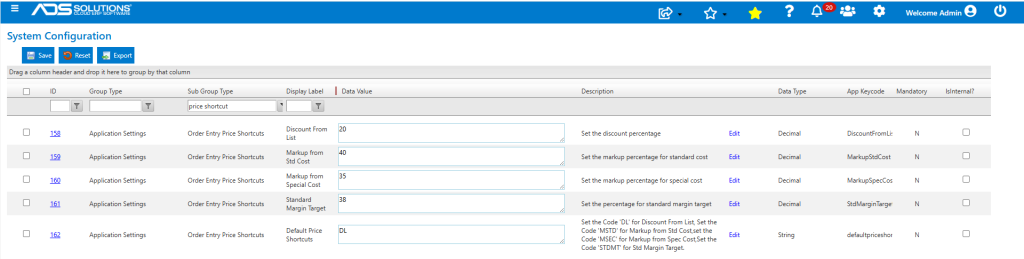
Set Default Values
- Set defaults from the Settings > System > System Configurations screen.
- Set the default pricing method, and default values for each pricing method.
Use Price Shortcuts
- Create Order 75248 for Customer 011.
- Select Product Code 18JP1000V which has:
- List Price = $38.00,
- Standard Cost = $23.50, and
- Special Cost = $22.00.
- Customer 011 does have pricing rules set up, but in this case use price shortcuts.
- To enter a price shortcut, populate the product to the order grid then click on the icon to the left of the Price field to launch the Order Entry Price Options for that row.
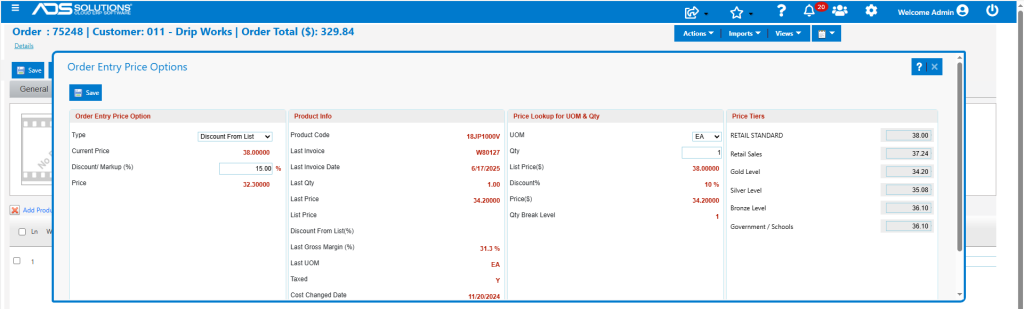
Discount From List Price
- This pricing method is set as the default, and the discount value of 20% pre-populates the Order Entry Price Option box.
- Use the default value of 20% or enter desired value (e.g., 15 %).
- Price calculates as: $38.00 x (100% – 15%) = $32.30.
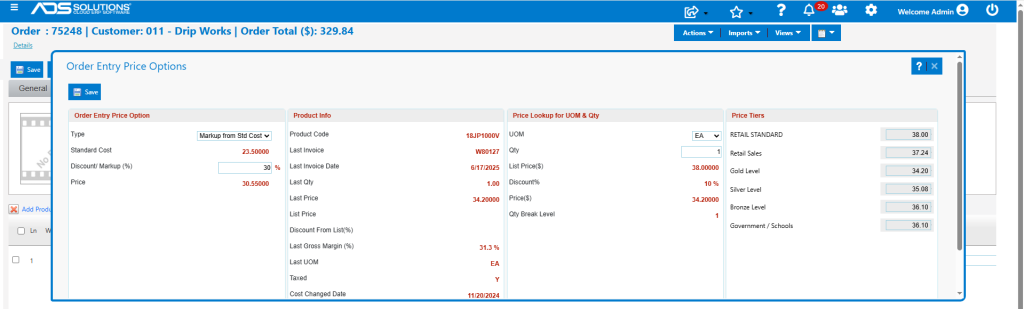
Markup From Standard Cost
- Select this pricing method and use default value or enter a desired value (e.g., 30 %).
- The price calculates as: $23.50 x (100% + 30%) = $30.55.
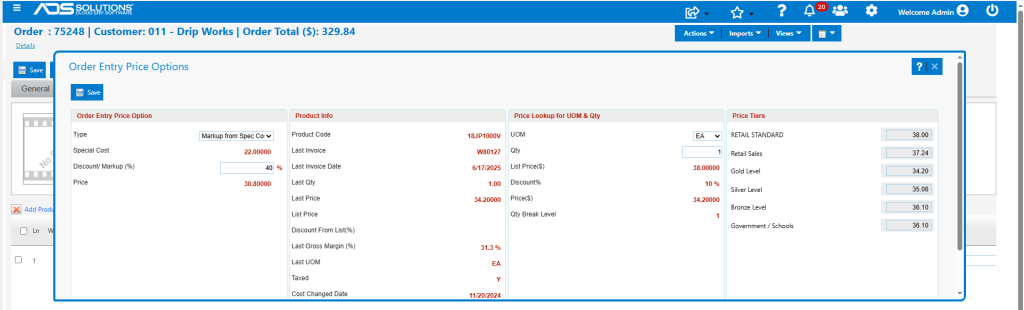
Markup From Special Cost
- Select this pricing method and use the default value or enter a desired value (e.g., 40 %).
- The price calculates as: $22.00 x (100% + 40%) = $30.80.
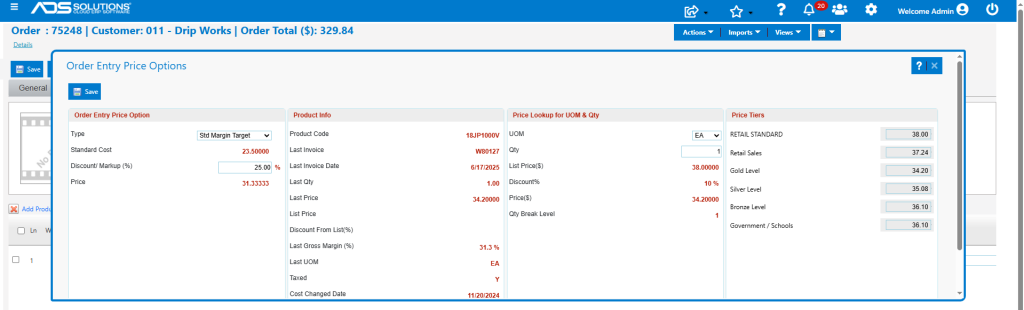
Set Standard Margin Target
- Select this pricing method and use the default value or enter a desired value (e.g., 25 %).
- Price calculates as: $23.50 / (100% – 25%) = $31.33.
Update Order Entry Price
- Once a desired pricing method and discount/markup are selected, save the screen to insert calculated price into the order.
- For example, save the Standard Margin Target of 25%, and the price of $31.33333 is populated onto the order.