
Accolent ERP has embedded AWS Quick (“Quick”), which is AWS’ Agentic AI offering. Quick is an AI solution that offers chat agents, workflows and dashboards and visualizations using LLMs (Large Language Models) running in AWS Bedrock and called from a customer workspace. The customer workspace can access various data sources, such as your Accolent ERP database as well as third-party databases, such as a third-party CRM. The customer workspace can also access various datasets that are used to better define the data sources and allow AI agents to better understand and respond to your queries. For example, we have created datasets for the Accolent ERP database that enable Power BI dashboards. These datasets can easily be enabled in the Quick customer workspace.
Quick Workspace
- When you sign up, we will provide you with a login from which you can access the Quick Workspace.
- Once you have logged in once you will be able to bypass the login and go straight to the Workspace.
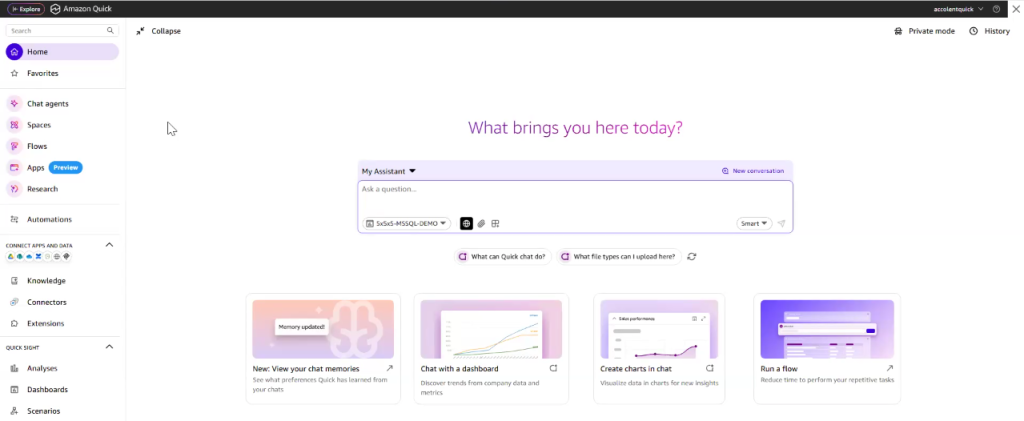
Using Chat Agents
- The My Assistant field can be used to enter a Chat query.
- For example, enter a natural language query such as “Show me Sales Profit by Product Category for the last 12 months.”
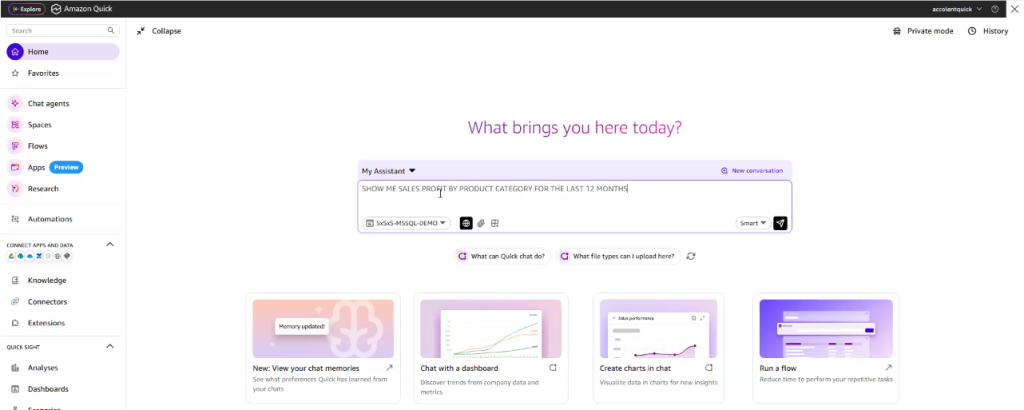
- Then run the query which will provide the progress steps and then generate the result.
- This is the result of running the query.
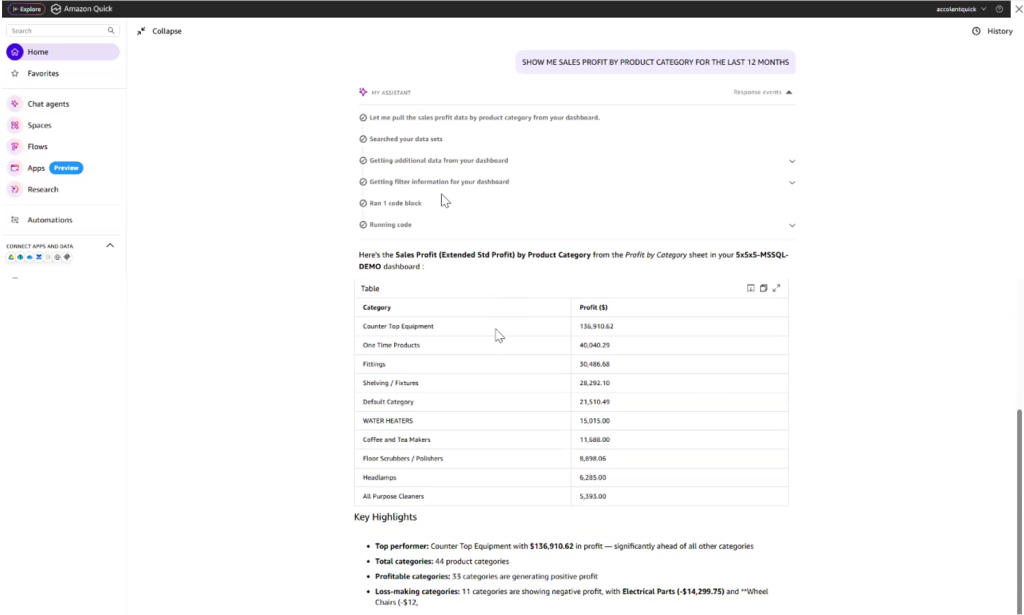
- All report results can be expanded and exported to CSV.
- All queries can be further refined or redirected as desired.
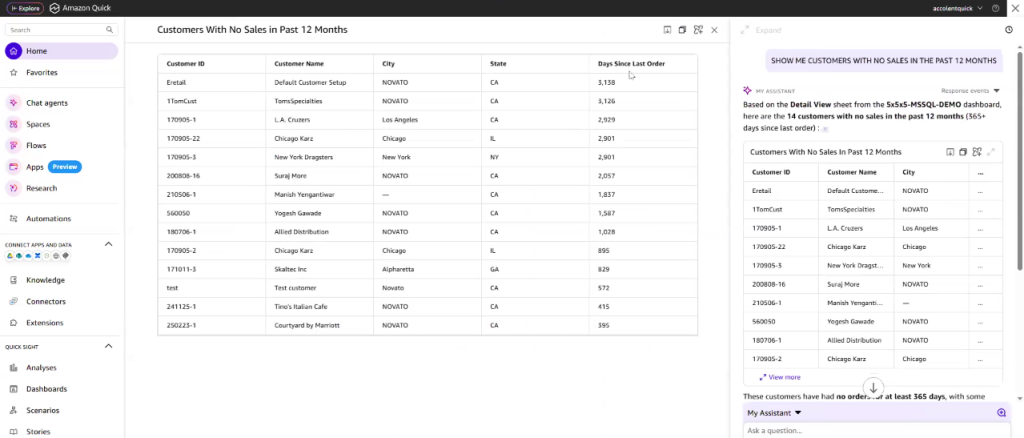
- Create a new query such as “Show Me Customers with No Sales in Last 12 Months.”
- This is the result of running the query.
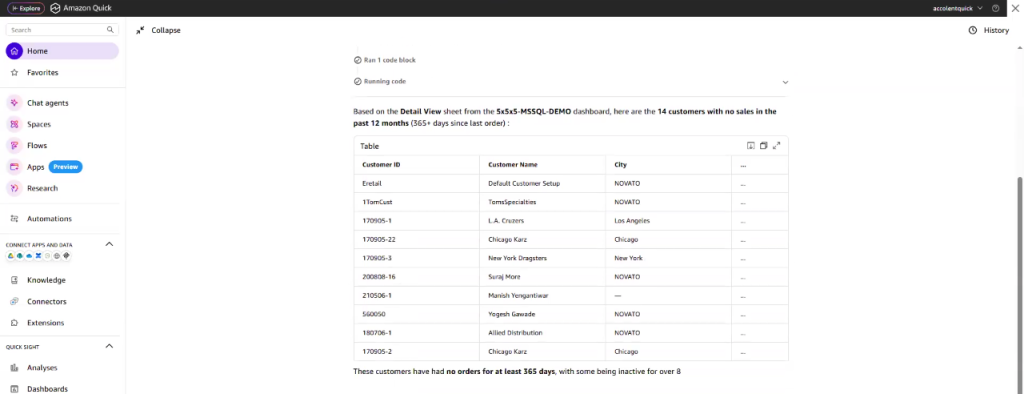
- This is the expanded view of the data.
Using AI Flows
- Flows are a pre-built set of instructions that combine multiple steps.
- You can build these Flows yourself once you learn how to do this.
- Once built, Flows can be stored in Flow Library.
- In this case, we’re looking at the pre-built Customer Sales Analytics Report at the top left of the Workspace.
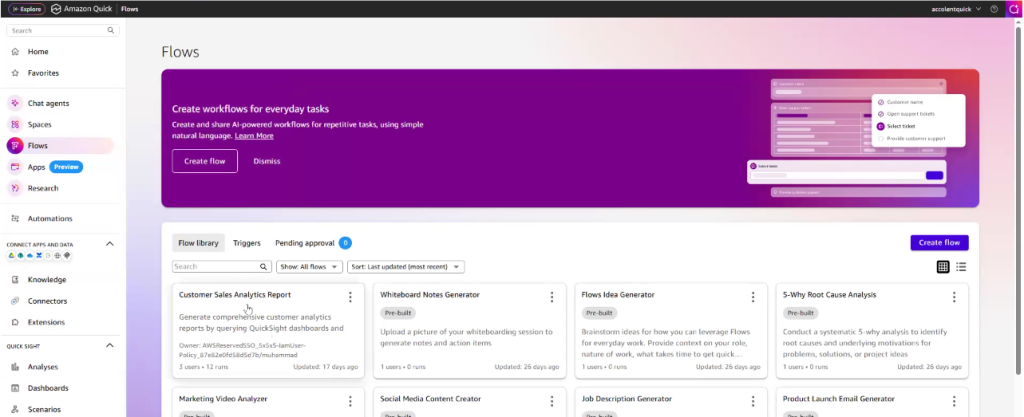
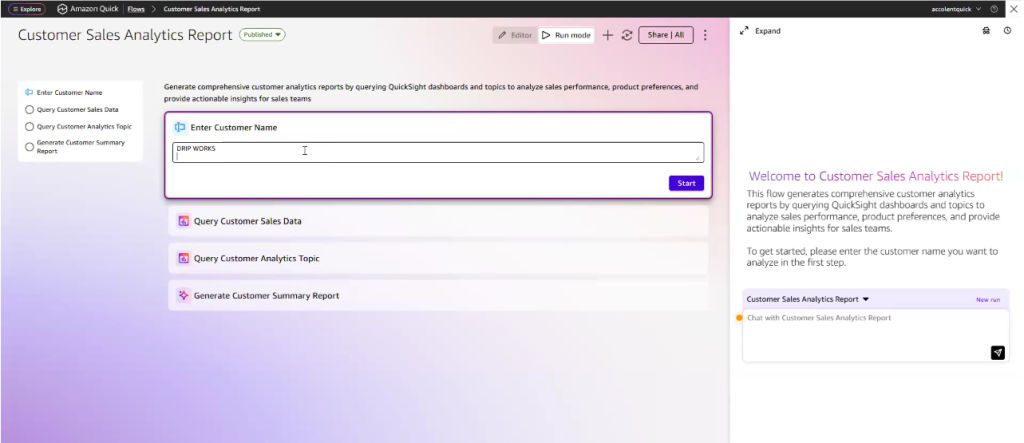
- This Flow will analyze various datasets to analyze sales performance, product preferences and generate actionable insights for the sales team for a specific Customer.
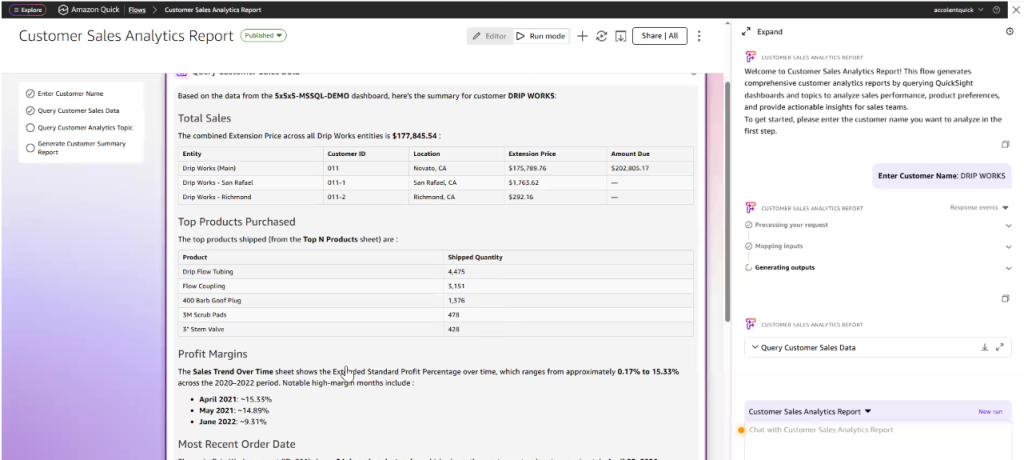
- First enter the Customer DRIP WORKS.
- This is the first result from querying the Customer Sales Data.
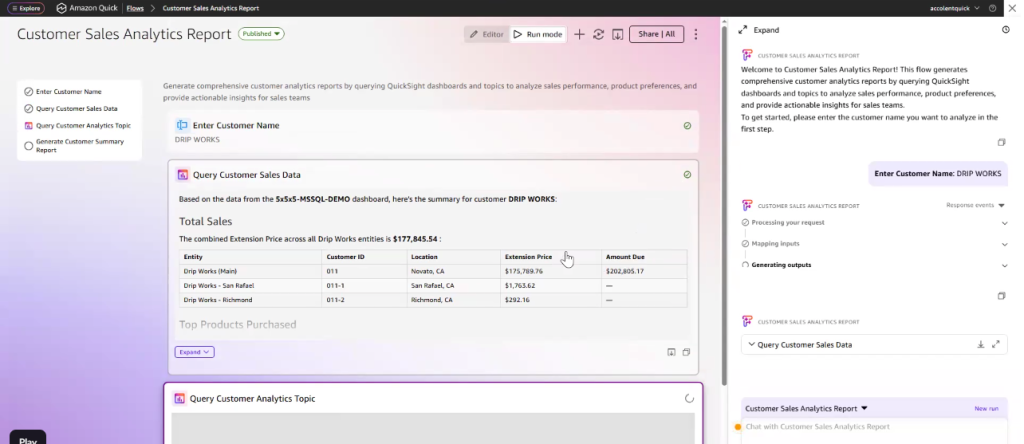
- This can be expanded to see more information.
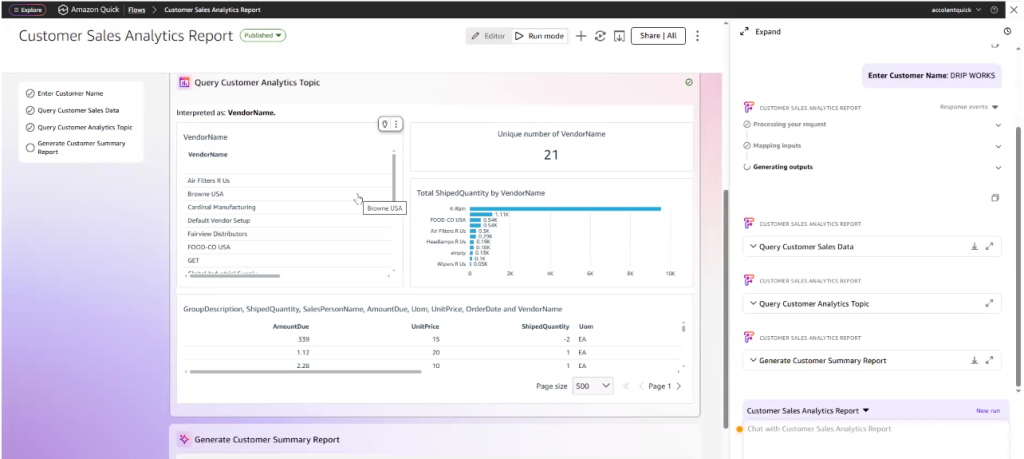
- This is the result of querying the Customer Analytics Topics which reports on products purchased and vendors.
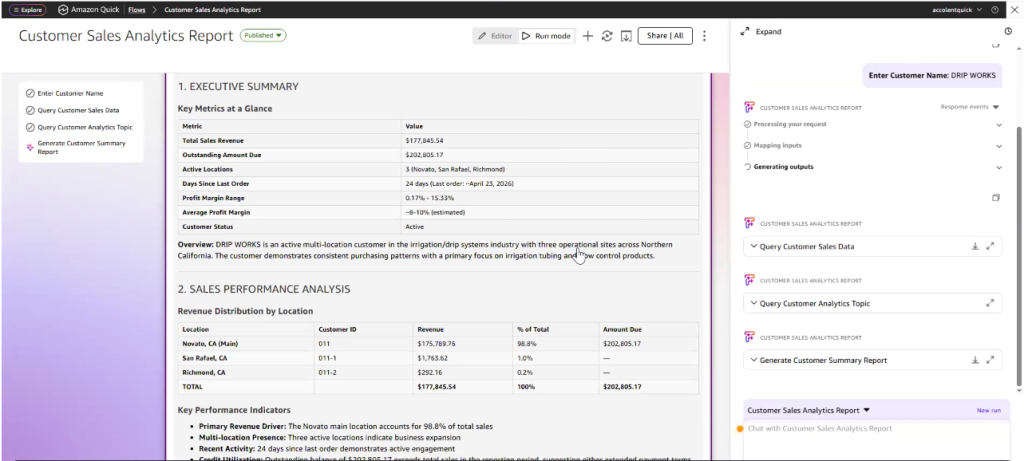
- Then the Flow generates the Customer Summary Report which creates an Executive Summary and reports on Sales Performance, ….
- Product Purchase Patterns, Profitability, ……
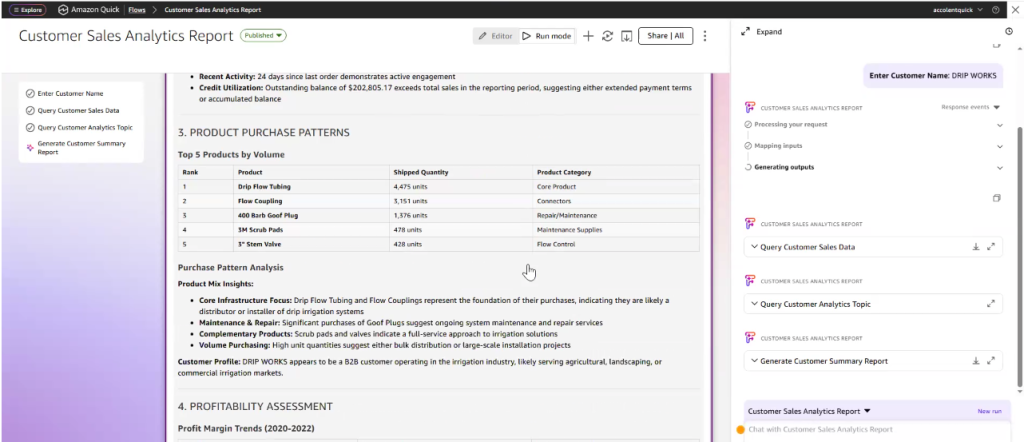
- Recent Activity, ……
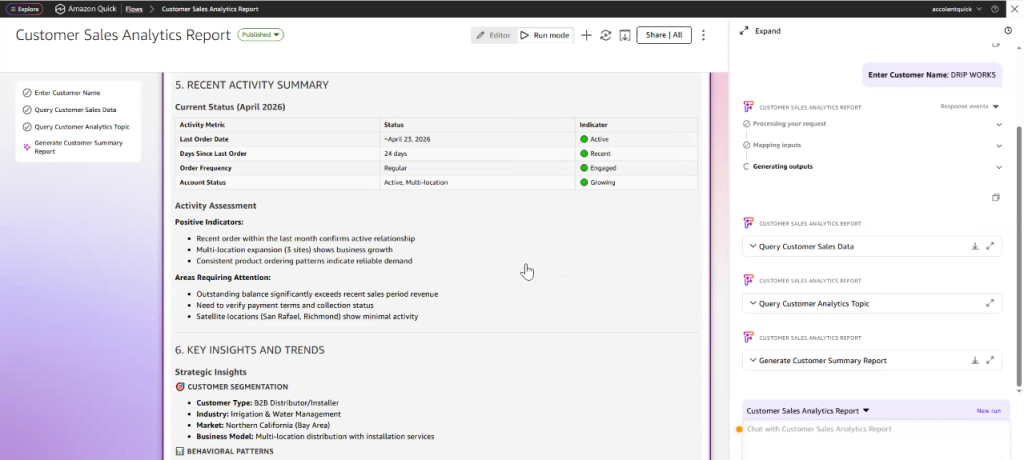
- And summarizes Key Insights, Trends ……
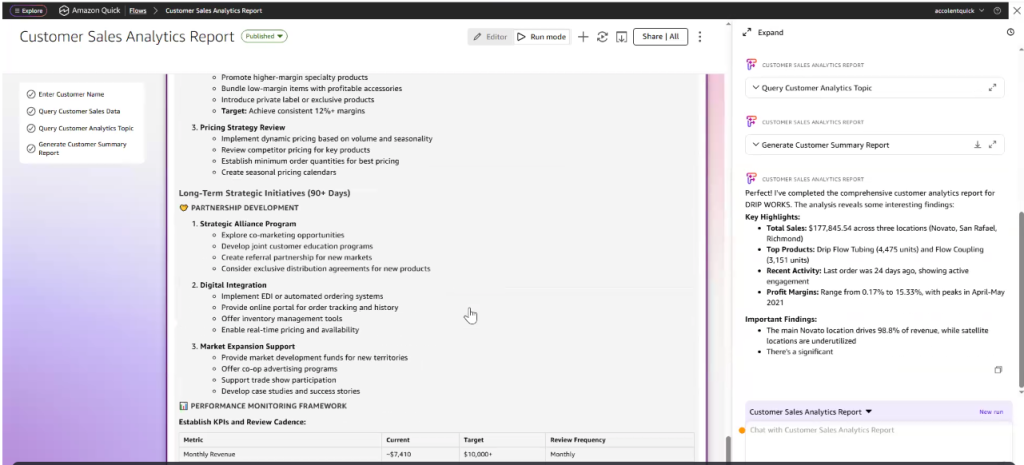
- Concerns, and Top 3 Immediate Actions.
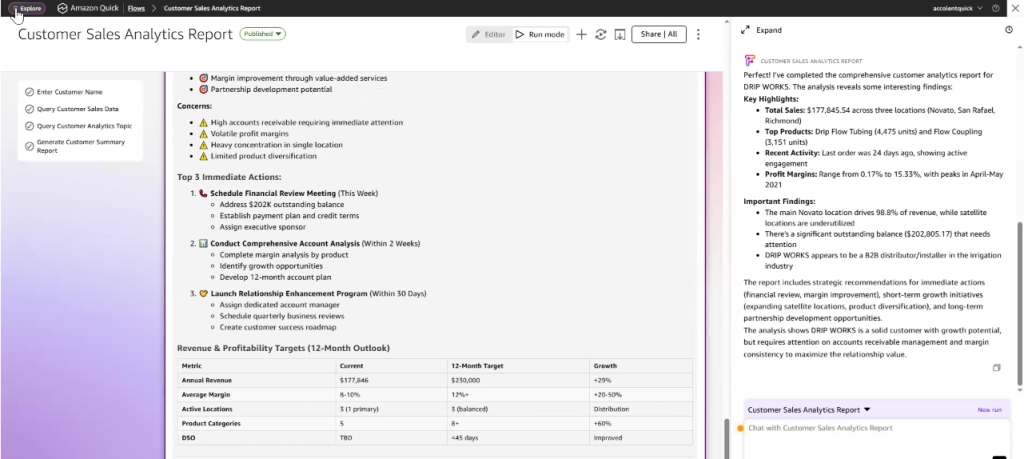
- As you can see the Flows are a very powerful use of Agentic AI.