
Customer Product Codes are the product codes that a specific Customer uses to identify items. The Customer uses its Customer Product Codes to identify items in its purchase orders. Accolent ERP can maintain a record of a particular Customer’s Customer Product Codes that correspond uniquely to internal product codes. Once this record is built, any orders placed for that Customer will automatically convert Customer Product Codes into the internal product codes so the order can be picked, packed and shipped. The invoice displays both the internal product code and the Customer Product Code. Note that Customer Product Codes can only be defined for Bill-To Customers.
Recording Customer Product Codes
- Look up Bill-To Customer 011.
- Go to Actions > Customer Product Codes.

- Note that for Customer 011, the internal product code 18JP1000V has the Customer Product Code of DW1800.
Create Order for Customer 011
- Receive a PO from Customer 011 specifying 3 EA of DW1800.
- Create order 94989 for Bill-To customer 011.
- Go to Product tab and enter “DW1800” in the Product Code field.
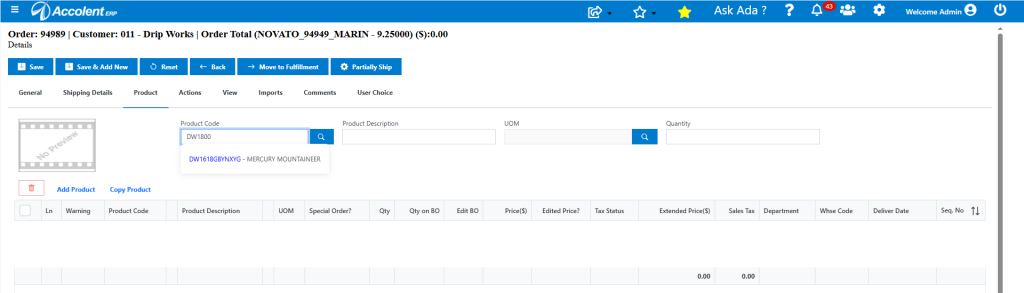
- This automatically resolves to internal product code 18JP1000V.
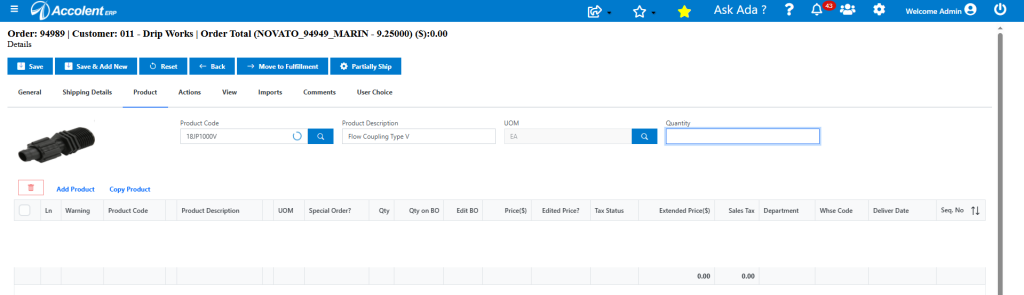
- Enter Quantity of 3 and click Enter
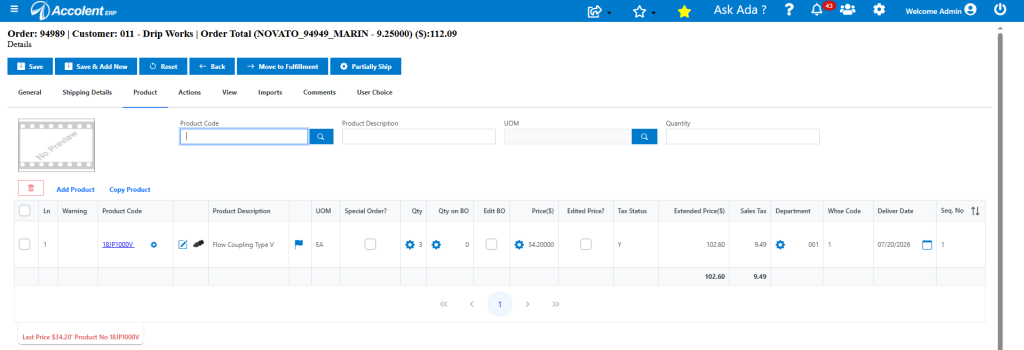
Move to Fulfillment then to Invoice
- Move order 94989 to fulfillment and pick, pack and ship.
- Then move to Invoice.
- The Invoice displays the Customer Product Code immediately below the Product Description with the label: Your Product: DW1800, before the order line comments.
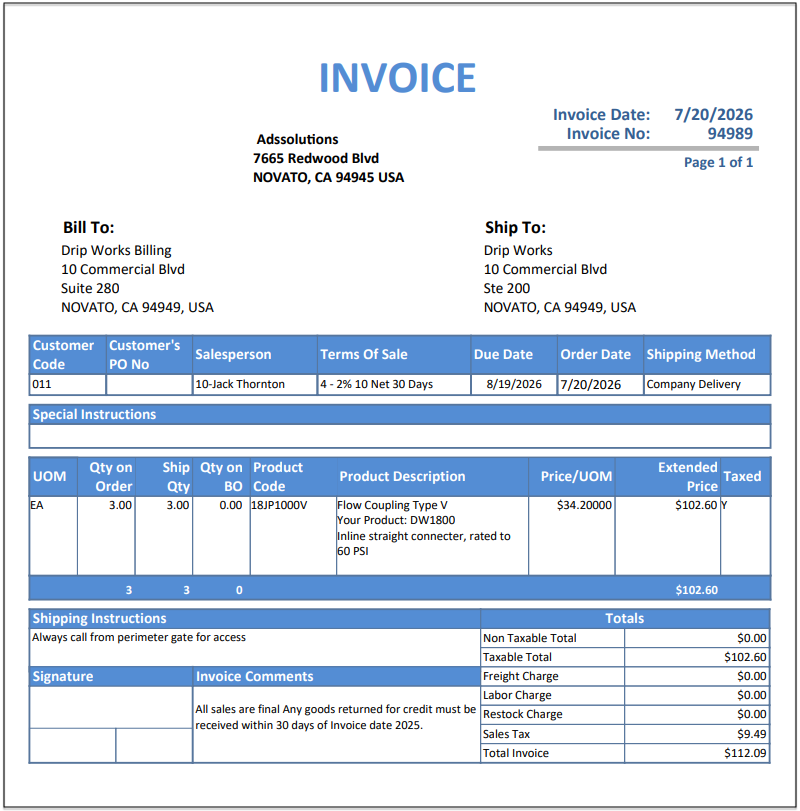
- This printed display also appears on the quote, work order and delivery invoice forms, to ensure customer recognizes the product.