
Accolent ERP provides an additional Year/Make/Model product search that is commonly used by auto dealers and auto parts distributors. The Year/Make/Model data is stored as a child table of the product. This data can easily be entered by dealers for new or used automobiles, RVs or other vehicles. However, for auto parts distributors, this data is very extensive and hard to obtain and/or maintain. Typically, auto parts distributors subscribe to fitment data catalogs compiled and maintained by the Auto Care Association (ACA) in standard databases: ACES (Aftermarket Catalog Exchange Standard) and PIES (Product Information Exchange Standard). These ACES & PIES databases are then used as data sources for various fitment catalog vendors. ADS Solutions is able to link to fitment catalogs such as WHI’s Sparklink catalog.
Configuration Setting
- To enable the Year/Make/Model Search, go to Settings > System > System Configuration and set Config ID 304 to “Y”.

Advanced Search
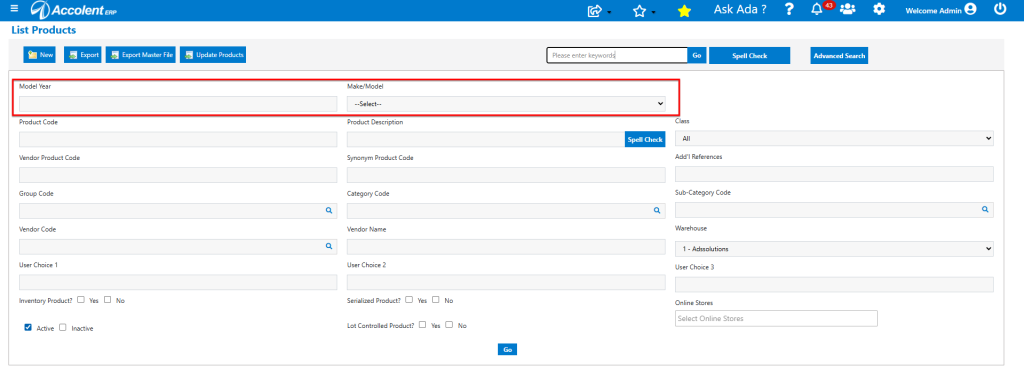
- Once enabled, on any Product Search, the Year, Make/Model Search will appear at the top of the Advanced Search screen.
Set Up Year/Make/Model Value Lists
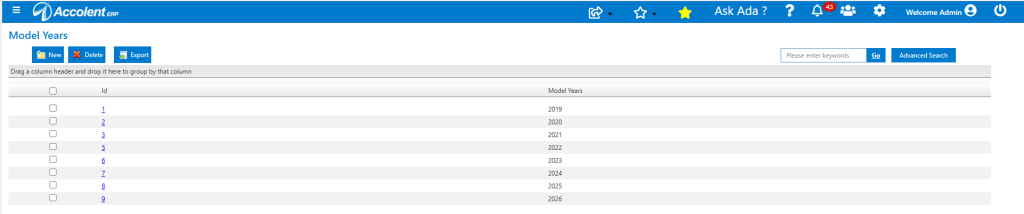
- First go to Settings > Value Lists > Product Only Lists and find the Value Lists for Make/Models and Model Years.
- Enter supported Model Years.
- Enter Make/Models supported.

Set Up New and Used Autos, RVs or Other Vehicles
- Create products for any new or used autos, RVs or other vehicles.
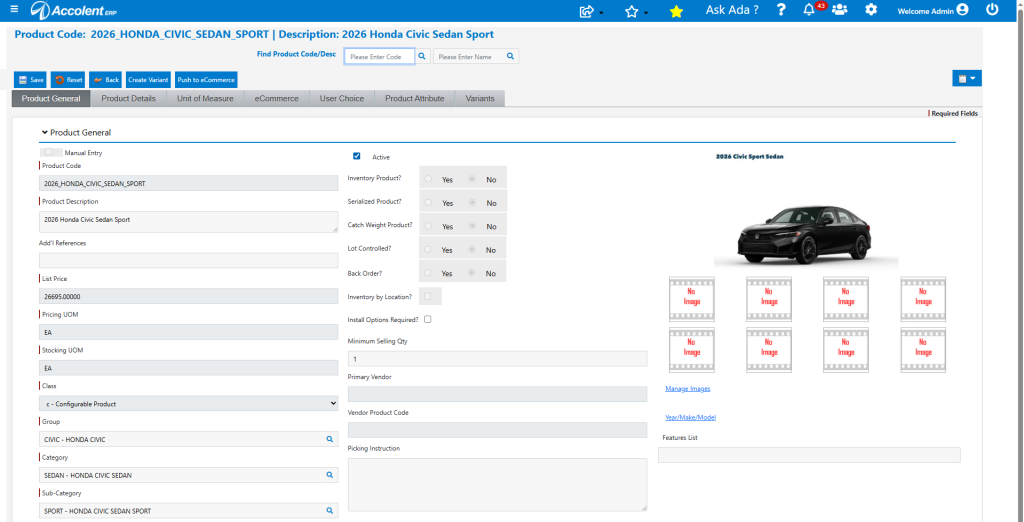
- For example, create a Configurable Product for new Honda Civic Sedan Sport.
Create Product Attributes and Variants
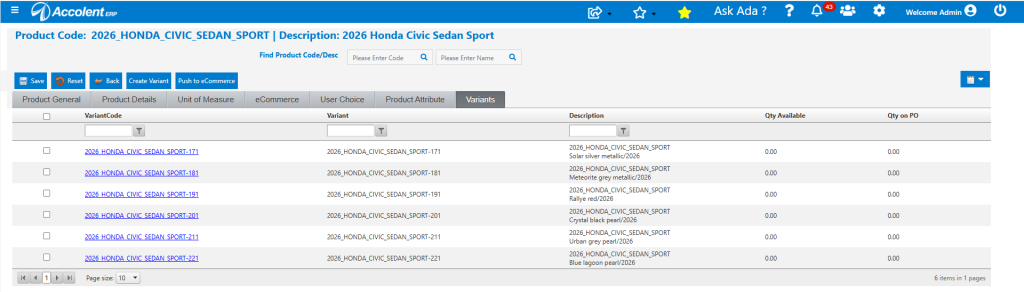
- For new vehicles, that are available in multiple colors, configurations, etc., these can be set up as Configurable Products. Then use the product attributes and variants to automatically create separate SKUs for each specific variant and display all the variants on one screen.
- On the Product Attribute tab enter the attributes needed (e.g., body color, trim color, engine size) and the possible values for each attribute. There is no limit to the number of attributes or values that can be entered.
- For example, Color – Solar silver metallic, Meteorite grey metallic, Rallye red, Crystal black pearl, Urban grey pearl, Blue lagoon pearl for Model Year 2026.
- Then create Variants and specific products.
Other Specific Product/Model Information
- There are also several User Choice fields that can be renamed and used to record specific product/model data (e.g., Cylinders, Engine Size, Transmission, Fuel Type, Drivetrain).
Enter Year/Make/Model Data
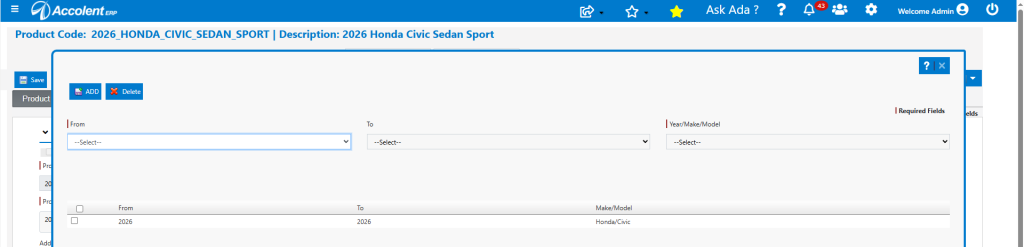
- Click on the Year/Make/Model hyperlink on the General tab.
- Since these are automobiles, enter both the From and To dates as 2026, enter the Make/Model as Honda/Civic.
Link Up Feature Sheets
- Use the Actions > Linked Files to save Feature Sheets to a public AWS S3 bucket.
- Once done, the S3 hyperlink can be entered into the Features List field on the general tab, so it is always available to be opened or downloaded.
Using the Year/Make/Model Search for Autos
- To see all 2026 models, go to the List Products screen and in the Advanced Search fields enter 2026 in the Model Year field and click Go.
- The search returns 2026 Honda Civics and 2026 Honda Pilots.
- Both are Configurable Products indicating that there are possible variation products.
- By going to either of these Configurable Products all of the variants are available with inventory from the Variants tab.
- Another option is to make each of the Variants directly as Sales Products then the search will directly display all products by Year and Make/Model.

- Change search to remove 2026 and enter Honda/Pilot in Make/Model field and click Go.
- The search returns 2025 and 2026 Honda Pilots.
- The Class-Sales Product on the 2025 model indicates that this is a one-off, while the Class-Configurable Product on the 2026 models indicates there are possible variation products.

Set Up Auto Parts Products
- Auto Parts are classified both by the types of parts and also by the Year/Make/Models they fit. This is known as fitment data and is quite extensive for most aftermarket parts.
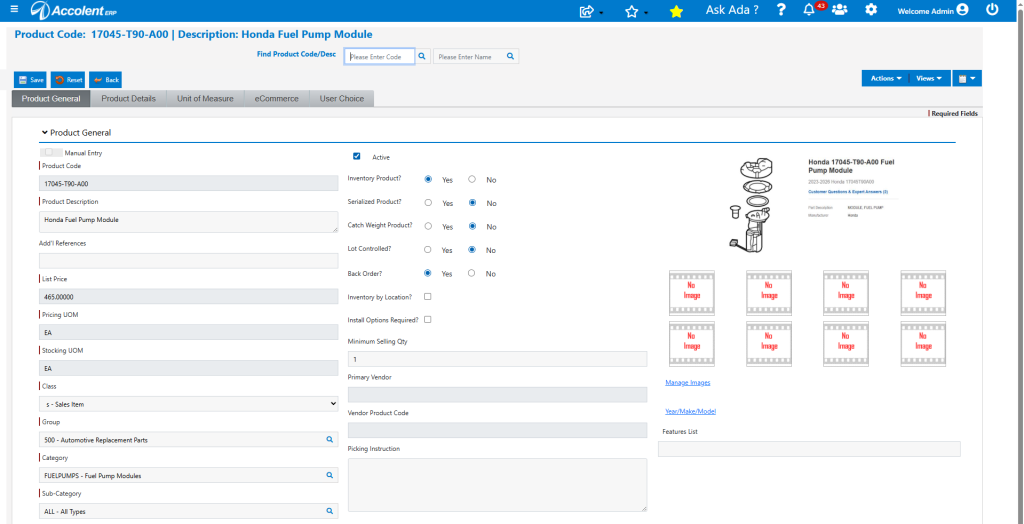
- Create product 170454-T90-A00 Honda Fuel Pump Module.
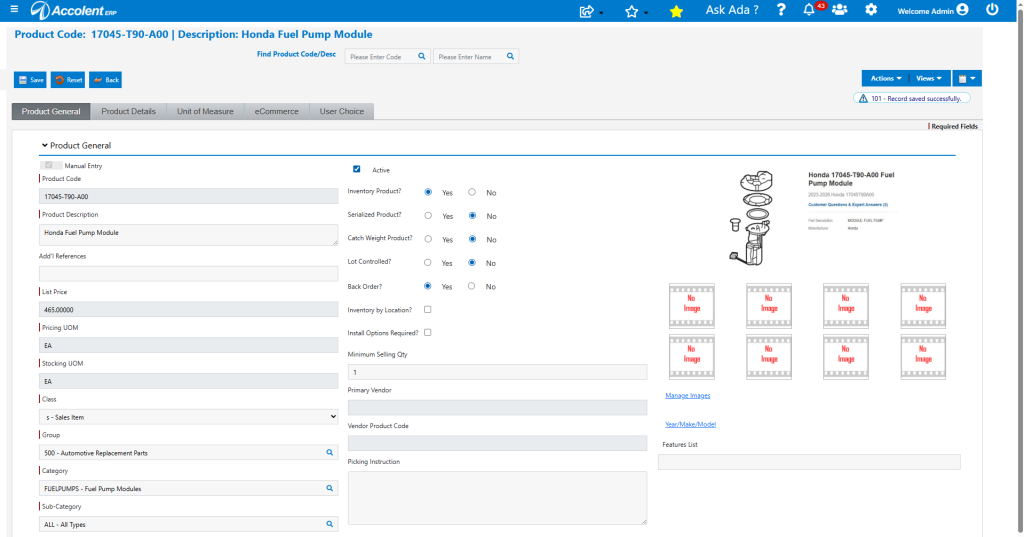
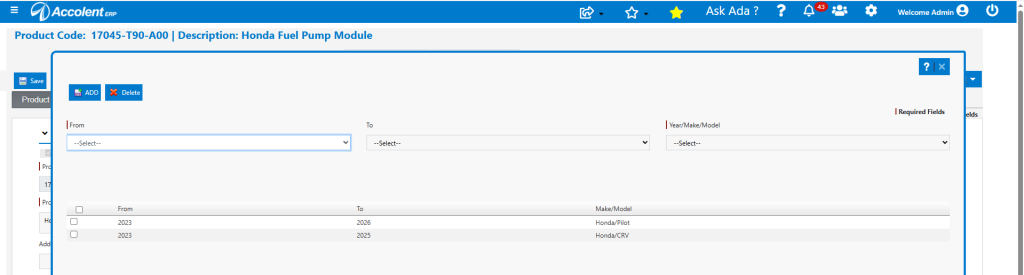
- The Year/Make/Model screen on the general tab can be used to record vehicle fitment data if the distributor has it.
- In this case, this Fuel Pump fite 2023 to 2026 Honda Pilots and 2023 to 2025 Honda CRVs.
Search For Parts Using Fitment Data
- If the fitment data is available and entered, the Year/Make/Model and Group/Category/Sub-Category search can find the part directly in Accolent ERP.
- Enter vehicle’s Year 2023, and Make/Model Honda/Pilot and search for Group 500=Automotive Parts and Category=FuelPumps.
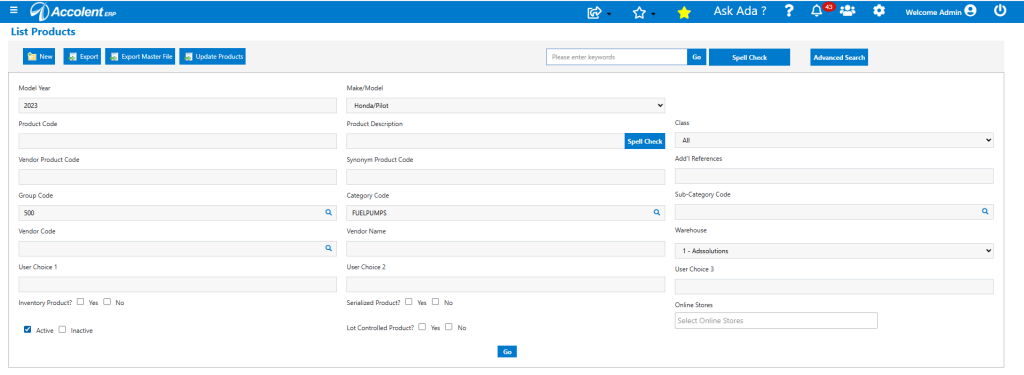
- Then search to bring up the specific product(s) that meet both the Year=2023, Make/Model=Honda/Pilot criteria and the Group/Category/Sub-Category product organization.
- In this case there is one product, so it is opened directly.
Third-Party Fitment Catalogs
- More typically however, most Auto Parts distributors don’t want to get or upkeep fitment data, which is extensive and changes frequently. Instead, they rely on third-party fitment catalogs.
- These third-party fitment catalogs typically deliver the year/make/model data that allows distributors to narrow down to a specific product code that can then be looked up in Accolent ERP for pricing, inventory, warehouse location, etc., information.
- Accolent ERP can also be easily set up to integrate directly with the third-party fitment catalog if desired.