
Accolent ERP requires each order to specify a Salesperson. The Salesperson can be associated with the customer, the territory or assigned on the order in a POS-type model. In addition, each order can also allow a Commission Agent. A Commission Agent is treated the same as a salesperson in the system but may have a lower rate for the same commission type. Unlike Salespersons, Commission Agents can be assigned to any order.
Set up Salesperson and Commission Agent
- Salesperson 120-Arturo Espinoza is linked to customer 011 Drip Works.
- For Commission-Type 1-1, Salesperson 120 has this Profit Matrix set up.

- Salesperson 109-Joe DiMaggio is a Commission Agent and has the following Profit Matrix set up for Commission-Type 1-1.

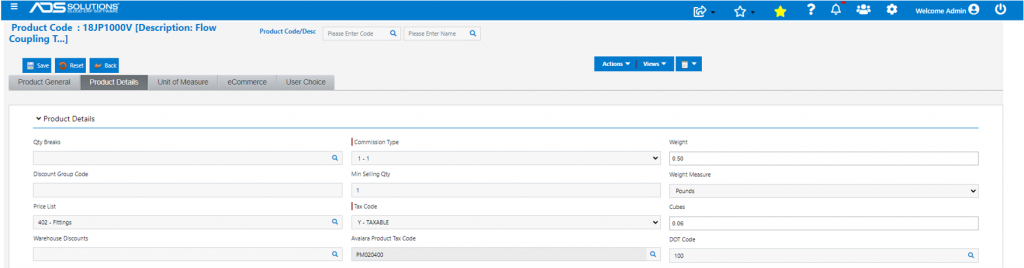
- Product 18JP1000V is associated with Commission-Type 1-1.
Create Order
- Create order 22790 for customer 011.
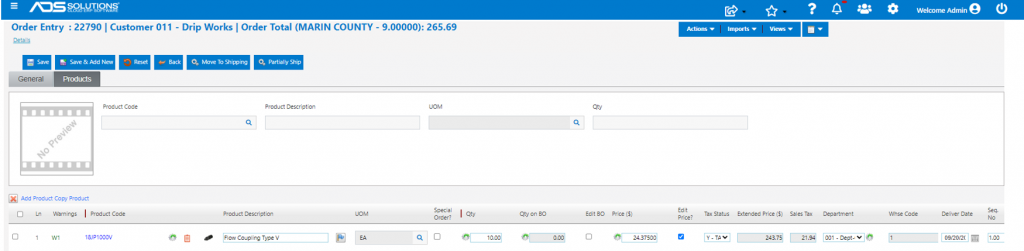
- Salesperson 120 is automatically associated with the order.
- Manually select and link Commission Agent 109 to this order.
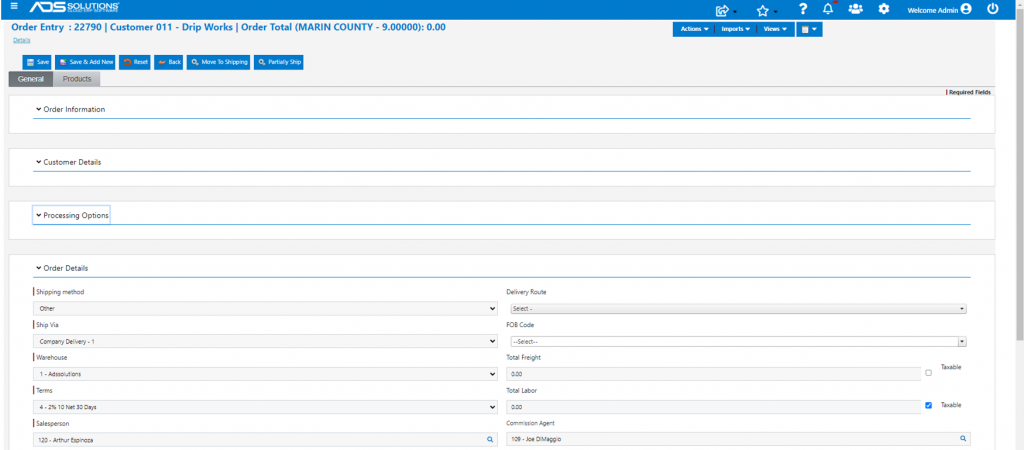
- Note that there are no restrictions on any valid salesperson in the system from being linked as the Commission Agent to an order.
- This will need to be carefully managed to avoid abuse.
- Move order to shipping and invoice.

Generate Commission Reports
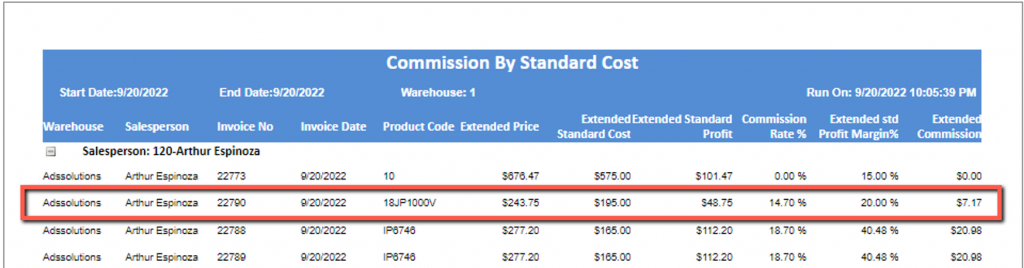
- Look up Salesperson Commission Report by Standard Cost for Salesperson 120.
- Calculates the rate as 14.7% based on a 20% profit margin.
- Lookup Commission Agent Commission Report by Standard Cost for Commission Agent 109.
- Calculates the rate as 2% at a 20% profit margin.
