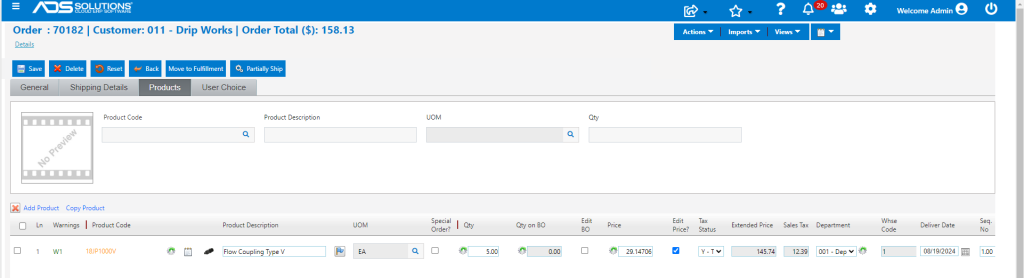
In addition to the transaction date on an order, Accolent ERP provides two other date fields that may be used to manage orders. The Requested Date field on the General tab of an order is a header-level field and applies to the whole order. In addition, on the Product tab of the order, each product line item can have its own Deliver Date that applies only to that line item and may or may not be the same as the Requested Date.
Requested Date
- The Transaction Date of an order is the date an order is entered, but it may be changed.
- The Requested Date field on the General tab of an order defaults to the Transaction Date but may be changed.
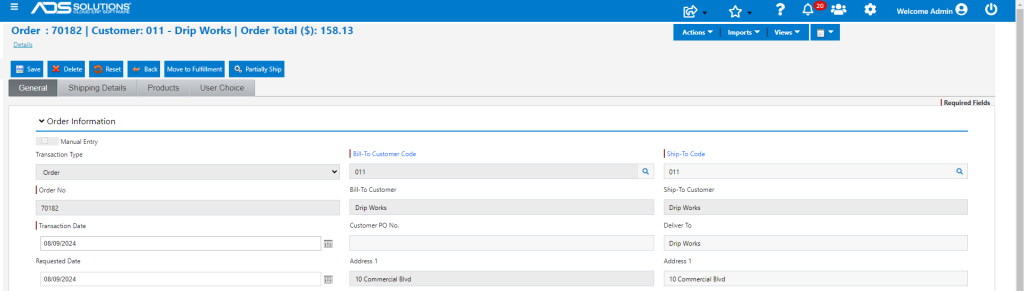
- To change the Requested Date on the order, enter or select a date (e.g., 8/15/24).
- The Requested Date applies to the whole order and can be used to record, for example, when the customer wants the order delivered.
- Once saved, the Requested Date may be manually changed at any time, for example, to accommodate the Customer’s new instructions (e.g., update to 8/19/24).
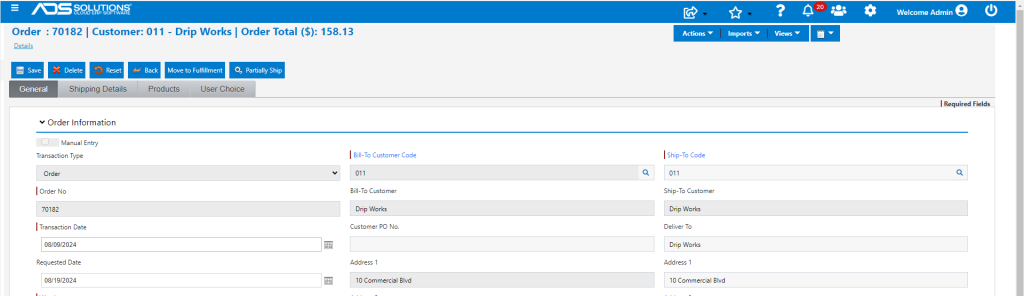
- When next opened, the Order will reflect the new Requested Date.
Deliver Dates
- Deliver Dates apply to line items on the order.
- When entered, individual product line items will default to the Transaction Date.
- Individual product lines can have different Deliver Dates, which may or may not be the same as the Requested Date on the order header.
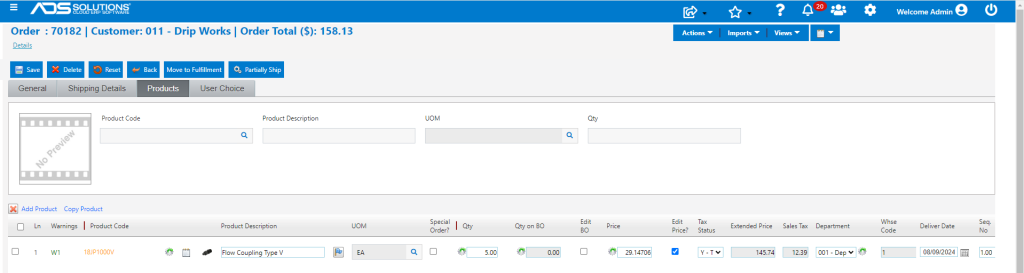
- Updating the Requested Date will not automatically update the Deliver Date on the product lines.
- If needed, the Deliver Dates for product lines may be changed and saved.
- For example, update the product line Deliver Date to 8/19/24 also.