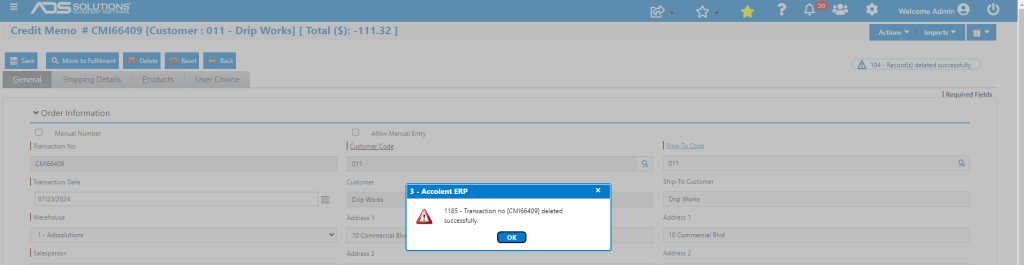
Accolent ERP allows a Credit Memo that is in order status to be deleted, just as for orders. If the Credit Memo has already been moved to invoiced status, it will first have to be unconfirmed, then it will need to be moved back to order status before it can be deleted.
Identify Credit Memo to be deleted
- Go to Sales > Credit Memos > List Credit Memos screen.
- Identify CMI66409 for -$111.32 that is already in Invoice status that has to be deleted.

Move Credit Memo from Invoice to Order
- Go Sales > Orders > Manage Orders > Move Invoice back to Order.
- Enter CMI66409 to be moved back to order.

- Save, then select Move Invoice to Order button.

- Go to List Credit Memos screen which now shows CMI66409 in order status.

Delete Credit Memo
- At this point the Credit Memo can be deleted.
- Open up CMI66409 and delete it.
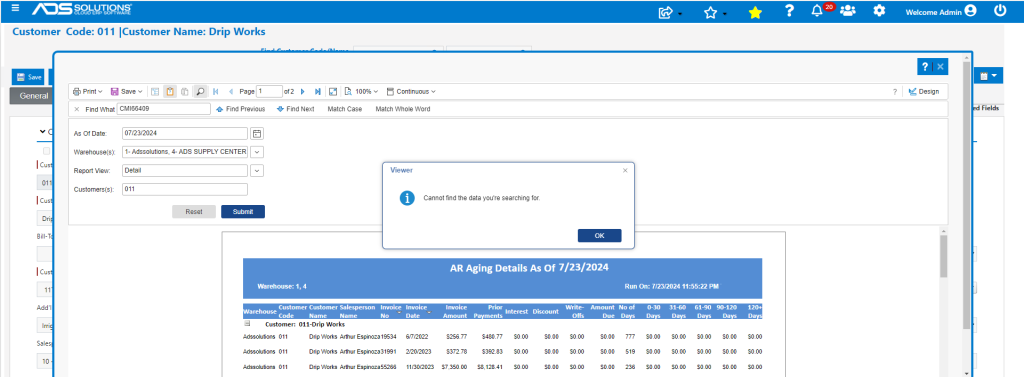
Verify in AR Aging
- Go to Customer 011 and look up AR Aging then search for CMI66409.
- CMI66409 was successfully deleted, so no record is found.