
Accolent ERP allows Installation Options to be defined for Products. These Installation Options are typically non-inventory, service-type products but they do not have to be. Installation Options could include options for, for example, Delivery Only, Delivery and Installation and Delivery Installation and Removal of Old Equipment. If Installation Options are entered for a product, they will be able to be selected when entering that product on an order and added to the order. When a Product with Installation Options is put on an order the user will be required to select at least one Installation Option to be able to complete the order.
Create Installation Options
- Create the Installation Options as products.
- Typically, Installation Options are non-inventory, services-type products, but they do not need to be.
- This is the Installation Option product that is made for Delivery, Installation and Removal of the old equipment.
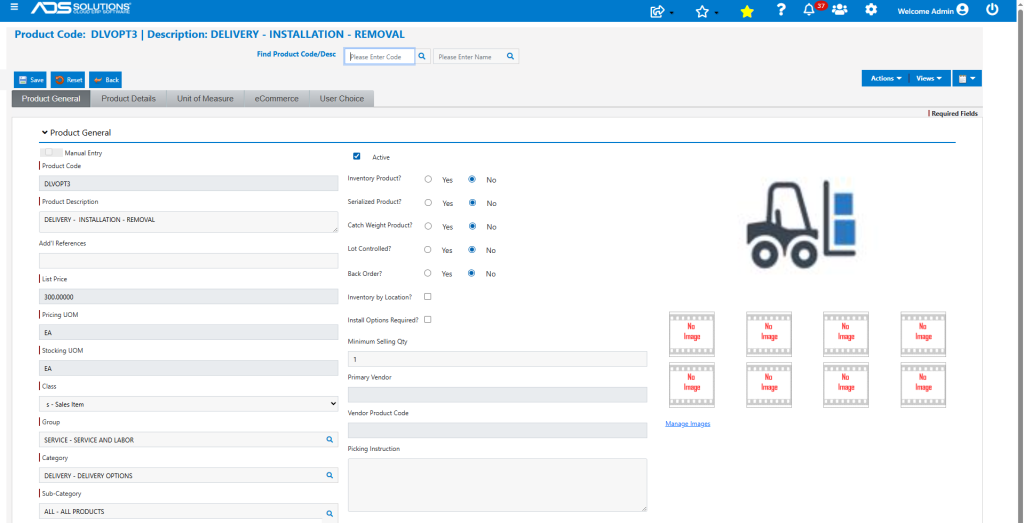
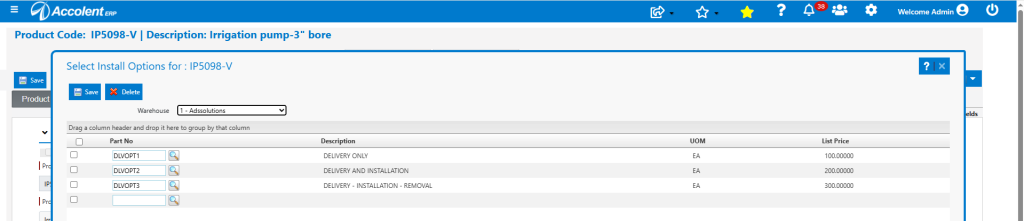
- Below are 3 Installation Option products created that have fixed prices, but they could also be hourly based, if desired.

Link to Inventory Products
- The Installation Option products can then be linked to an inventory product that requires specification of the installation needed.
- The product should have the Install Options Required checkbox selected.
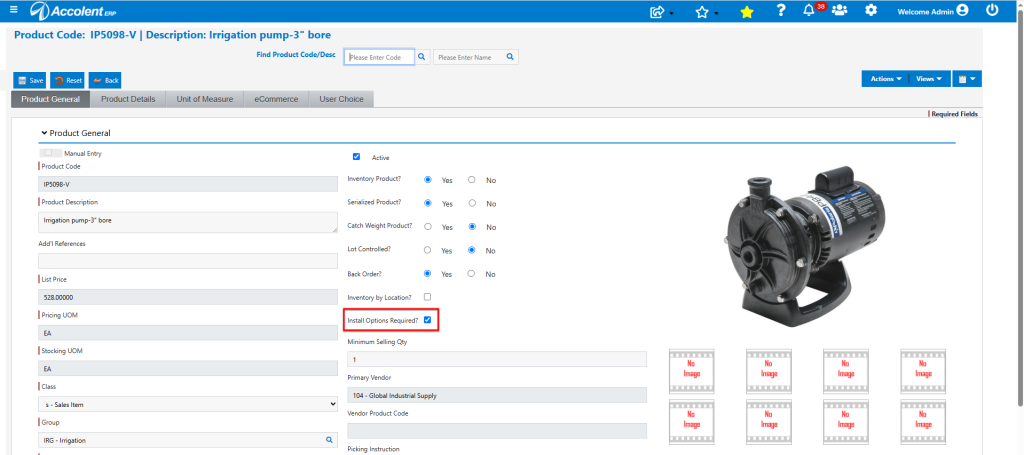
- Then on the Actions > Install Options the specific options available may be selected.
Create Order in Accolent ERP
- Create Order 85988 for customer 011.
- Specify Product IP5098-V and attempt to Save – gives warning that installation options must be specified.

- The icon next to the Product Code shows there are installation options.
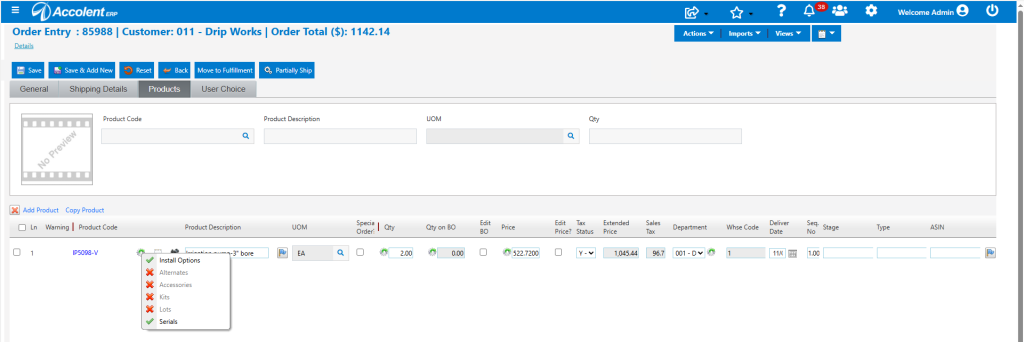
- Click on the Install Options and select DLVOPT1-Delivery Only and this is added to the order.
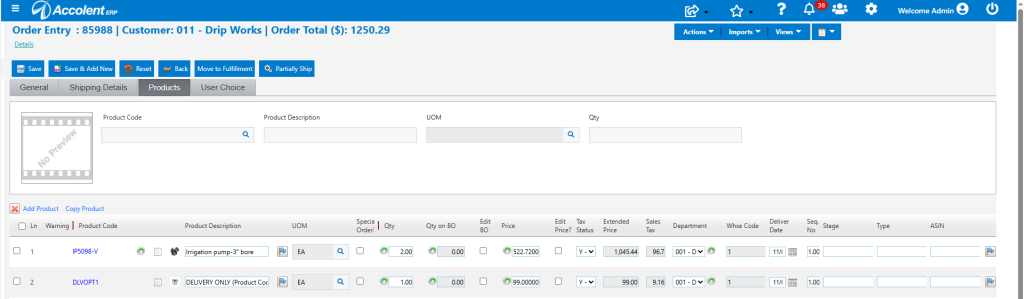
- The order can now be saved.
