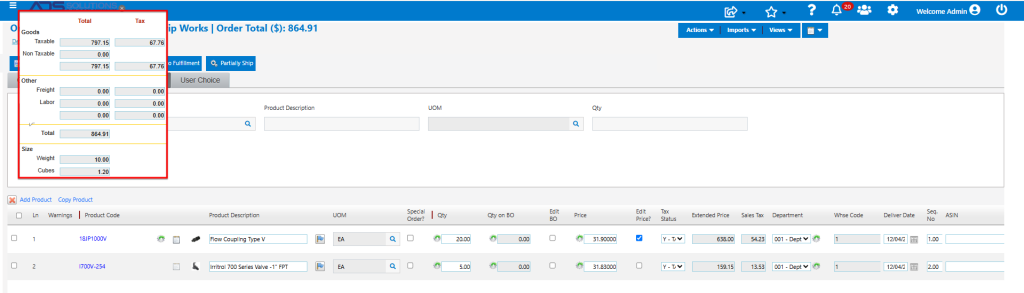
During quote or order entry, Accolent ERP allows users to revise prices either for the whole quote or order or line by line based on the profit or profit margin calculated using Standard Cost. These options may be used if, for example, a bid is being submitted and the whole quote or order needs to be adjusted up or down. Another possible use case could be a customer ordering an unusually large quantity of a specific item and seeking additional one-time discounts.
Create Quote or Order
- Enter order 75113 for Customer 011.
- Based on existing pricing, the order value is $921.58
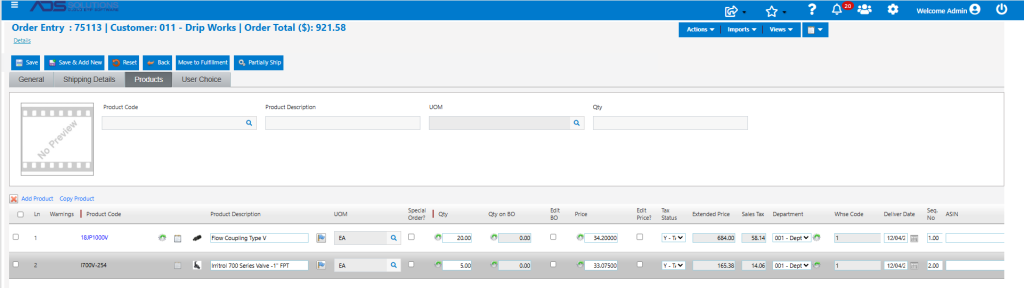
- Standard Cost for Product 18JP1000V is $23.50.
- Use the cost button to adjust the cost for this line for this order ONLY, to $22.00 (say).
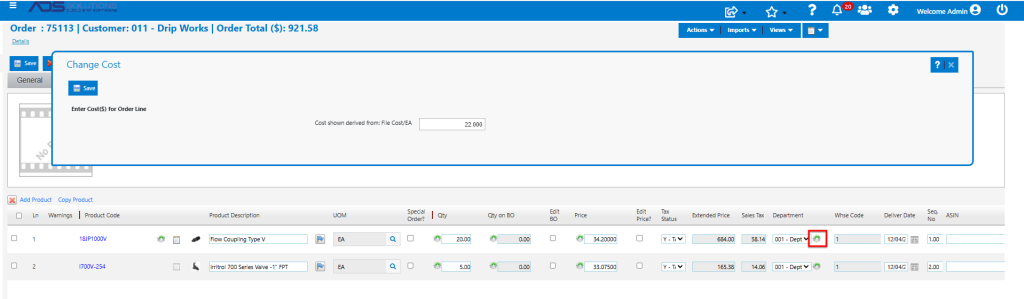
- The changed cost for line item 1 will be used for all subsequent order calculations.
Reprice Whole Quote or Order
- Select Actions > Calculate Order Profit.
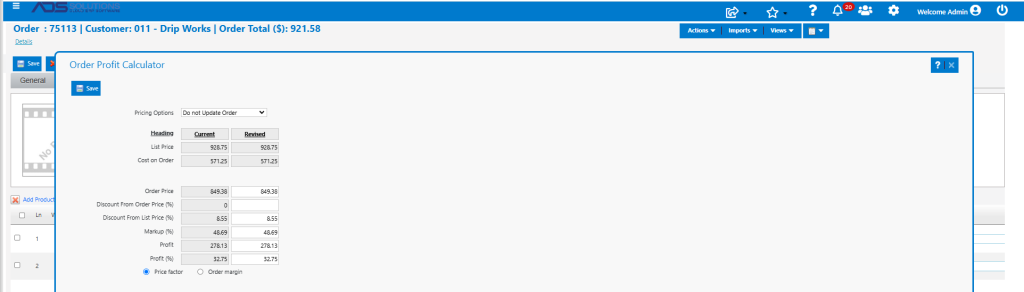
- In the Revised column, enter any one of:
- Order Price,
- Discount from Order Price (%),
- Discount from List Price (%),
- Markup (%),
- Profit ($), or
- Profit (%).
- Entering any one of these parameters and tabbing out will recalculate all other entries.
- For example, reprice the order to get a 30% (rather than 32.75%) profit.
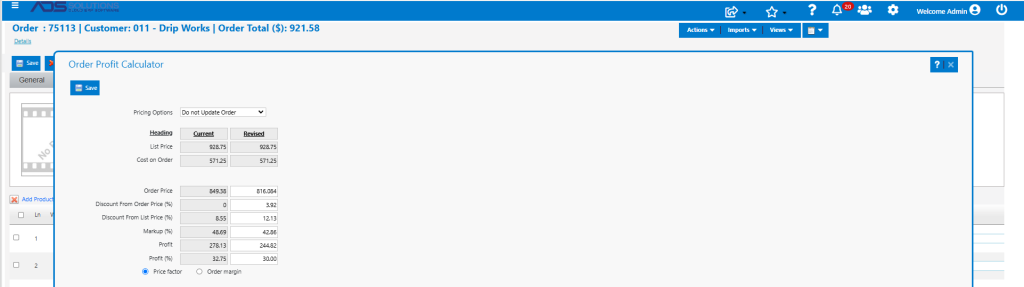
- The result is that the Price will need to be reduced from $849.38 to $816.08 representing a 12.13% Discount from List Price, a 42.86% markup over Cost, and a profit of $244.82 to get to the target Profit Margin of 30%.
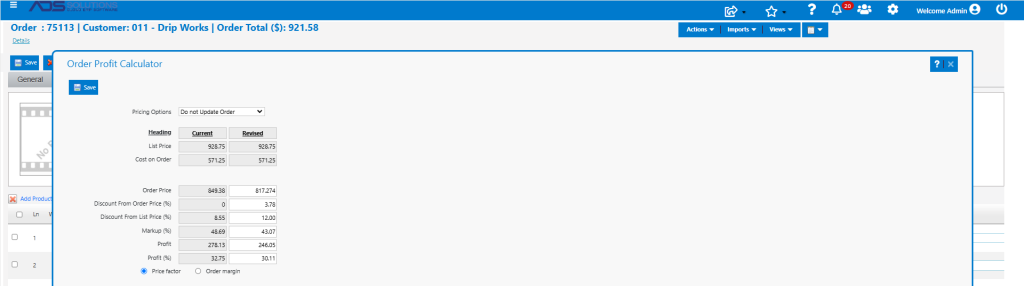
- Modify again by, for example, entering a 12.00% Discount from List Price.
- The new result is that the Price will need to be reduced to $817.27 for a Discount from List Price of 12.00%, which yields a 30.11% Profit Margin.
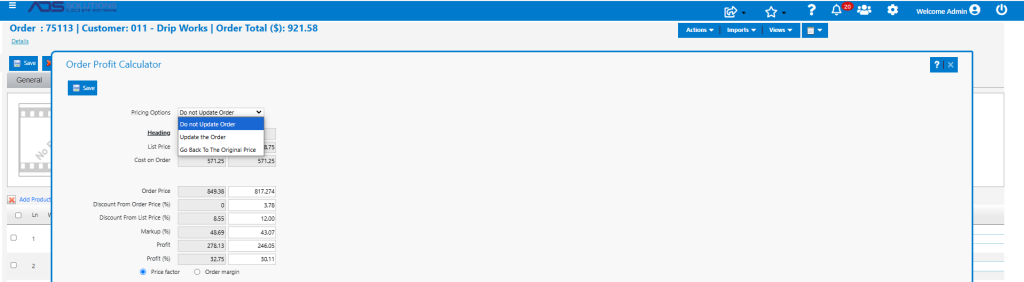
- When satisfied, from the Pricing Options dropdown, select Update the Order to reprice the order.
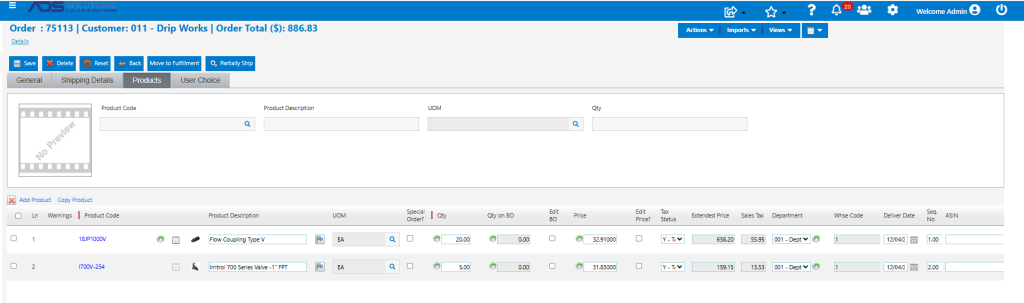
- Because the Price Factor radio button was selected, the revised pricing will be allocated to all line items based on the ratio of the new order total to the old order total; in this example, the unit price of line 1 is $817.27 / $849.38 x $34.20 = $32.91.
- If the Order Margin radio button had been selected, all lines would be repriced to give a 30.11% profit margin for each line.
- Click Save and the order will be updated.
Reprice Lines Separately
- Select Actions > Calculate Line Item Pricing.
- This allows the pricing of individual quote or order line items to be adjusted independently.
- For any line item(s) enter a revised Price ($) or Markup (%).
- Entering either one of these parameters recalculates the screen.

- For example, note that the Markup on line 1 is 49.59% and could be reduced. Enter a 45.00% markup and tab out.
- Screen recalculates line 1 with Price of $31.90, which reduces Profit Margin to 28.34% and a Markup of 45.00%.

- Click Save to update the quote or order.
- Revised quote or order pricing.