
Overview
Accolent ERP is directly linked to a Magento ecommerce platform. Accolent ERP uses Magento Community Edition version 2.3.6 which is open source, so it is free (by comparison, for revenue < $1,000,000, the Magento Commerce version 2.0, owned by Adobe, costs $22,000+ per year plus $40,000+ for hosting by Adobe). The Magento ecommerce store can be installed and hosted anywhere – we have installed it on A2Hosting, one of the largest 3rd party Magento hosting companies. Magento has many free as well as paid themes available and has thousands of free and paid extensions to choose from. We can help you get a Magento online store set up and customized. This is the link to the Magento user guide.
Once the Magento online store is set up, the initial loading of products and images (marked for online store display) from Accolent ERP to Magento can be done using a utility that will add all the products in a category to Magento, one category at a time. Then any new product created in Accolent ERP when saved will automatically update Magento immediately. Any transactions (Invoice, PO Receipt, Manual Inventory Adjustment) in Accolent ERP that affect a product’s QOH (quantity on hand) will automatically update the inventory in Magento as soon as the transaction is saved. Note that the inventory shown in Magento will be the sum of the inventory for all warehouses in Accolent ERP. Any orders created in Magento will automatically and immediately update Accolent ERP for the default warehouse. As an order is processed in Accolent ERP, Magento is updated with tracking number, shipped date and invoice. As products are changed and saved in Accolent ERP, the changes are automatically pushed to Magento immediately.
Magento Online Store
- You can install the Magento Online Store on a hosted server such as A2Hosting with a URL that will access it; you can redirect to this from your existing website.
- You will need to install a theme and customize your store.
- You will get access to the Magento admin panel to manage your store.
- Once the Magento store is set up, we will give you the API credentials you will need to enter into Accolent ERP to link to the Magento Online Store.
Load Products to Magento by Category
- If products and images exist in Accolent ERP, pushing them to the Magento Online Store in an initial load is very straightforward
- Go to Settings > eCommerce Admin > Product Import
- Then click ADD New Products to automatically push all products (including images) in that Category that are marked for Online Store display to the Magento Online Store

- ADD – pushes all the products in the selected Category that are marked for Magento Online Store display to the Magento Online Store.
- UPDATE – updates the Images and Inventory for all the products in the selected Category that are marked for Magento Online Store display to the Magento Online Store.
Create New Product in Accolent ERP Updates Magento
- Create a new eCommerce marked product in Accolent and save – this will automatically push to the Magento Online Store.
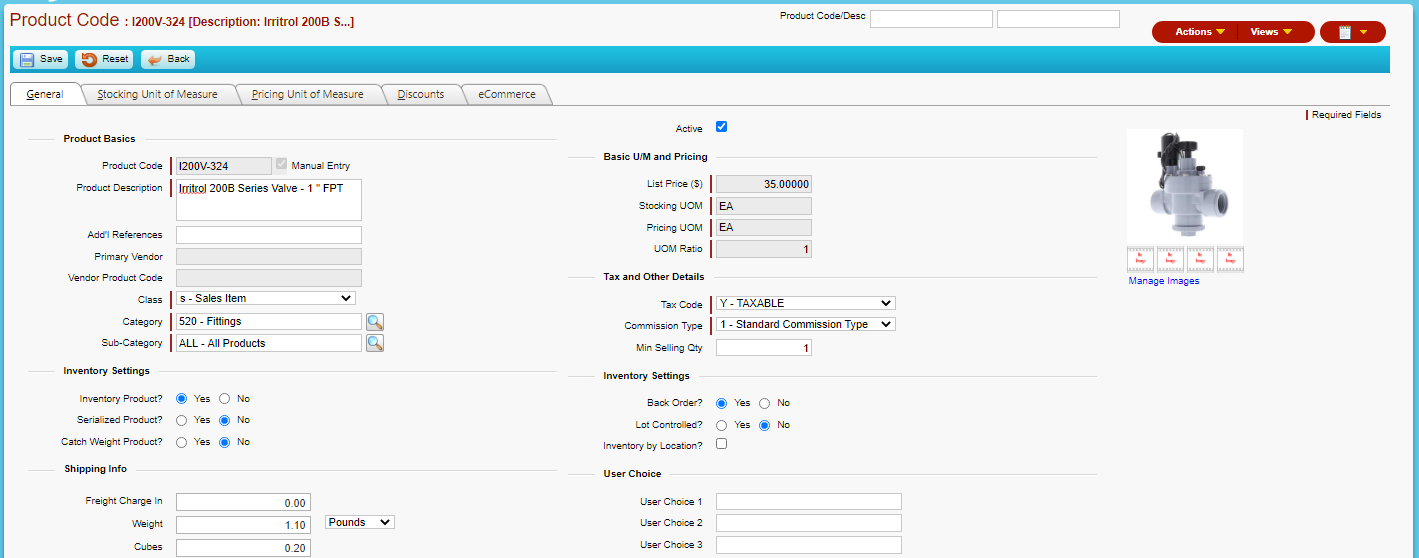
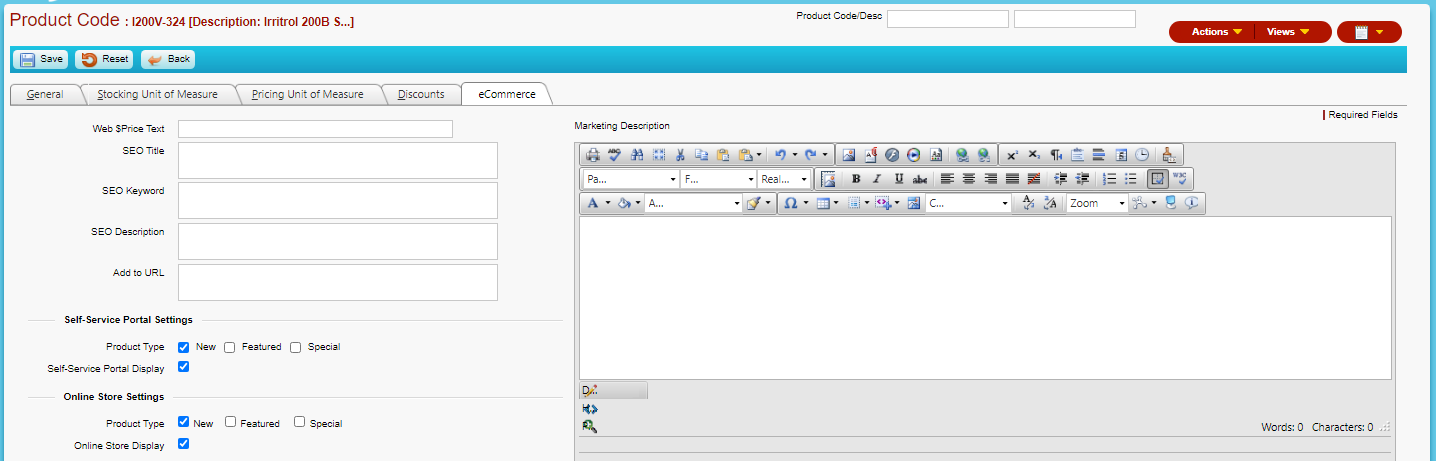
- Save the product which is automatically pushed to the Magento Online Store
- The product can be seen on the Magento Admin panel, but is not yet visible in the Magento Online Store since there is no inventory of this product
Receive PO in Accolent ERP Updates Inventory in Magento
- In Accolent ERP, create and receive PO C1312 for 10 EA x I200V–324.
- Receipt of the PO in Accolent ERP automatically pushed the inventory quantity of 10 to the Magento Online Store.
- Refresh the Magento Online Store and the product now appears (since there is inventory).
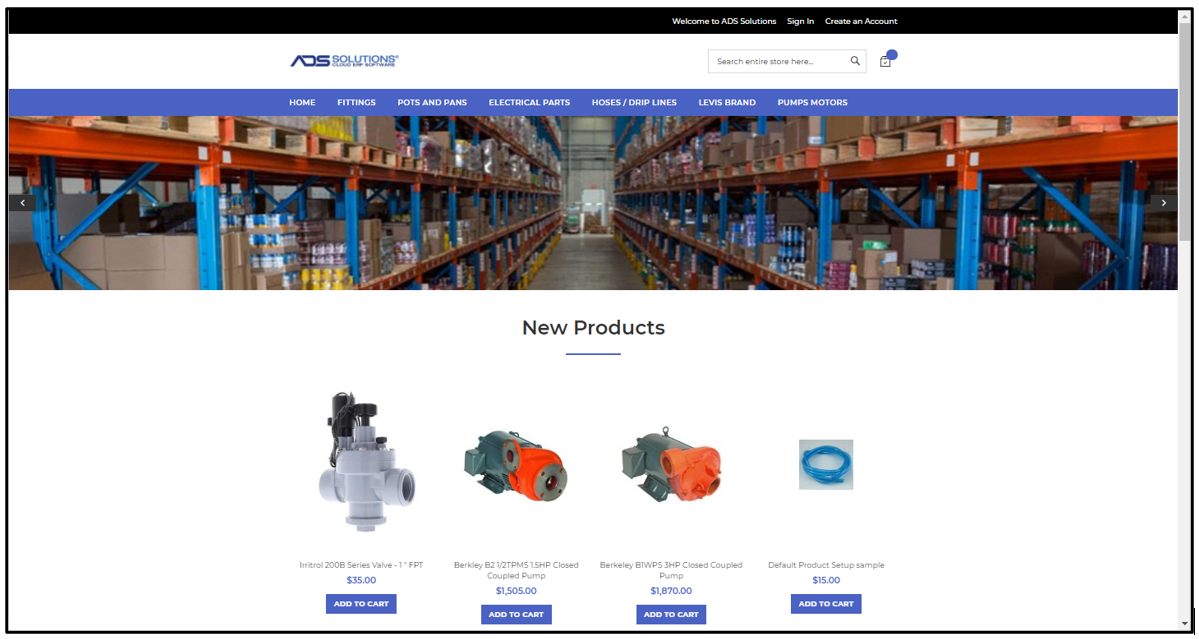
Create Order in Magento Updates Accolent ERP
- Create an order in the Magento Online Store for 2 EA x I200V-324
- Enter a new email address (i.e., without an existing account)
- Note Magento allows a user to place an order without an Account
- However, user has the option to create an Account after entering the order
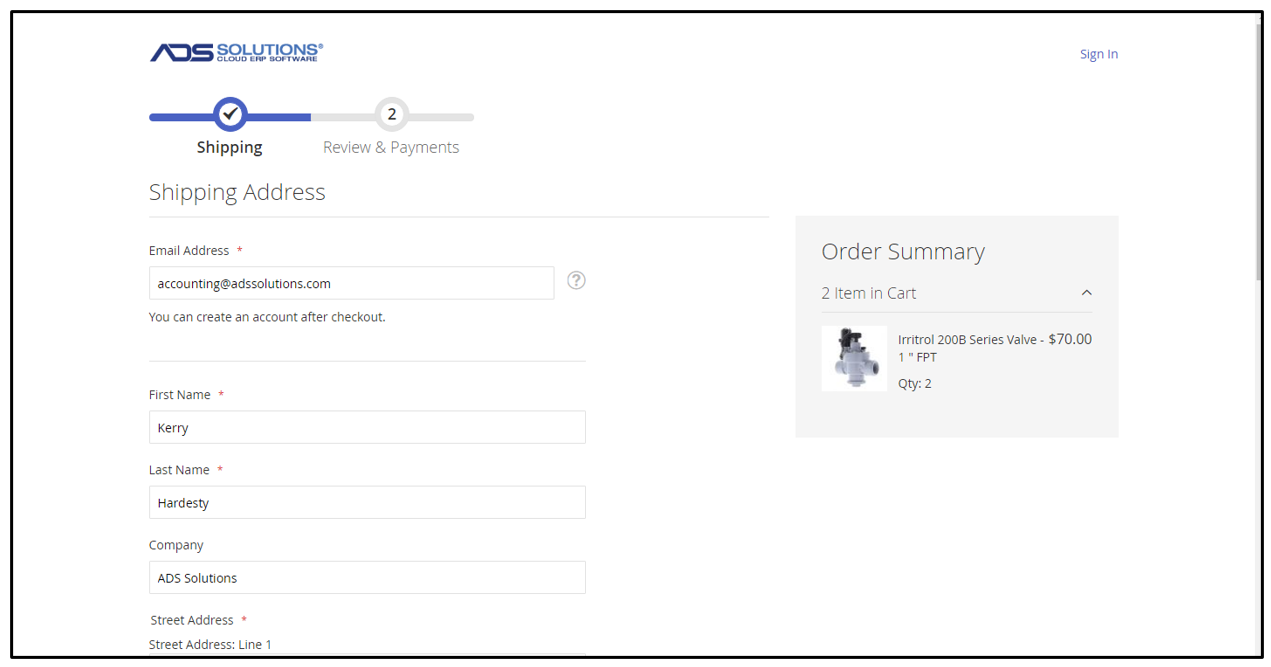
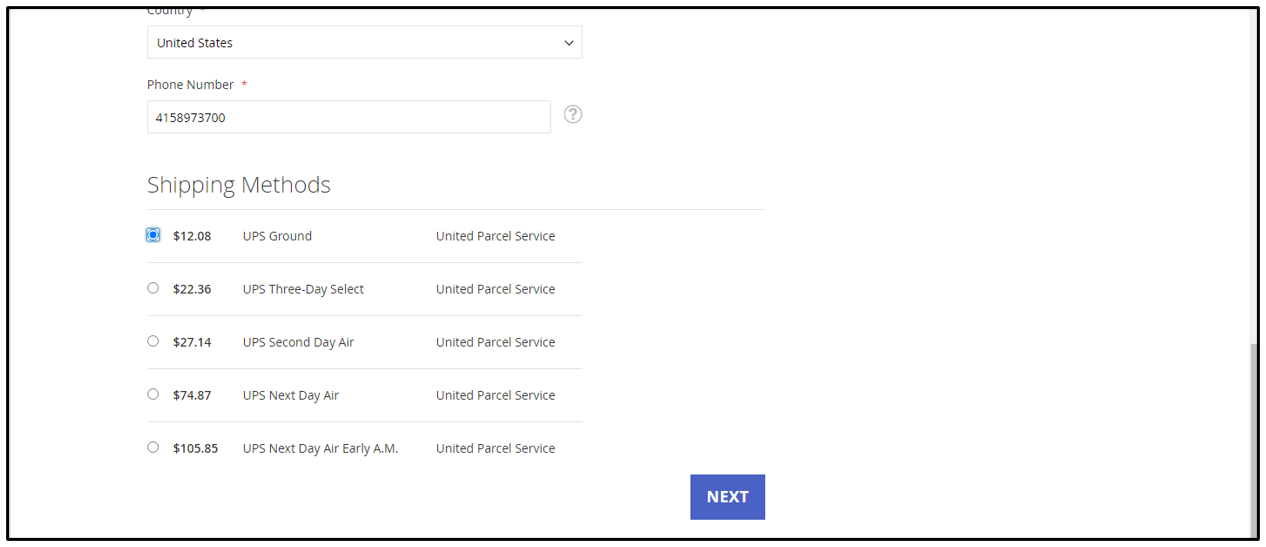
- Select Shipping Method (that we will preconfigure for you) and click Next
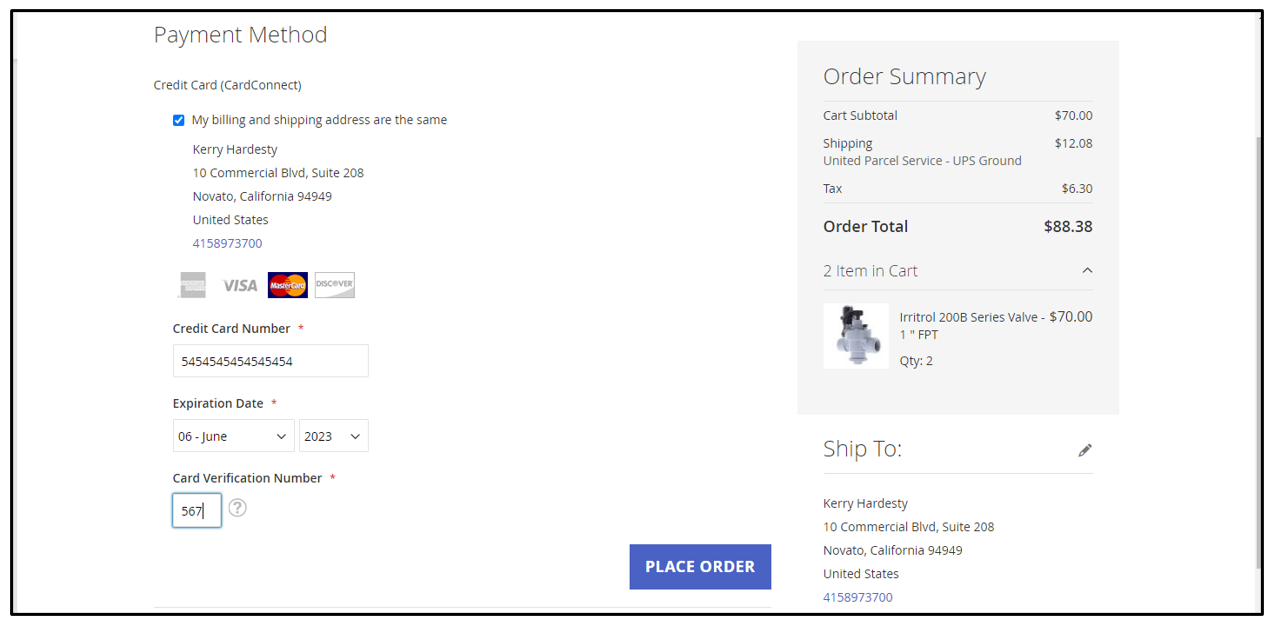
- Enter Payment (through Fiserv that is already fully integrated with Accolent ERP or other gateway/processor, that we will pre-configure) to complete order
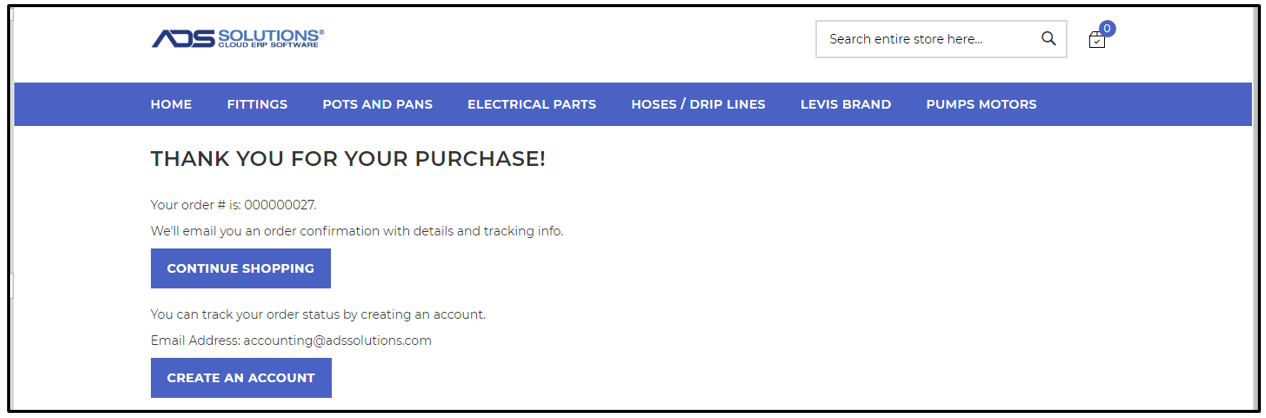
- Complete the order in Magento
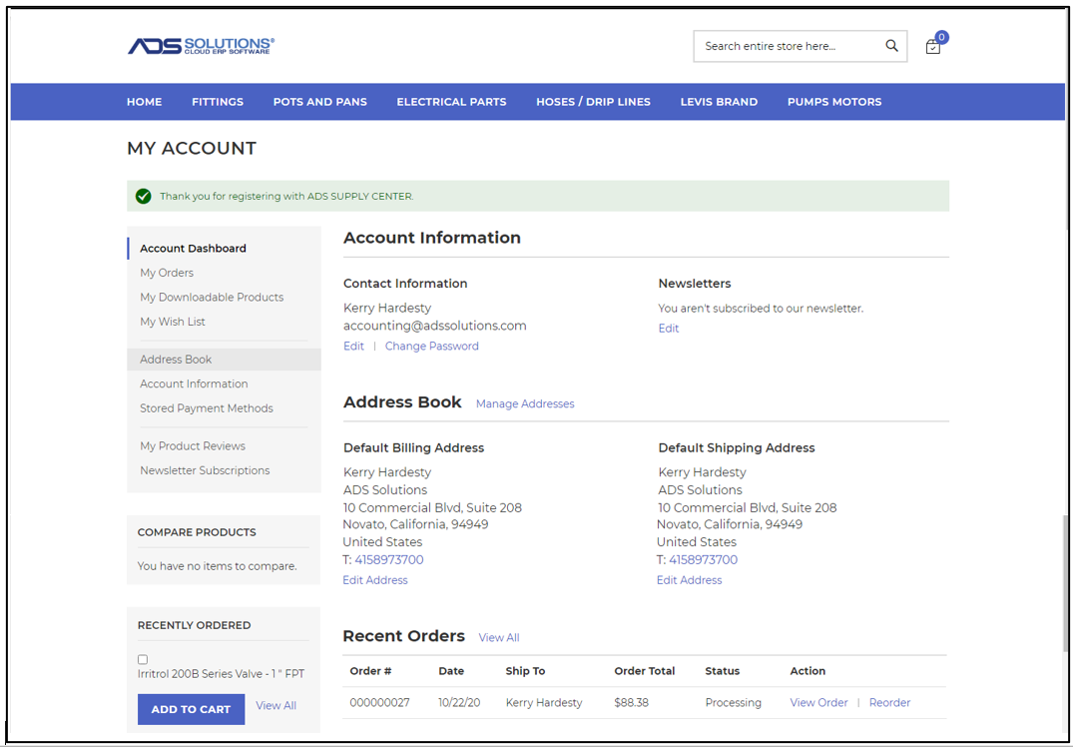
Create Account in Magento
- Click Create Account now
- Account allows user to see prior orders, recently ordered products, maintain a Wish List, compare products, etc.
Magento Order Updates Accolent ERP
- Order 000000027 was automatically created and numbered S2295 in Accolent ERP (both the Accolent transaction no and the Magento order no are recorded)
- The order is created for the default warehouse specified on Config ID 67

- A new Customer with unique combination of first name, last name and email address, was automatically created and and auto assigned a unique code in Accolent ERP
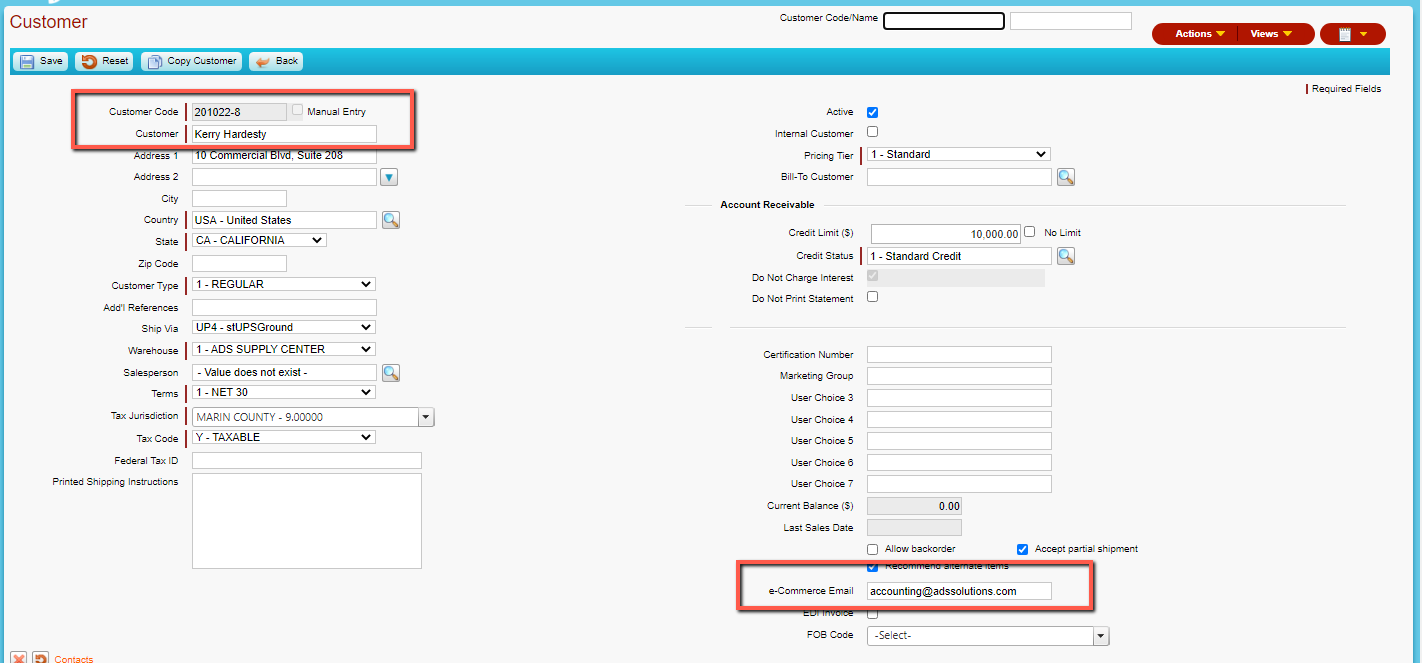
- The receipt of payment of $88.38 and creation of a Customer Deposit was automatically recorded in Accolent ERP


Process Order in Accolent ERP Updates Magento
- Open S2295 and move to shipping
- Then Pack and Ship – distributor’s cost for freight is $9.83
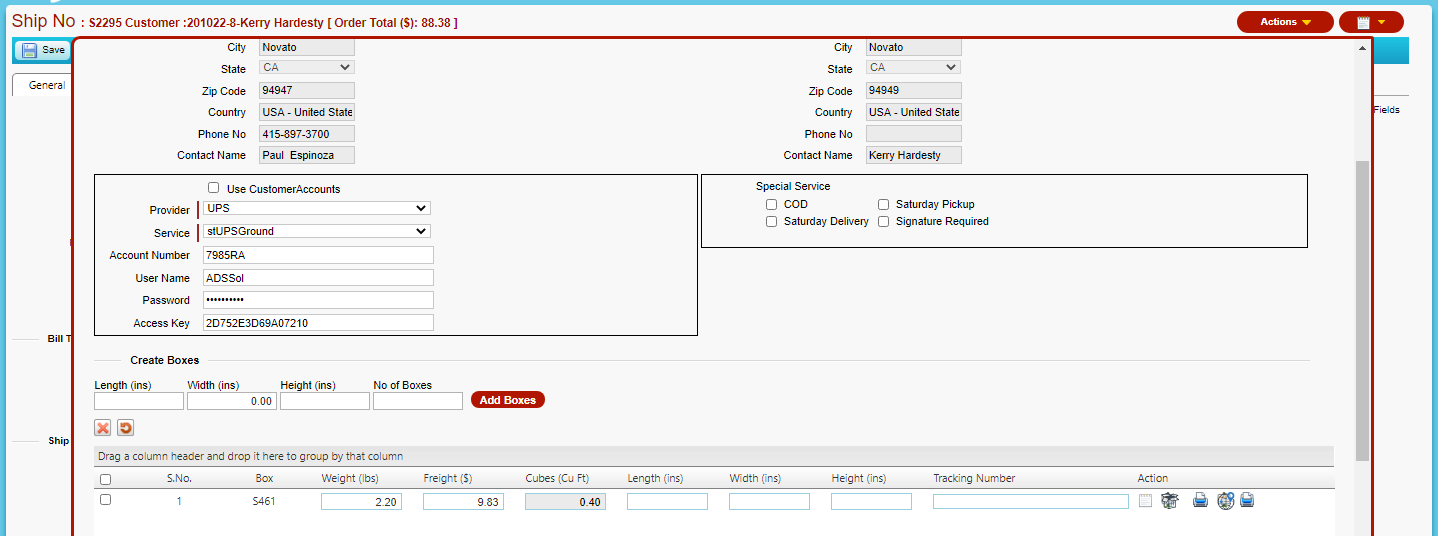
- Edit freight to match amount charged (and paid for) in Magento Online Store of $12.08 and get tracking number

- Save the order
- Updates Magento Online Store and records the tracking number, which can be looked up on the UPS tracking website
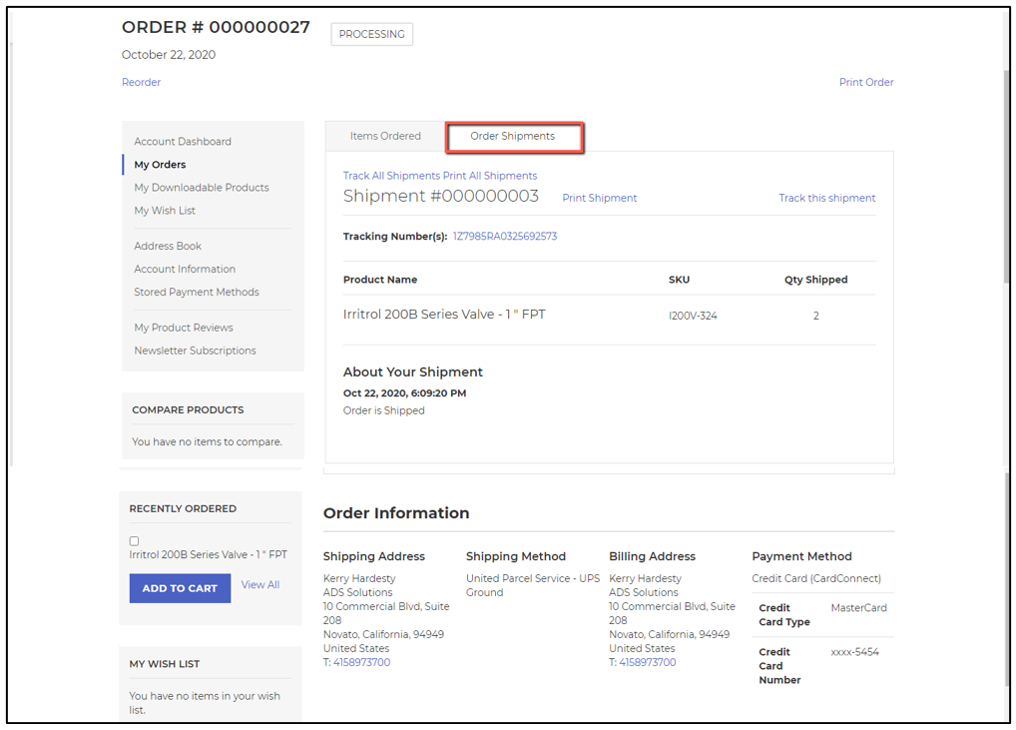
- Now in Accolent ERP fulfill the order and move to invoice
- On the Apply Payment pop-up click OK to apply the payment taken previously to the invoice

- Automatically updates the Magento Online Store with the Invoice
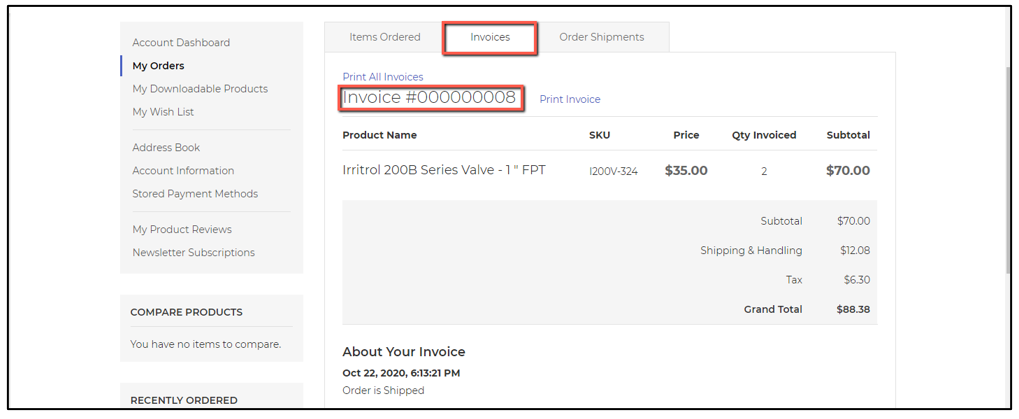
Invoice in Accolent ERP Updates Inventory in Magento
- When the order is invoiced in Accolent ERP, this automatically updates the Ledger Card
- The Qty field is reduced by 2, leaving an ending balance of 8

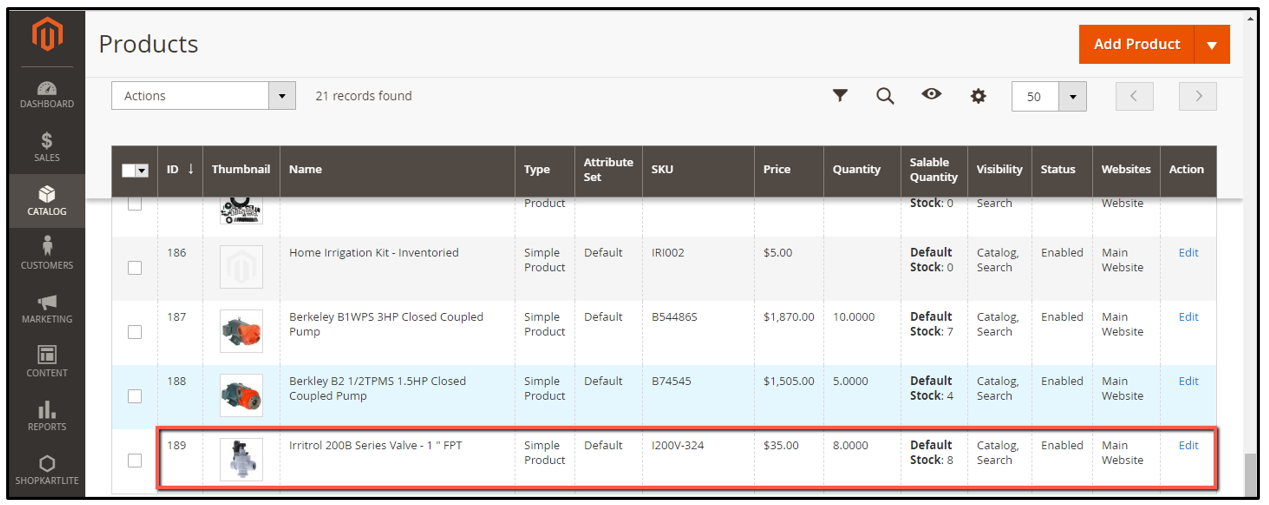
- Invoicing the transaction in Accolent ERP automatically updated the inventory quantity in the Magento Online Store, with can be seen on the Magento Admin panel
Manual Inventory Adjustment in Accolent ERP Updates Magento
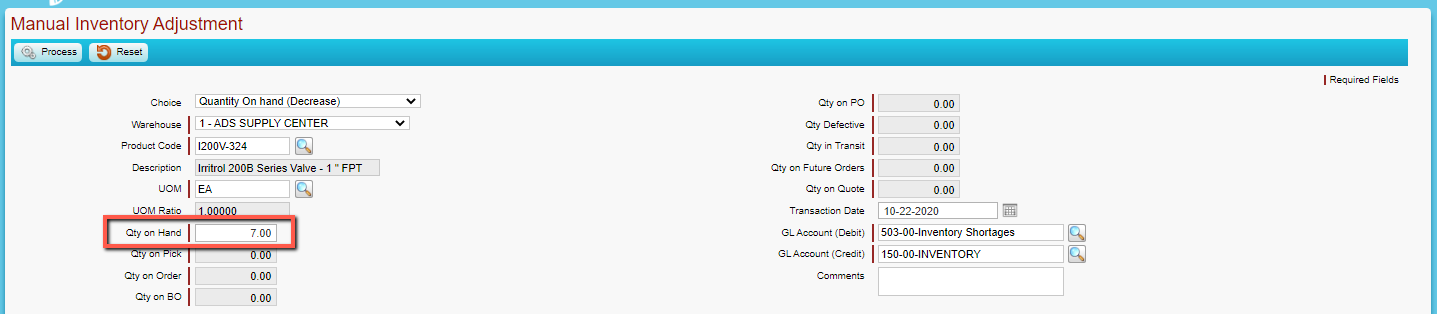
- Reduce QOH (Quantity on Hand) by 1 in Accolent ERP, this will automatically update the Magento inventory level
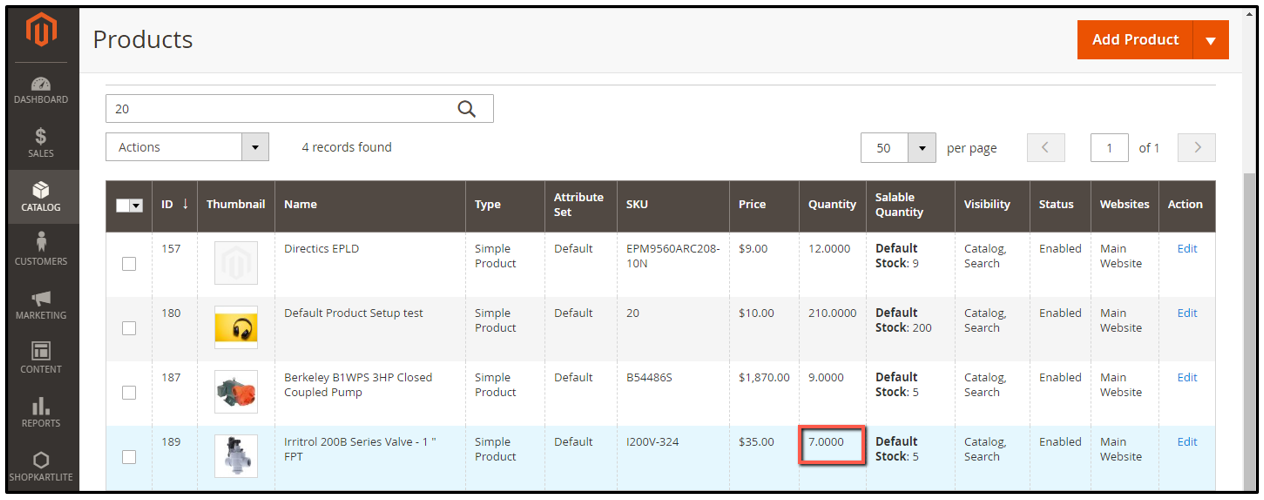
- Refresh and review on Magento Admin panel
Maintain Products in Accolent ERP Updates Magento
- Any time a product is modified and saved in Accolent ERP it automatically updates on Magento
- This allows for products to be maintained in Accolent ERP, including key SEO parameters, and these changes automatically go to Magento
- The fields that update include: price, inventory quantity, weight, description, meta title, meta keywords, meta description