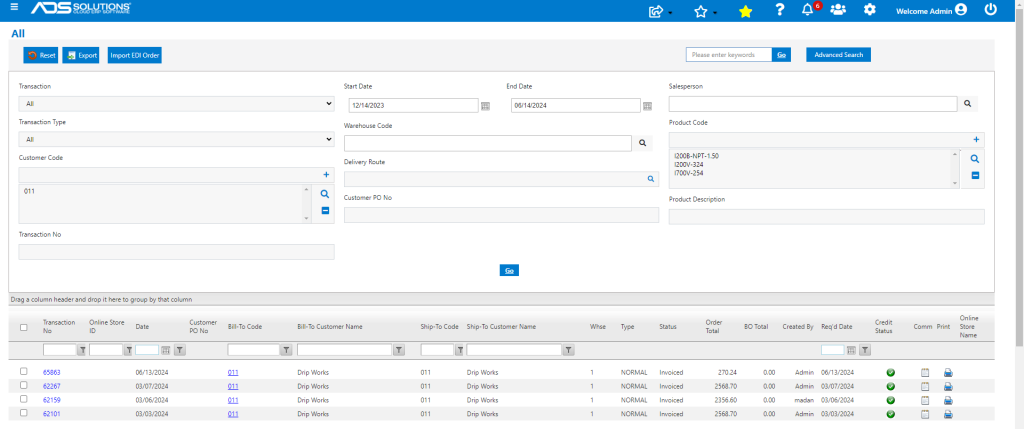
The Accolent ERP Transaction Locate screen is a single screen from which users can search the system for specific sales-related transactions. Included in the search are Quotes, Orders, Orders in Fulfillment, Invoices, Back Orders and Future Orders for any transaction type including special orders and recurring orders.
Multiple Available Filters
- Go to Home > Transaction Locate.
- The Transaction Locate screen has multiple filters that can be used in combination to narrow your search.
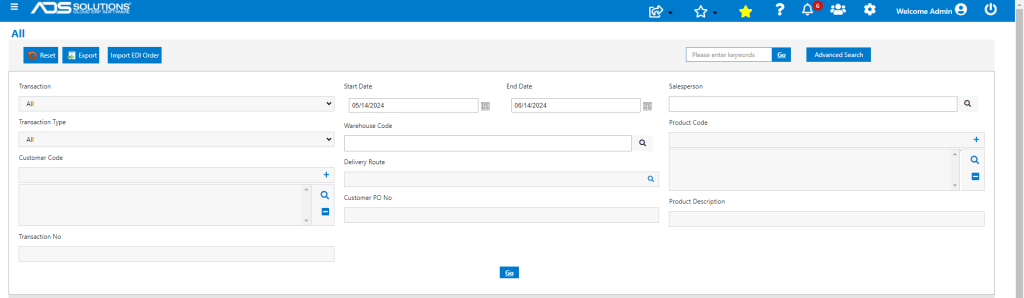
- The Transaction and Transaction Types filters include All options, and both the Customer Code and the Product Code are multi-select fields. As a result, the Transaction Locate screen offers the ability to create very powerful multi-facet searches.
- If you leave all filters blank, the search will return all transactions.
- Some simple samples of searches are shown below, but the search capability is extremely powerful.
Find a Particular Transaction/Transaction Type
- For example, select Invoices from the Transaction Type dropdown (note that the date range defaults to the last 30 days but the default can be changed).
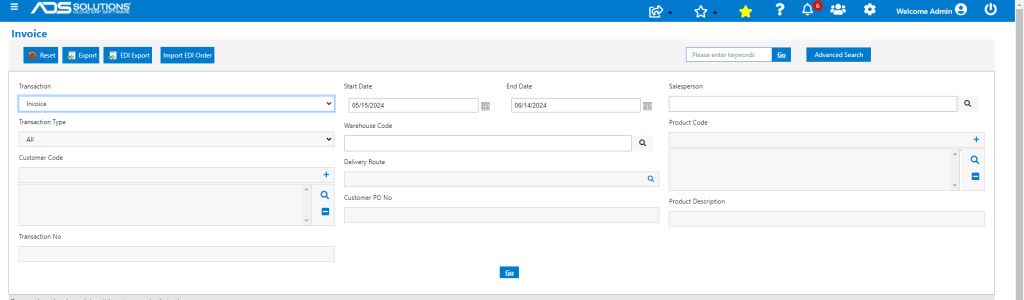
- Click Go to see the results of the search.
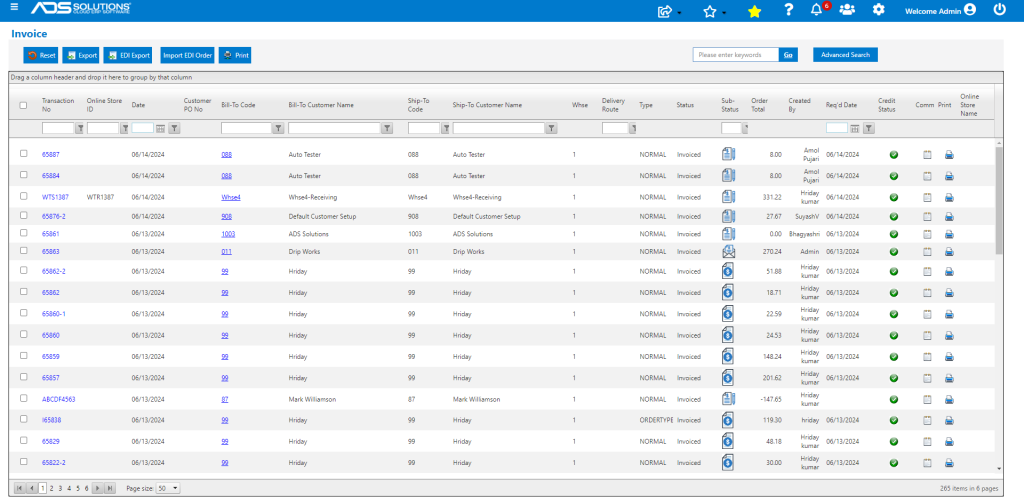
- The grids can all be sorted and filtered to search within the returned results.
Drill into a Particular Transaction
- Clicking on the hyperlink for a Transaction No or Customer Code will open the record.
- For example, click on Invoice 65863 to see a pop-up summary of the invoice.
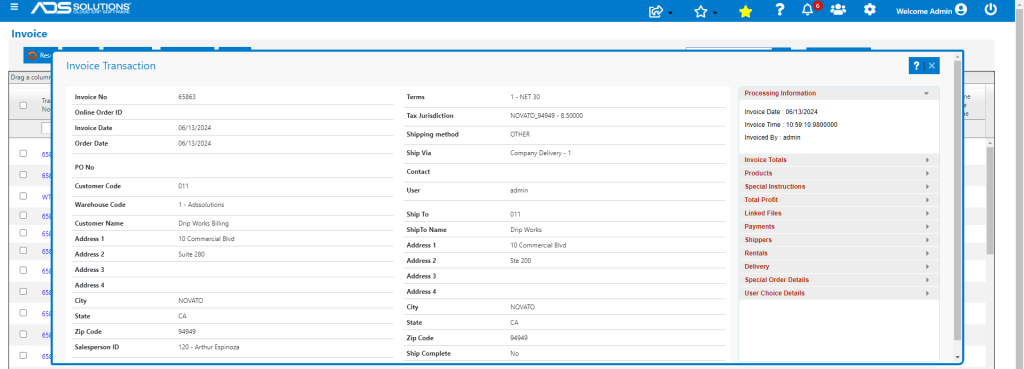
- Clicking on the menus on the right-hand side will bring up more details of the Invoice and related records.
- For example, look up the products on the invoice.
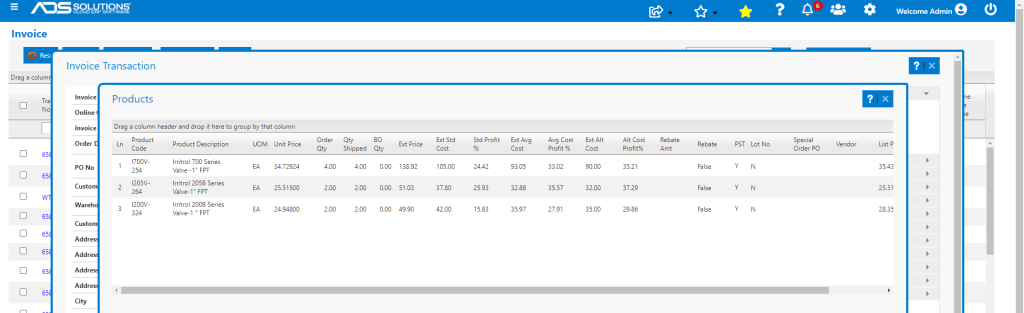
- Clicking on the printer icon will bring up the Print Options screen, allowing a copy of the invoice to be viewed/printed or emailed.
Find Related Transactions
- It is also possible to search for all related transactions (e.g., back orders, invoices).
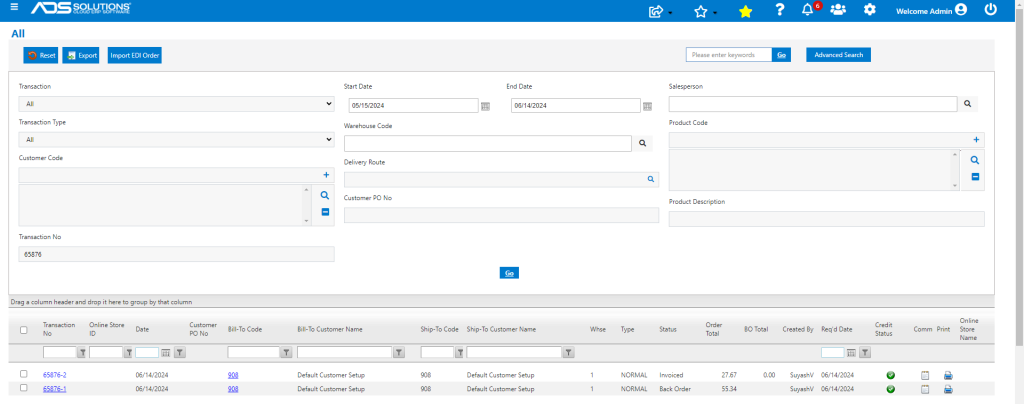
- For example, search for All Transactions and enter a specific transaction no 65876.
- The screen shows that one invoice and one back order were created
Find Purchases of Products by Specific Customer
- Search for purchases of specific products (e.g., I200B-NPT-1.50 or I200V-324 or I700V-324) by Customer 011 in the last 6 months.
- Search identifies all such purchases.