
Accolent ERP offers several options for printing Pick tickets. To print Pick tickets automatically when an order is moved to fulfillment, set this up in the System Configuration. Then when the order is moved to fulfillment, the Pick Ticket will automatically print to the default printer set up for Pick Tickets.
Set System Setting
- Go to Settings > System > System Configuration, set Config ID 111.
- This setting determines how the Auto Print Pick Ticket function defaults.
- Set to Y for Pick tickets to automatically print to the pick ticket printer whenever an order is moved to fulfillment or N to disable.

Entering an Order
- Since the setting is to automatically print Pick tickets, the Auto Print Pick Ticket radio button on the order screen will default to Yes.
- To stop automatic printing of the Pick ticket on any particular transaction change the radio button setting for that transaction.
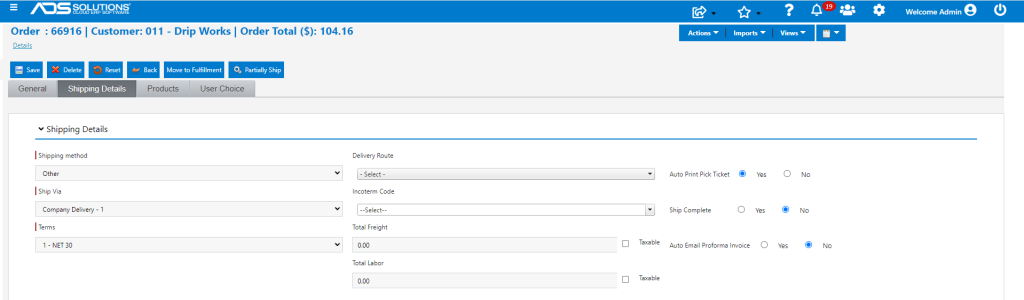
- To turn off automatic printing of Pick tickets for all transactions, change the Config ID 111 setting to N.