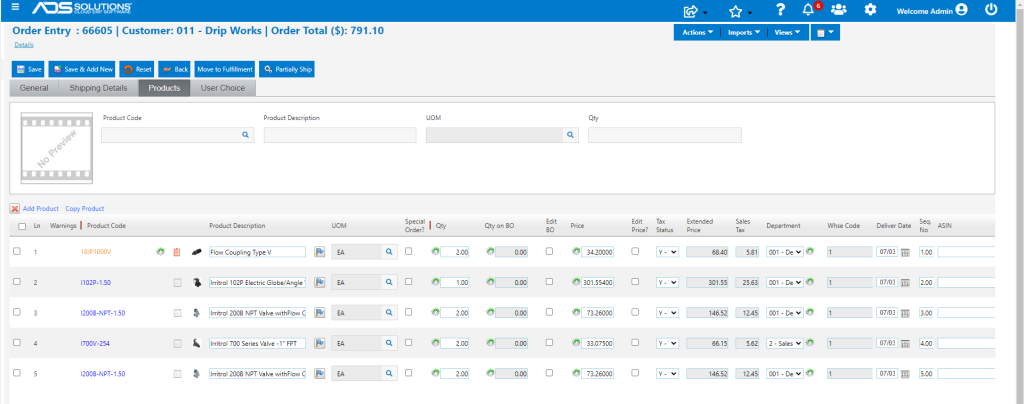
Accolent ERP offers several powerful options that make it easy to import products into quotes or orders. From within a quote or an order the Imports tab has several import options from which line items and the quantities may be searched for, selected and then added into the quote or order being entered.
Available Options to Import into Quotes and Order
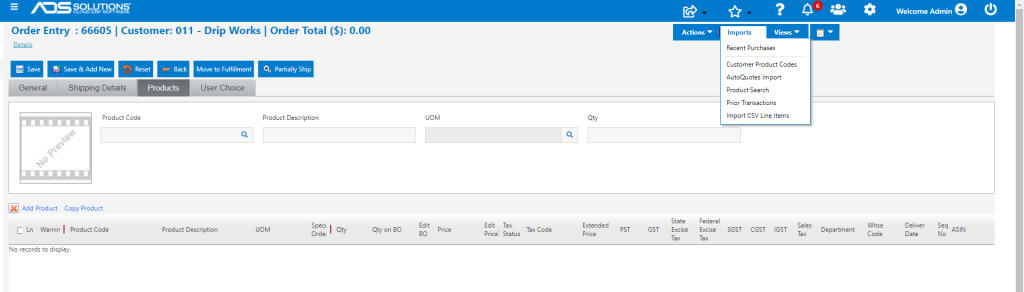
- From Orders > Create Order, select the Imports tab to see a list of the available import options.
- These options are described below.
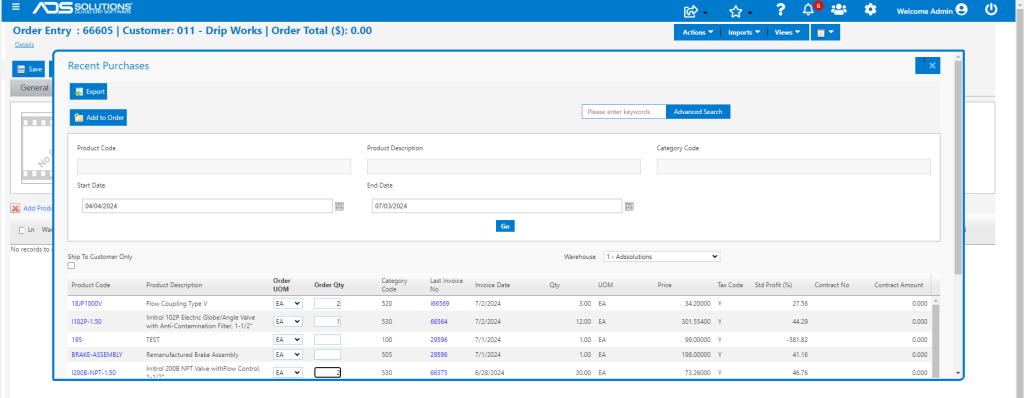
Recent Purchases
- This option allows the import of products that have appeared on invoices for this customer.
- The Recent Purchases pop-up screen shows the last purchase for each product.
- Enter the Order Qty for all the lines to be imported into the current order.
- Note: The product price from the last order will not be imported to the current order; instead, the current order will use current pricing for this product.
- This list of Recent Purchases is driving off the Bill-To Customer; to limit the search to the particular Ship-To Customer selected, select the Ship-To Customer Only checkbox.
- Within the Recent Purchases screen, clicking on any product hyperlink pulls up the invoice history for this product for this customer.
- For example, click on the I102P-1.50 hyperlink.

- Then from within the Recent Invoice screen, you can drill down to the prior invoices by clicking on the Invoice No hyperlink.
Product Search
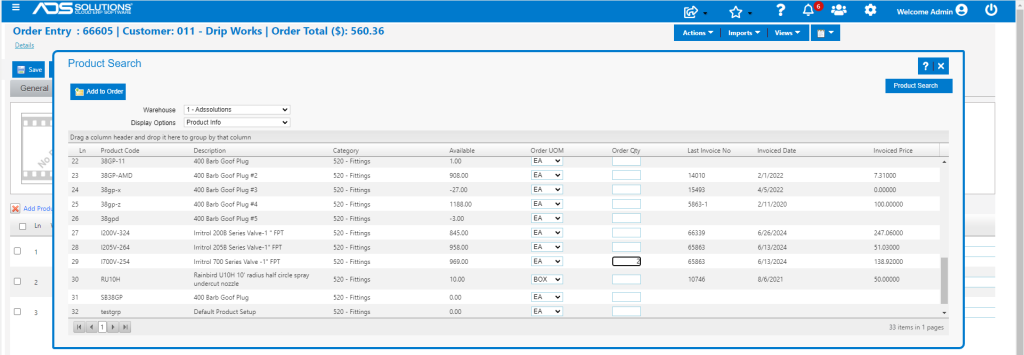
- This option allows the import from a list of products defined by a range of search criteria that the user specifies.
- For example, search for all products in Category 520.
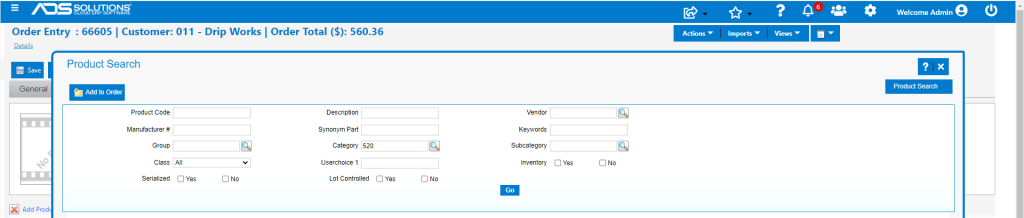
- The search brings up all the items from the Product record that meet the filter requirements.
- Within these search results, all products recently purchased by this Customer show the Last Invoice No, Invoice Date and Invoiced Price.
- Enter the Order Qty for all the lines to be imported into the current order.
- Note: The product price from the last order will not be imported to the current order; instead, the current order will use current pricing for this product.
Prior Transactions
- This option allows the import from any type of current or prior transaction for this customer.
- The primary use of this import option is to bring line items from an existing Quote to an Order.
- Notwithstanding its primary use, this import option is very flexible and can also be used to bring into the Order line items from prior invoices, Orders in Fulfillment, or Orders.
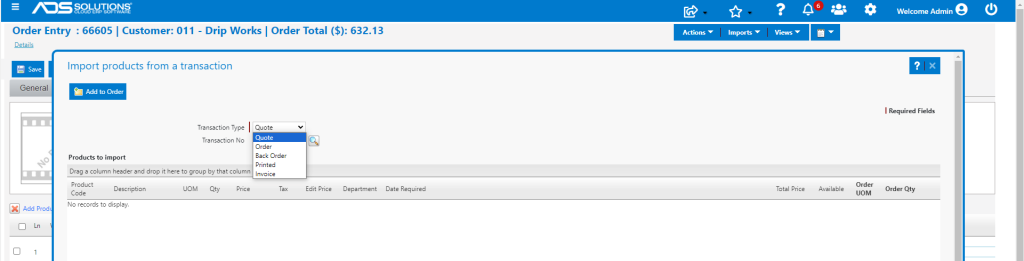
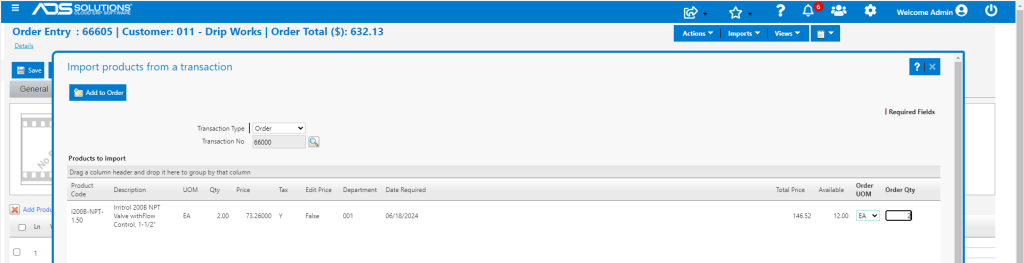
- For example, import products from recent order 66000.
- Enter the Order Qty for all the lines to be imported into the current order.
- Note: The product price from the last order will not be imported to the current order; instead, the current order will use current pricing for this product.
Complete the Order
- The Order can be entered very quickly by using the import features.
- In addition, Reps can remind a customer of items purchased recently and/or refer to prior transactions.