
An Accolent ERP order is created on a specific warehouse that defaults into the order based on the user. When entering products on the order, the system automatically records the quantity that must be back ordered based on the inventory in the system. The user has the ability to look up inventory on other warehouses and to specify that the back ordered quantity be filled out of another warehouse. When the order is saved, the system will split the order into multiple orders by warehouse. Then each order may be fulfilled out of its specific warehouse.
Create Order – Fill One Line from Another Warehouse
- Create Order 15692 for Customer 011 on Warehouse 1 and add products to the order
- Product 18JP950 has no inventory in Warehouse 1, so the entire line is back-ordered
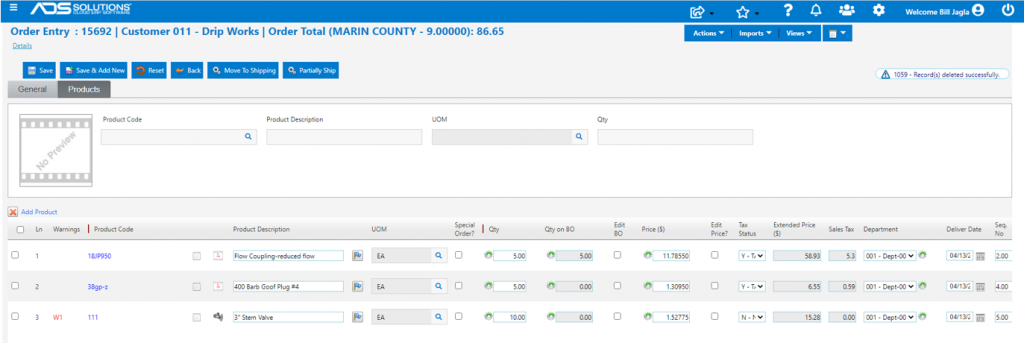
- On line 1, click on the gear icon under the Qty field
- Select Warehouse 4 under Order Entry Options and the screen will show the inventory levels in Warehouse 4 – note that there is sufficient stock to fill this line
- Enter Order Qty of 5 EA and Accept Qty of 5 EA
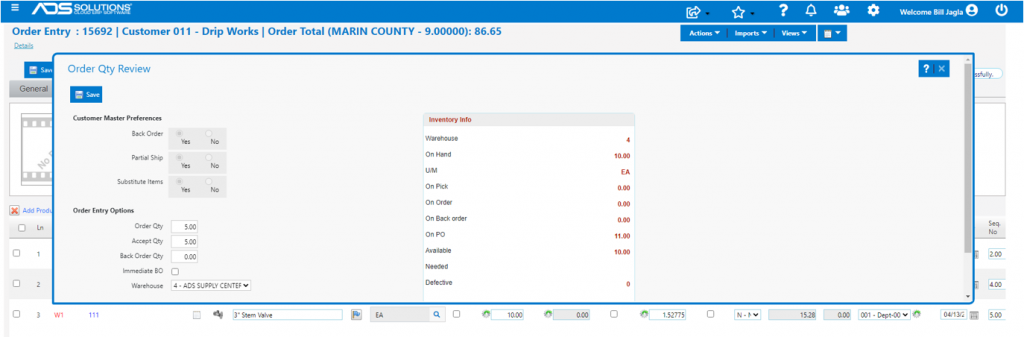
- Then Save the Order Qty Review screen
- On Order 15692, line 1 now shows no back-ordered quantity
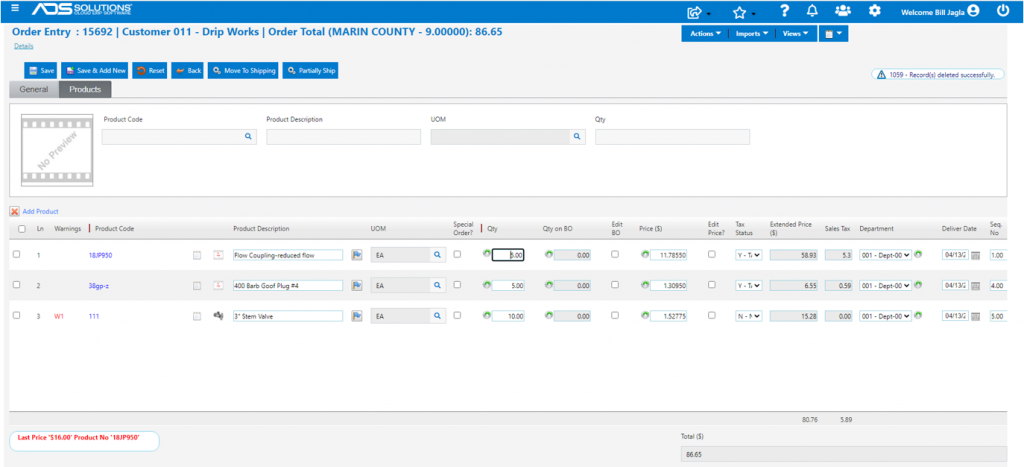
- Then Save Order 15692
- On the List Orders screen, two orders 15692 and 15692-W4 have been created Warehouse 1 and Warehouse 4 respectively

Create Order – Partially Fill Line from Another Warehouse
- Create Order 15693 for Customer 160225 on Warehouse 1
- Enter line item for Product 001 for a quantity of 250 EA
- The system shows a back-ordered quantity of 26 EA
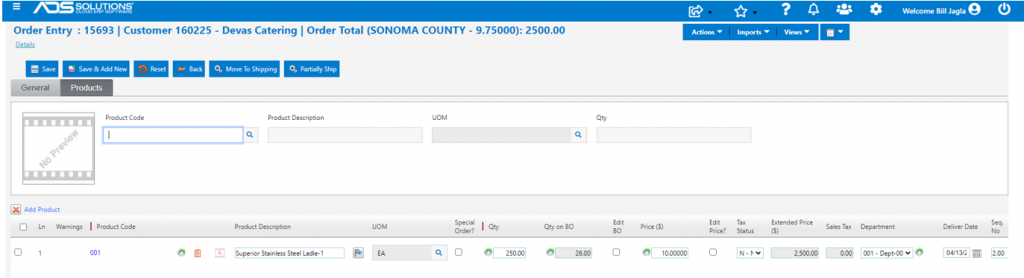
- Click on the gear icon under the Qty field to see that the back ordered quantity can be filled out of Warehouse 4
- Add a second line for Product 001 for a quantity of 26 EA – the back-ordered quantity
- Reduce the first line Qty to 224 EA, which can be filled from Warehouse 1 with no back order
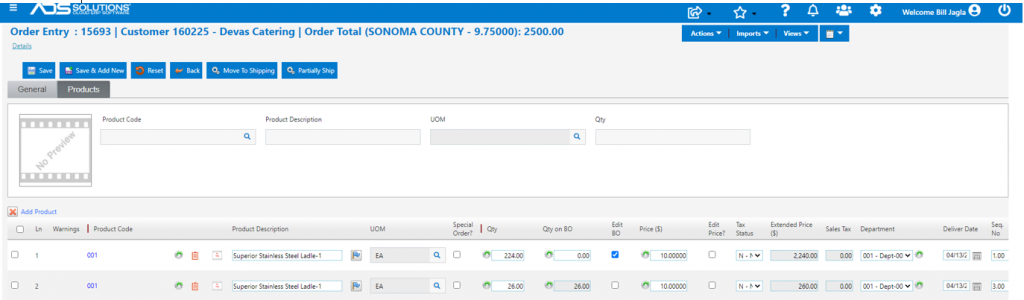
- Click on the gear icon in the Qty field for line 2 with the quantity of 26 EA
- Select Warehouse 4 and Order Qty of 26 EA and Accept Qty of 26 EA
- Then Save Order Qty Review screen
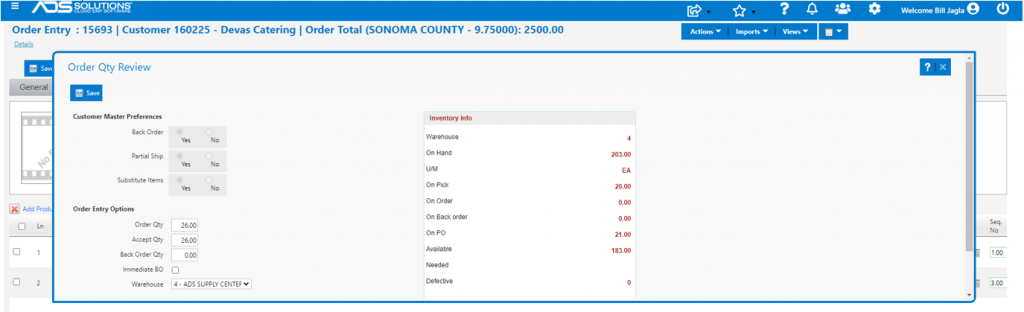
- Save Order 15693
- Go to the List Orders screen and see that Orders 15693 and 15693-W4 have been created for Warehouse 1 and Warehouse 4 respectively
- Each order is for the quantity to be shipped from that warehouse

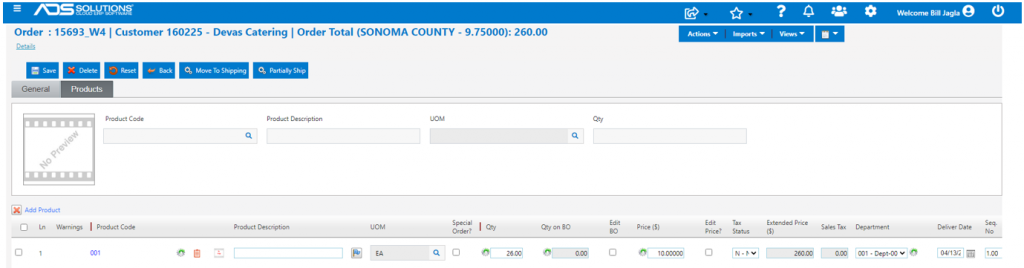
- Each order will be fulfilled, shipped out of its warehouse and invoiced separately