
Accolent ERP allows for two possible methods of assigning salesperson on orders. In the first model, a salesperson is assigned to a customer, and this assignment may be changed only by an All Rights user. So, the assigned salesperson will automatically receive commissions on all orders for that customer. In the second model, any salesperson may be selected on an order to any customer and will receive the commission on that sale. Since many users have both models, there are two Configuration Settings one that controls the salesperson on orders and one for POS transactions/immediate invoices. This wiki deals with orders.
Two Models for Assigning Salespersons
- There are two different models of associating salespersons with transactions: (1) in the first model a salesperson is assigned to a customer and gets a commission on all orders for the customer, and (2) in the second model any salesperson can be selected on an order for any customer and gets the commission on that order.
- The salesperson models for each of orders and POS transactions can be selected separately.
- So, for example, orders could have salespersons assigned to customers, but over-the-counter POS transactions could allow selecting the salesperson on the transaction.
I. Use Salesperson on Customer for Orders
- Set Config Setting 154 to Y to use Salesperson on customer master.

Assign Salesperson to Customer
- Assign salesperson 10-Jack Thornton to customer 011-Drip Works.
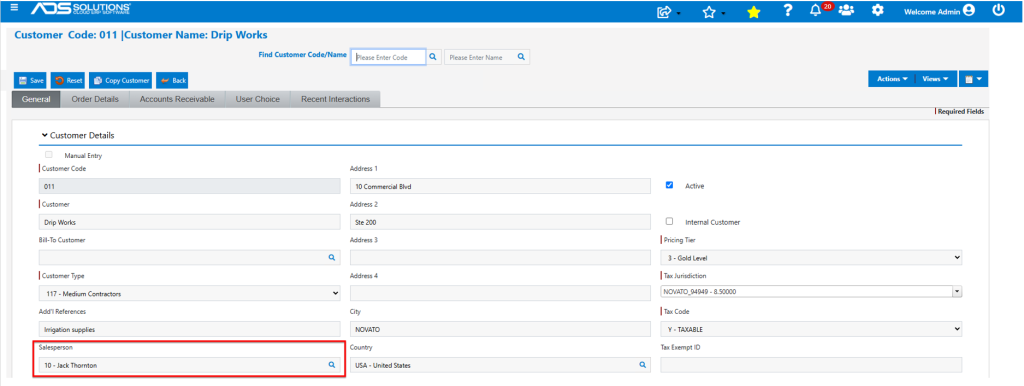
- The salesperson assignment needs to be done by a user with All Rights, to prevent another salesperson from changing the assignment.
- Once assigned, all orders for customer 011-Drip Works take the salesperson 10-Jack Thornton from the customer master.
Another Salesperson Enters an Order
- Login as another salesperson, for example, 110-Susan Reynolds and create order 85917 for customer 011.
- Salesperson field is locked to 10-Jack Thornton and cannot be changed.
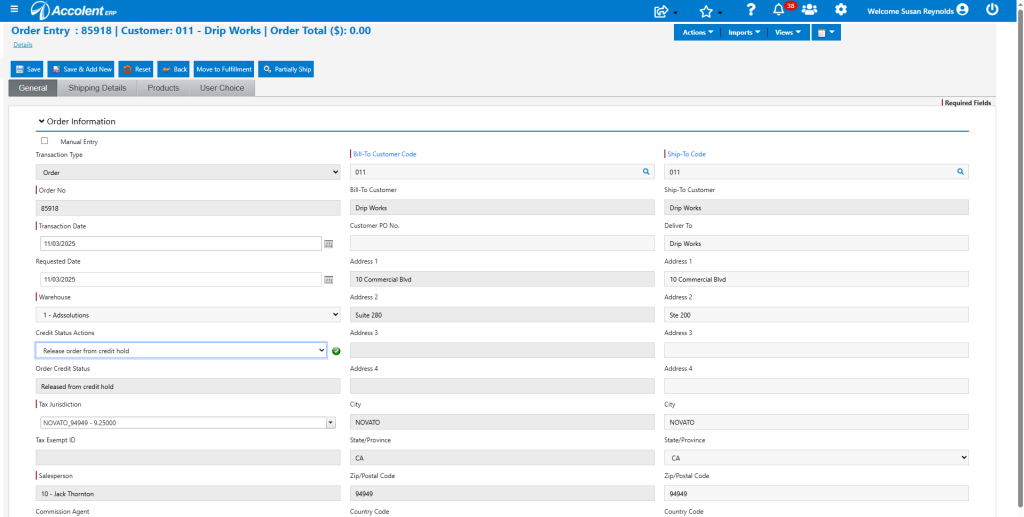
- So, regardless of who enters the transaction, the assigned salesperson 10-Jack Thornton gets the commission.
II. Select Salesperson on Order
- Change Config ID 154 to N so that salespersons may be selected on orders.

- Now the salesperson assignment on the Customer master will just be a default and the salesperson can be selected on the order.
Another Salesperson Enters an Order
- Login again as salesperson 110-Susan Reynolds and create order 85919 for customer 011.
- Salesperson 110-Susan Reynolds can now edit the salesperson the order to herself.
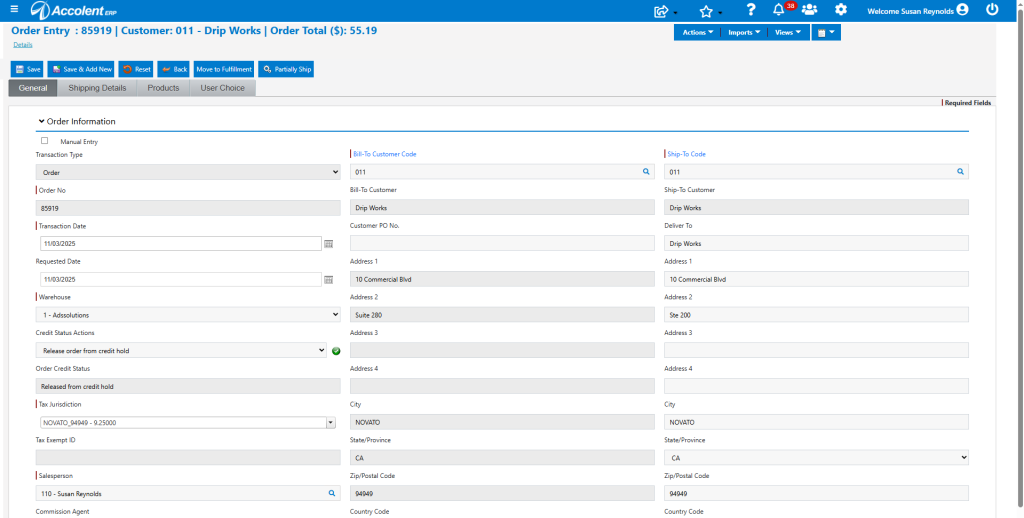
- Then on this order, Salesperson 110-Susan Reynolds will get the commission on the sale.