Salespersons are generally Accolent ERP Users with full access to the system, but they do not have to be. Users can be limited to being able to see and enter orders only for those customers associated with a particular Salesperson, this restriction is entered on the User screen. Typically, this restriction would be used to limit a Salesperson to seeing only his/her customers and not those of other salespersons.
Salespersons
- Salespersons are typically Users in the system, but do not need to be.
- If Salespersons are Users, they can be limited to seeing and taking orders only for their own customers.
- Similarly, other Users can be linked to a particular Salesperson and will then also be limited to seeing and taking orders only for that Salesperson’s customers.
- Multiple Users can also be assigned to a single Salesperson (e.g., House) that is not an actual User.
Restricting Users to a Salesperson’s Customers
- By default, users have access to all the customers in the system.
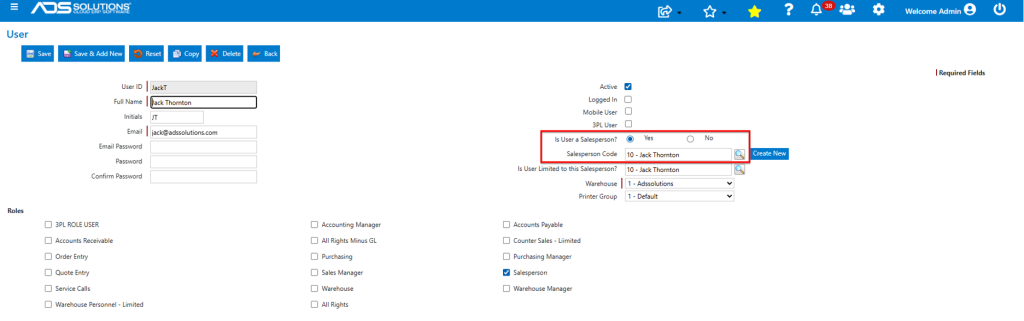
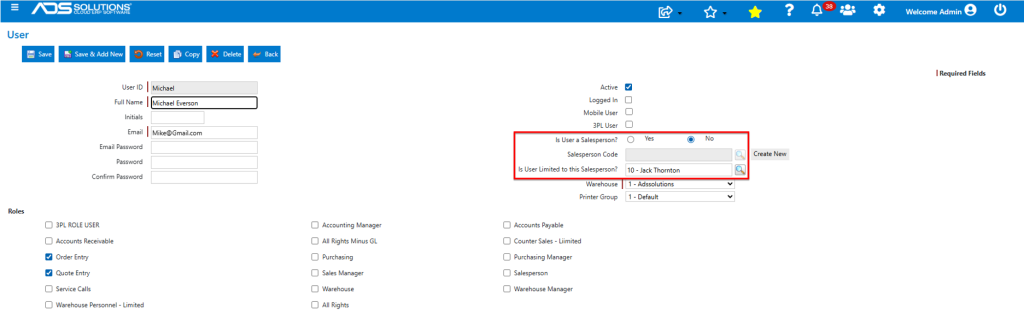
- To limit a user to being able to see and enter orders for only those customers associated with a specific Salesperson, the “Is User Limited to this Salesperson?” field on the user needs to be populated.
- This restriction can be applied for Salespersons as well as for non-salesperson users.
- User JackT is a salesperson and is restricted to Salesperson 10-Jack Thornton.
- User Michael is not a salesperson but is also restricted to Salesperson 10-Jack Thornton.
Login as User Admin
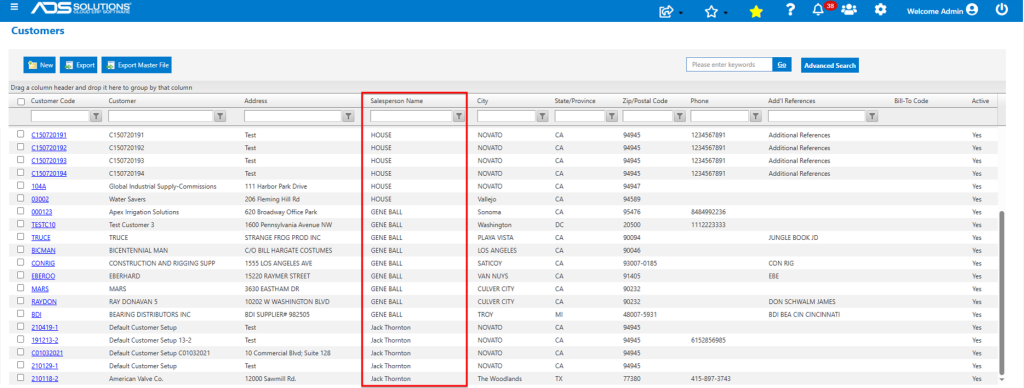
- User Admin is not restricted by salesperson.
- So, for User Admin, the List Customers screen shows results for all customers for all salespersons.
Login as User JackT
- User JackT is limited to seeing those customers associated with Salesperson 10-Jack Thornton.
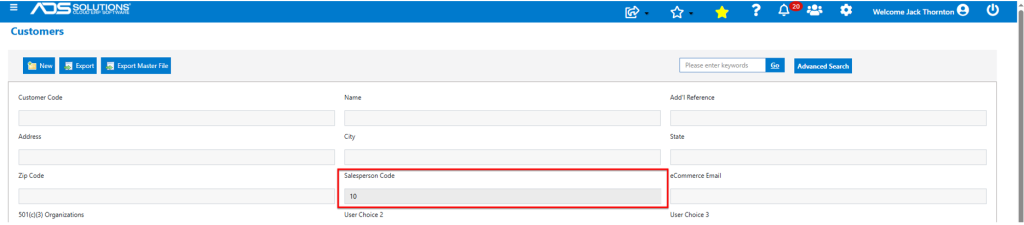
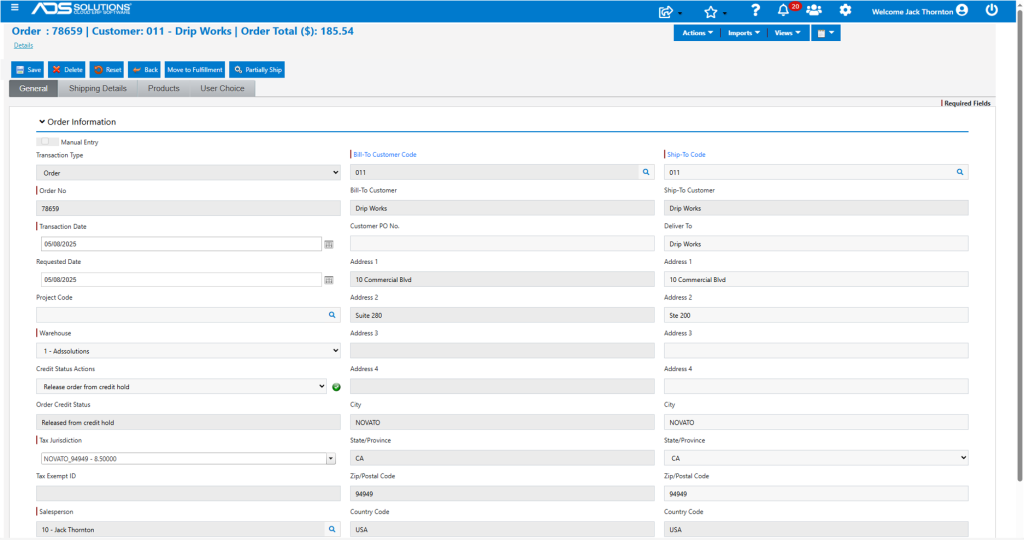
- Customer 011 is associated with Salesperson 10-Jack Thornton.
- So, User JackT can enter orders for Customer 011.
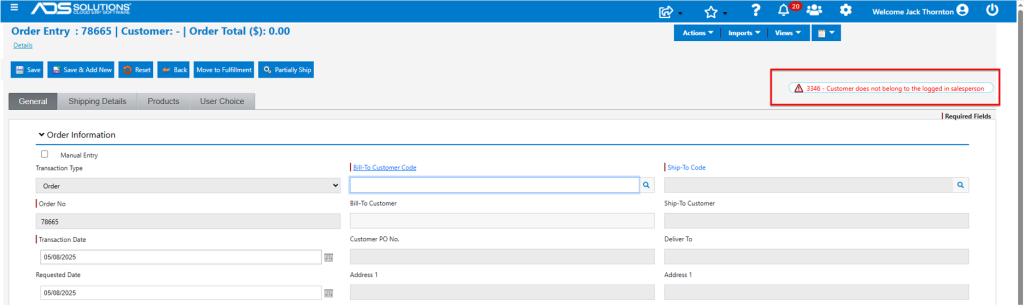
- Customer 120123 is not associated with Salesperson 10-Jack Thornton.
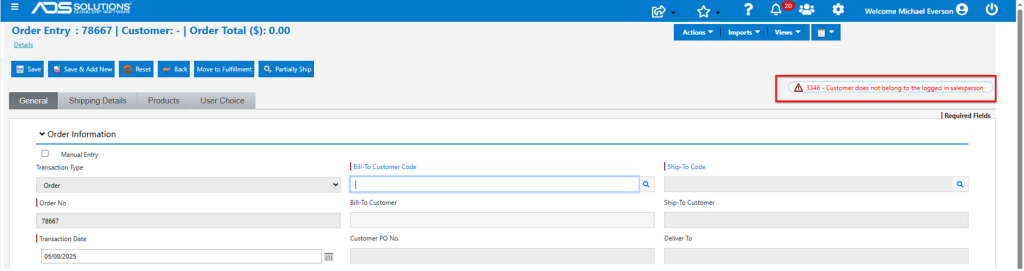
- So, User JackT is blocked from entering orders for Customer 120123.
Login as User Michael
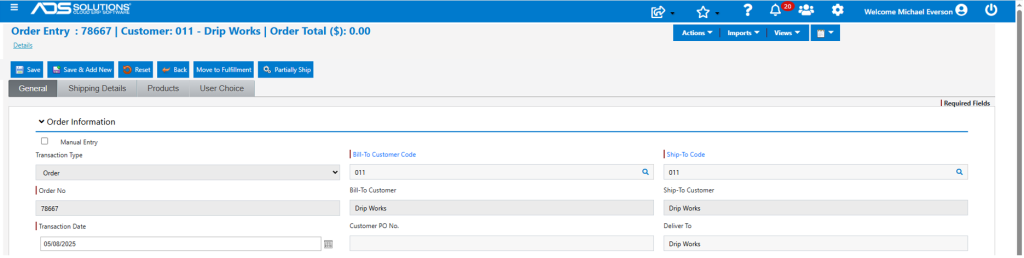
- User Michael is limited to seeing and entering orders for those customers associated with Salesperson 10-Jack Thornton.
- So, User Michael can enter an order for Customer 011.
- As with User JackT, User Michael is prevented from entering an order for Customer 120123.