
Accolent ERP allows quotes, orders and immediate invoices to be created based on an CSV template. The CSV template includes only the line-item fields for Product Code, Product Description, UOM and Quantity. Once a quote, order or immediate invoice header is created (which essentially means entering the customer code), the CSV template can be used to enter all the product lines. This has a number of possible uses including, creating CSV quote/order/immediate invoice templates (such as for an assembly) and allowing customers to place orders in CSV format.
Zipped CSV Format
- Columns are Product Code, Product Description, UOM, Qty – all these records must already exist in Accolent ERP.
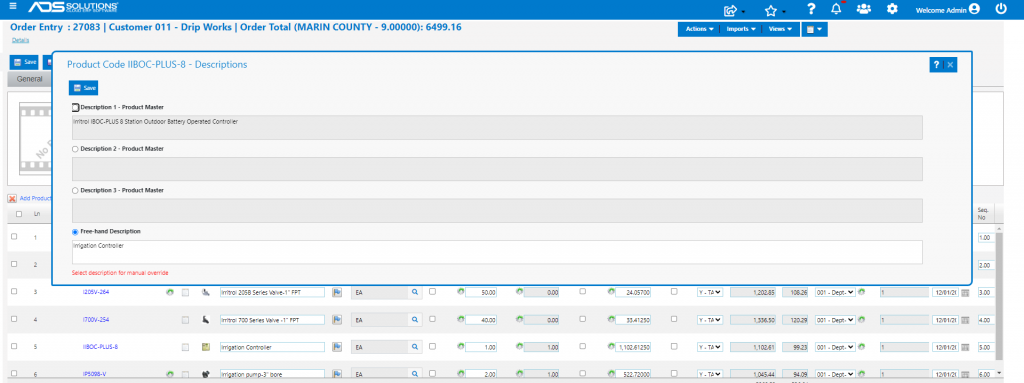
- If the Product Description field is left blank, the system will use the Product Description stored on the product. If the Product Description is entered, the system will treat this as a customized description and use it instead of the description on the product.

- The import file must be a zipped CSV file

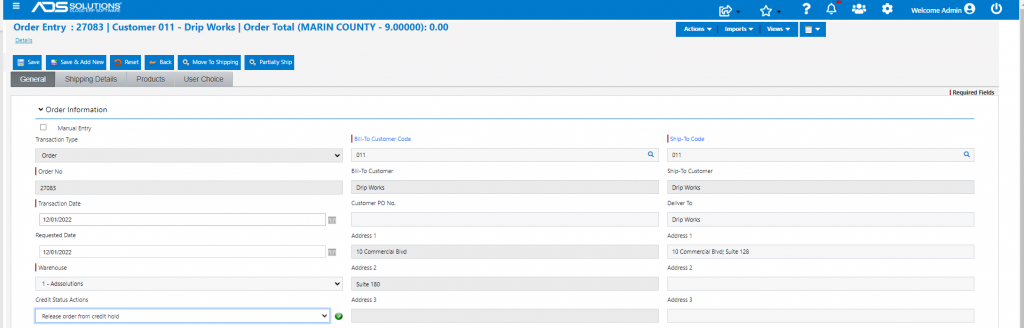
Create Quote/Order/Immediate Invoice Header
- Go to Sales > Create Immediate Invoice.
- Enter Bill-To Customer Code.
- All other fields will default in from the customer record, but may be edited as needed.
Import Product Lines
- Go to Products tab > Imports > Import CSV Line Items.

- Browse to and select the zipped CSV file.

- Click Import file to create all the line items.
- Creates all line items with the pricing for that customer.
- Also calls the inventory check to populate Back Order Qty.
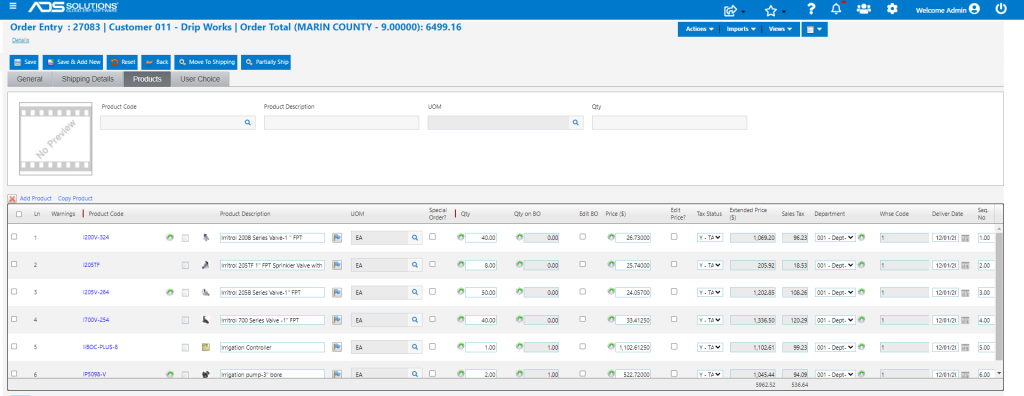
- Note that Line 5 has the Product Description “Irrigation Controller” specified in the import file.
Create Order
- Save to create order 27083.

- The same process can also be used to create Quotes and Immediate Invoices.