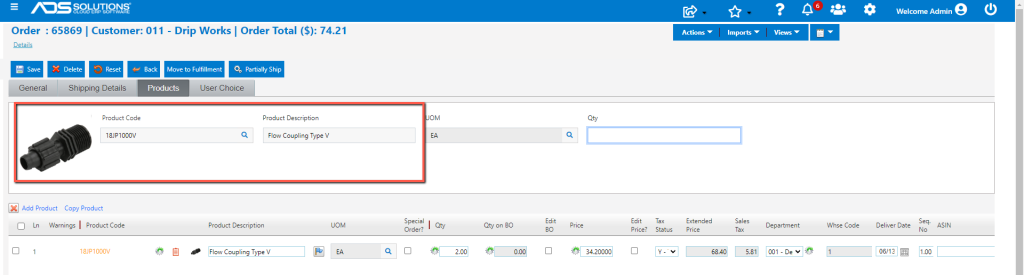
Accolent ERP uses synonyms as alternative product codes that can be used to search for or enter a product in order entry or PO entry. Synonyms can be short hand or common usage names that may be easier to remember than actual product codes. Synonyms are also used to associate product codes with barcodes. Synonyms are user-defined shortcuts that are different than the Vendor Product Codes or Customer Product Codes used by Vendors or Customers respectively.
Explaining Synonyms
- Synonyms are a short hand way of getting to product codes that may be entered by users.
- Any number of synonyms can be created for a given product code.
- When synonyms are entered or scanned in on quotes, orders or POs, the system automatically replaces them with the product codes they are associated with.
Associating Synonyms with Product Codes
- From Inventory/Products > Products select a product then click on Actions > Synonyms.
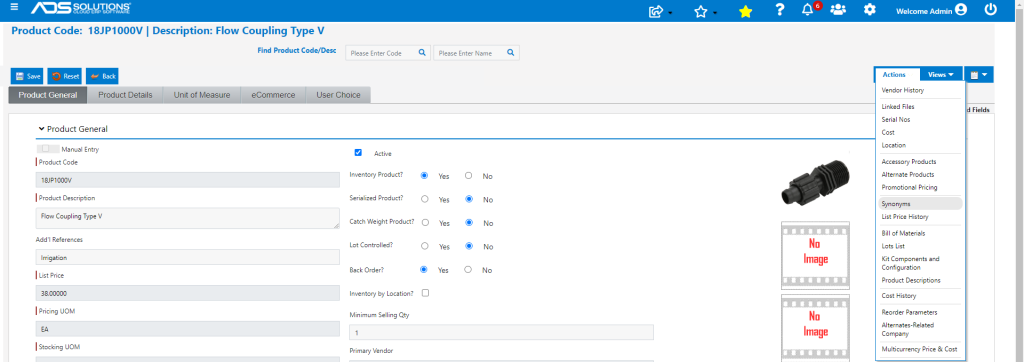
- To set up the Synonym enter a text or numeric name, enter Comments if you wish
Setting Barcodes as Synonyms
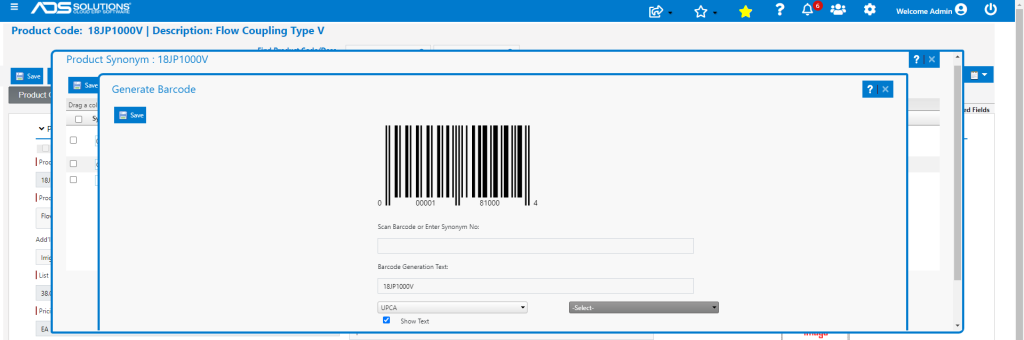
- To set up a barcode as a Synonym, first select the barcode type (e.g., UPCA from the dropdown).
- If the barcode type supports alphanumeric characters, then a UOM may also be added.
- NOTE: since UPCA codes are purely numeric, this barcode is not a real barcode since it is not recognizing the “JP” and “V” characters.
- Once the barcode type and UOM have been entered, click on the Generate Barcode button and an image of the barcode will display.
Recognizing Synonyms
- When entering Products for Quotes, Orders or POs the short-hand Synonym may be entered instead of the Product Code.
- For example, on an order type in “Coupling” instead of the Product Code and when user tabs out, the system will recognize this as the Product Code.
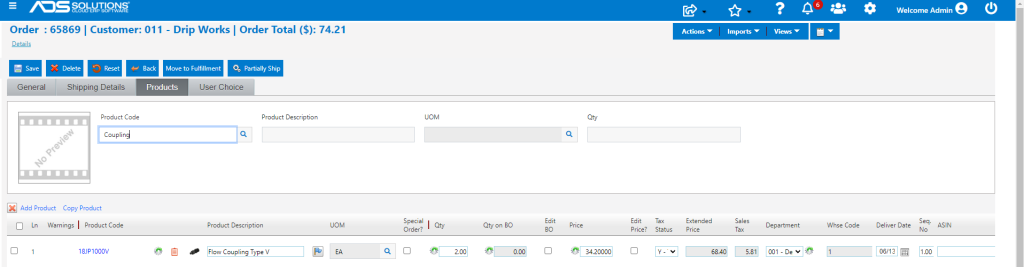
- On tabbing out, “Coupling” is recognized as 18JP1000V.
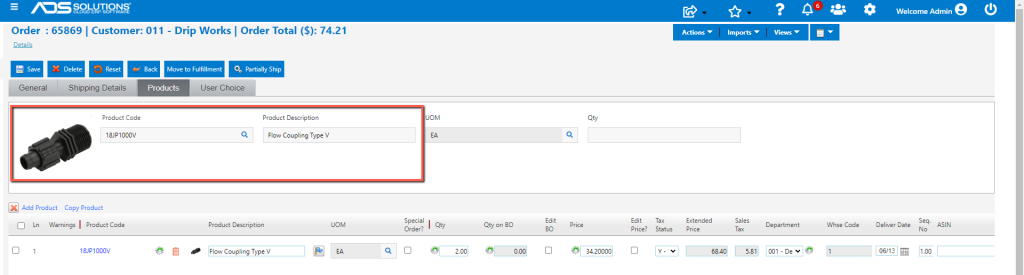
- Similarly, if the cursor is in the Product Code field and the UPCA barcode is scanned or entered, when user tabs out the product code is recognized.
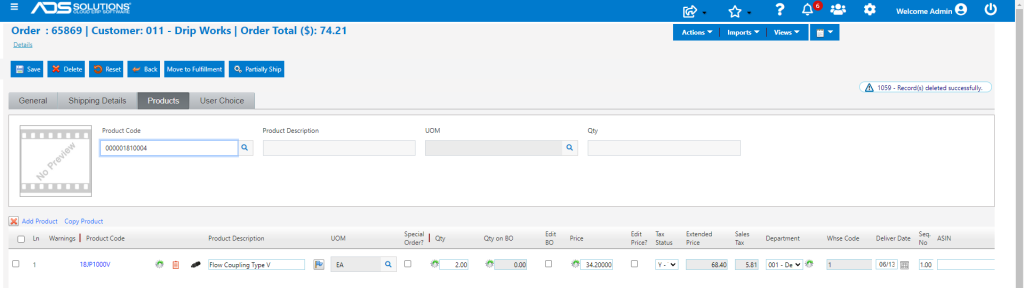
- On tab out the system will replace the entry with the Product Code.