
Accolent ERP allows for a Vendor’s Invoice to be paid over time based on some scheduled payments plan agreed to with the Vendor. To use the split payments, enter the Voucher and then select split payments to break the Voucher into the agreed payments. This when saved will split the Voucher into multiple parts corresponding to the selected number of installments with the due dates selected for the installments.
Create Voucher
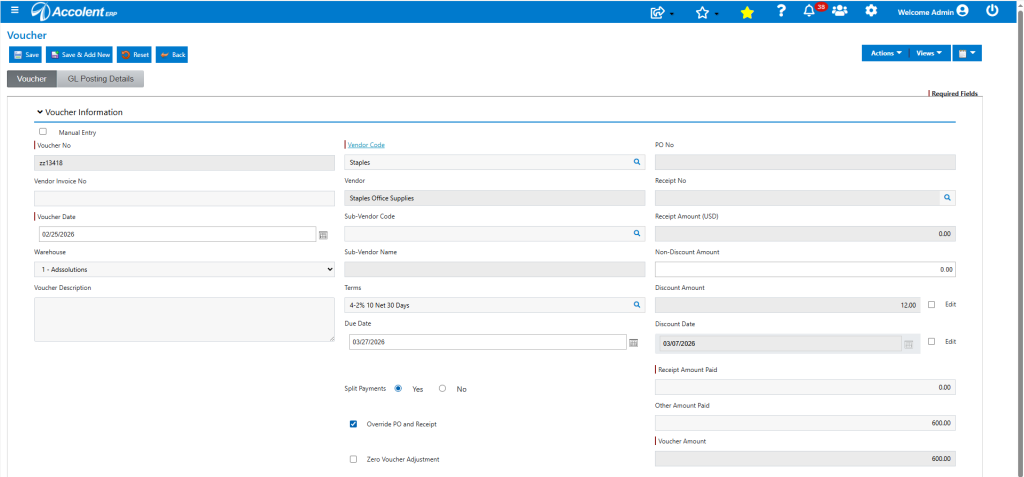
- Create Voucher ZZ13418 for Vendor Staples which has typical terms of 2% 10 Net 30.
- Enter Voucher Date of 2/25/26, Voucher Amount of $600, creates Due Date based on terms of 3/27/26.
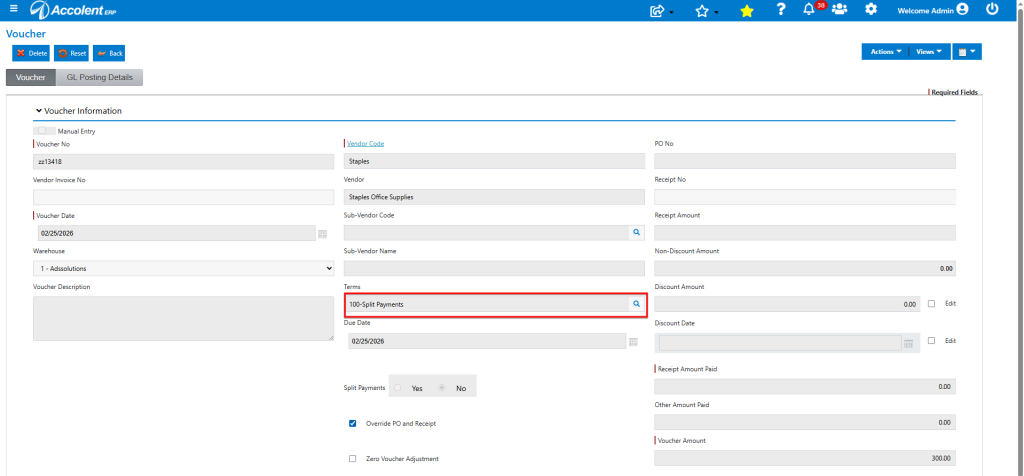
- Select radio button Split Payments, which when saved will change voucher terms to Terms Code 100-Split Payments which is managed by the system.
- Save brings up the Split Payments screen.
- Click on Auto Options dropdown, gives the options By Month, By Week or Custom – select Custom.
- The Custom selection removes any restrictions on invoice amount or due date.
- This opens a pop-up for No of Payments and user will enter 3 (say).
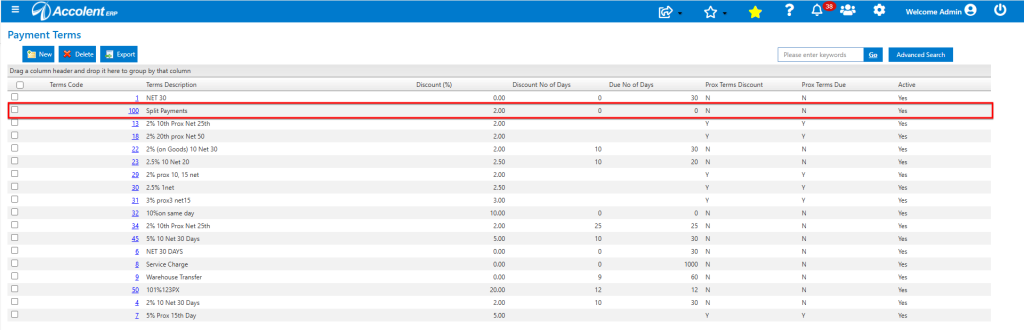
- This will then create 2 new split Vouchers in addition to existing Voucher ZZ13418 and all these will have the Terms Code 100-Split Payments which is managed by the system.
Enter the Payment Plan
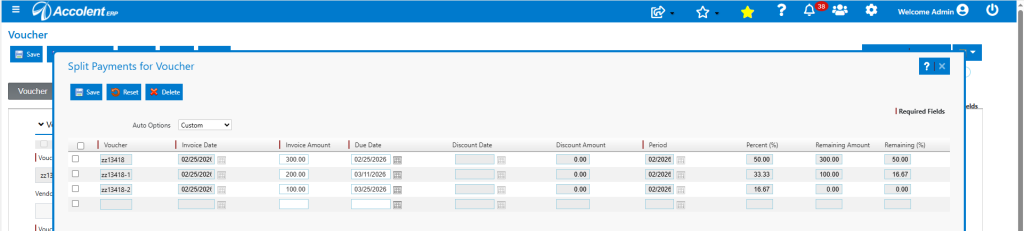
- User wishes to create a payment plan with first payment due on 2/25/26 of $300 and payments of $200 due on 3/11/26, and $100 due on 3/25/26.
- All 3 Vouchers will keep the original Invoice Date of 2/25/26 which will not be editable.
- The Due Date and Invoice Amount will be editable.
- All the remaining fields will not be editable and will reflect the 100 Split Payment Terms Code managed by system.
Split Voucher
- Then click Save to (1) close the split payment pop-up (2) close the voucher, (3) create the voucher and the 2 splits and (4) post to the GL.
- This creates 3 vouchers ZZ13418, ZZ13418-1 and ZZ13418-2, with due dates of 2/25/26, 3/11/26 and 3/25/26.
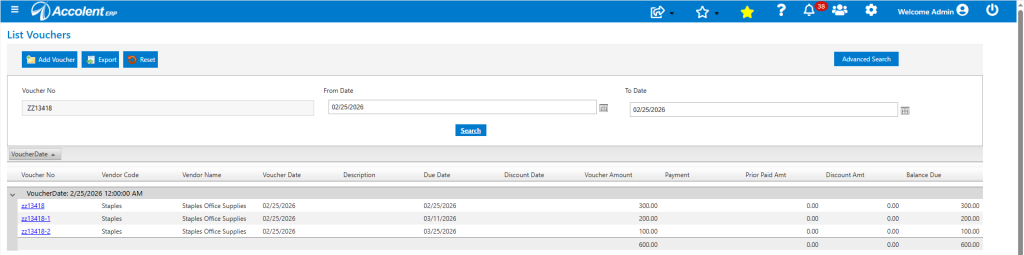
- The Terms Code on these Vouchers is automatically 100-Split Payments.
- The voucher can now be paid in 3 separate payments.
GL Posting
- Because this is a split payment, in accordance with GAAP, the recording of the vendor invoice books the full amount to the GL when the voucher is created.

- The 2 new Vouchers (i.e., ZZ13418-1, and -2) don’t post the to the GL (because the total was already posted on ZZ13418).
AP Aging
- Looking at the AP Aging by Invoice Date as of 2/25/26 shows all the 3 vouchers.
- The report takes the terms from the Vouchers and so, will age the payment dates appropriately.
