
Accolent ERP allows an Invoice to be split into multiple installments. This is referred to in Accolent ERP as “Split Billings.” Under GAAP this is an installment sale for which revenue recognition occurs as of the invoice date – on which the whole invoice is booked to the General Ledger as a sale. For the purposes of Accounts Receivable, the original invoice is shown as being paid with a dummy payment that is not booked to the GL, and it is replaced with manual invoices as of the date of each installment. Payments on the agreed installment plan are then tracked by the installment dates. This is different from Recurring Invoices which create invoices with a specified recurrence and only the amount of each invoice is booked to the GL as of the date of each such invoice.
Create Order with Split Billings
- Create Order 75246 for customer 011.
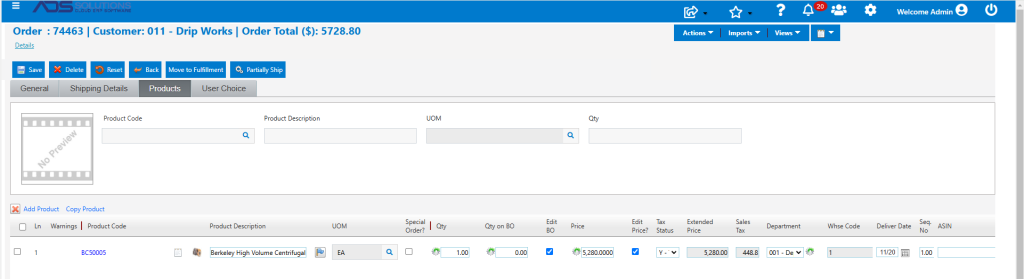
- When the order is moved to fulfillment select Split Billings, which will allow specification of the terms of the installment sale plan.
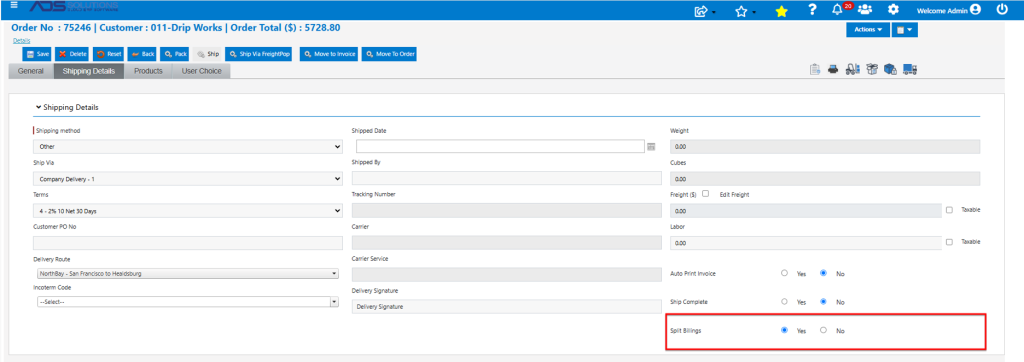
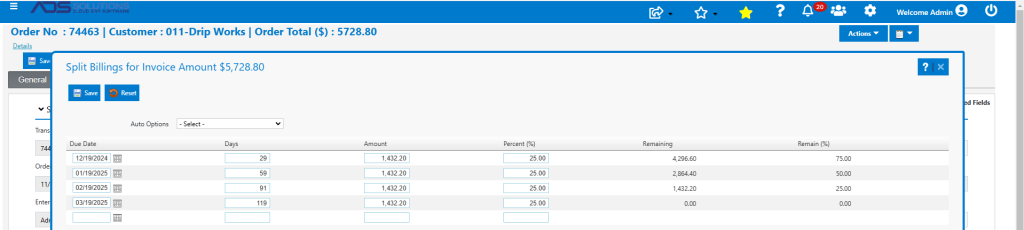
- Click on Move to Invoice brings up the Split Billings screen
- Split the total amount into 3 monthly payments of $1,909.60 each payable at 30, 61 and 89 days.
- Then Save.
GL Posting of Split Billings
- The GL Posting of an installment sale is to book the transaction and create sales, cost and AR postings for the full value of the transaction as of the invoice date.
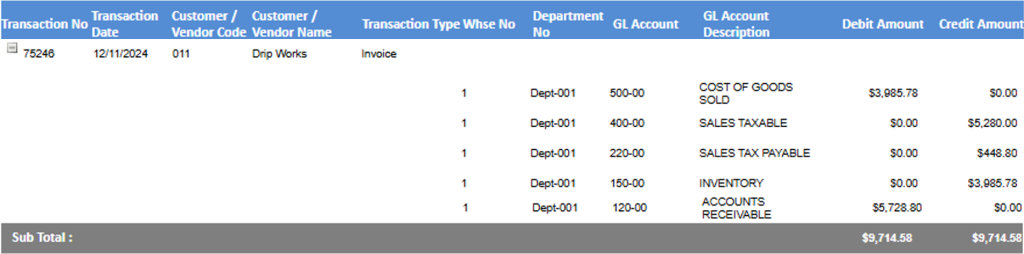
- There is no GL Posting for the dummy payment receipt.
Creation of Split Billings Invoices
- Go to Sales > Invoices > List Invoices, expand date range to include 3 months of future invoices and look up transaction “75246”.

- Shows 75246, with a sub-status of paid, as well as the 3 splits: MSP75246-1, MSP75246-2 and MSP75246-3 with dates of 1/10/25, 2/10/25 and 3/10/25 respectively.
- Open 75246 and look up Payments, which shows a “dummy payment 22048” leaving zero Amount Due, but no GL Posting for receipt of any cash.

- Go to Customer 011 and look up Views > Collections > Paid Invoices which shows 75246 as paid.

- Look up Views > Payments to see the “dummy payment” 22048.

- There is no receipt of cash on the dummy payment.
AR Aging Impact of Split Billings
- On Customer 011 go to Views > AR Aging Details. Run as of 3/11/2025 to capture the future invoices.
- Shows the 3 split payments: MSP75246-1 (1/10/25), MSP75246-2 (2/10/25) and MSP75246-3 (3/10/25), each for $1,909.60 as open.
- Does not show 75246 as outstanding.

- The payments will show as due in accordance with the payment plan.