Accolent ERP can work with any preprinted check stock. The Accolent ERP check form is editable and can be modified by end-users to move fields up or down, to change fonts, etc., to suit the preprinted check stock selected.
Any Check Stock Will Work
- Any preprinted check stock from a recognized check printer should work.
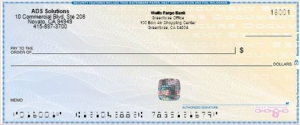
- For example, the below check is avaialable from Harland Clarke through Costco.
- A typical preprinted check stock will have your logo, your name and address, your bank name and address, a check number, a date entry area, a “Pay to the Order Of” label and space for entry of the payee’s name, a “$” label and space for the entry of the amount in figures, space for the entry of the amount in words followed by the label “Dollars”, a “Memo” label, a signature line and a preprinted MICR strip on the bottom.
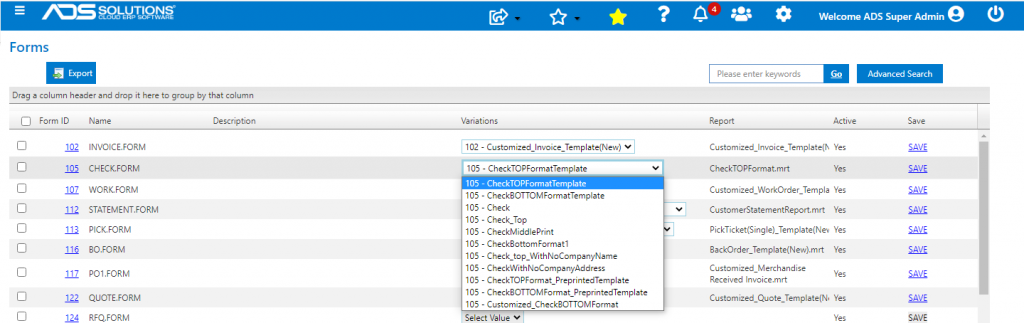
Select Accolent ERP Form and Edit
- Select the Accolent ERP Check form corresponding to the preprinted check stock format.
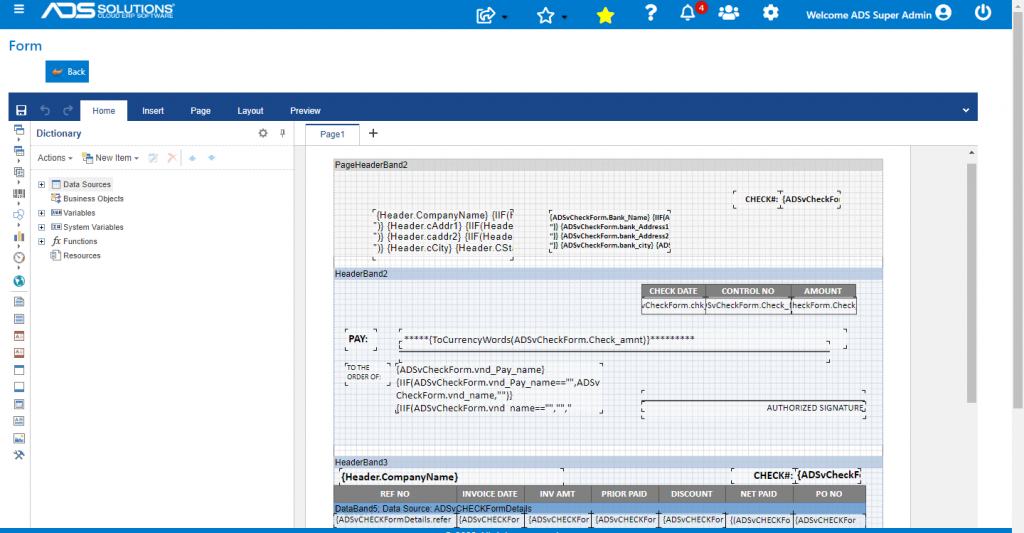
- Then open the selected form and use the web designer to adjust the positioning of the fields to match your preprinted check stock.
- The fields can be easily deleted, moved and/or resized in the web designer.