
Accolent ERP allows the entry of specific picking instructions on a product. These picking instructions can be used to provide important information that picking personnel need to be aware of, such as special product handling needs or possible confusion with similar products. The picking instructions will be printed on the pick ticket. Note that the standard pick ticket form may need to be modified to show the picking instructions.
Picking Instructions
- To use picking instructions, go to the product and enter picking instructions on the general tab.
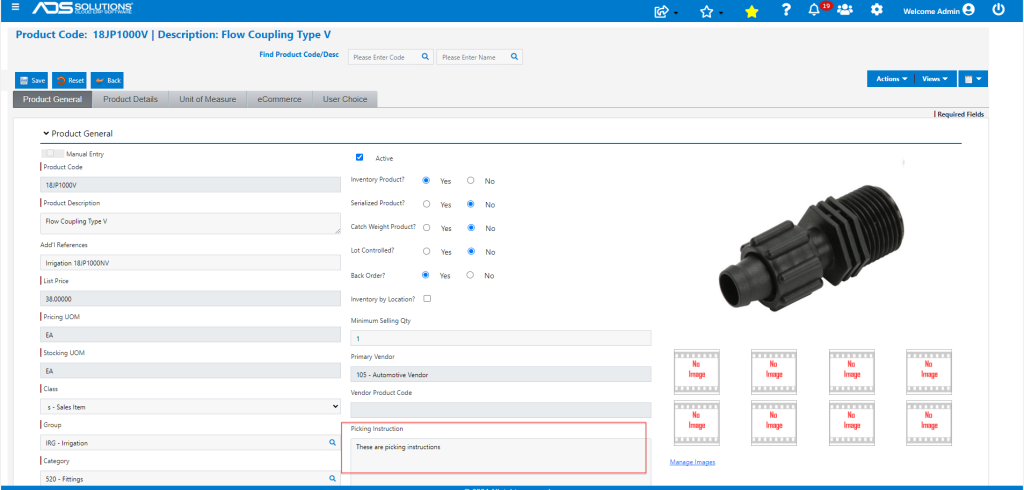
- These picking Instructions will be printed on the Pick Ticket.
- Note that the Picking Instructions field must be added to the Pick Ticket form.
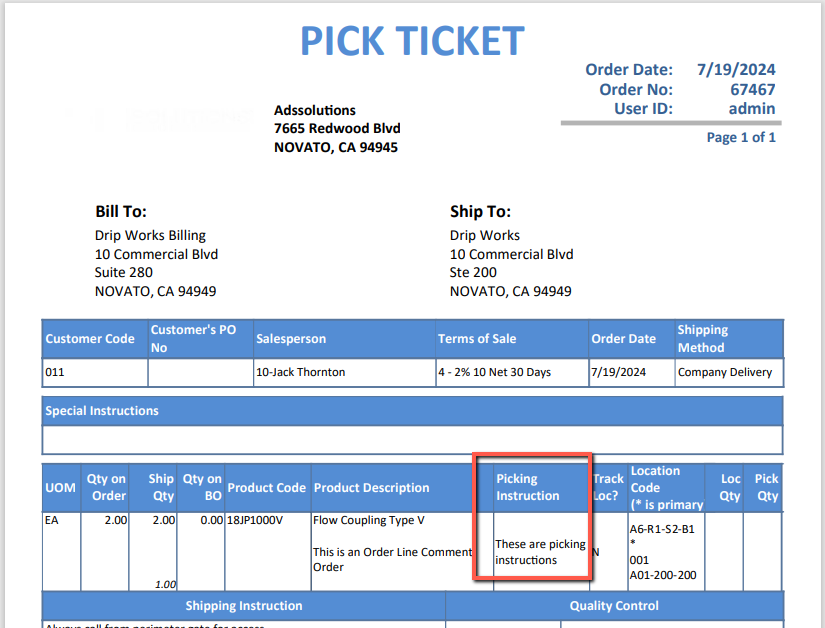
- Picking personnel will be alerted to any specific picking instructions when picking this product.