Accolent ERP allows the use of Miscellaneous Products which can be modified on the fly to represent different products. Miscellaneous Products use the same Product Code and an editable Product Description for different products. Since a Miscellaneous Product can represent different products, its Average Cost is meaningless and there will be no meaningful history or reporting on transactions with Miscellaneous Products. Using Miscellaneous Products is not recommended and should only be used sparingly, if at all.
Miscellaneous Products
- Sometimes, sales of products off a vendor’s master catalog of items may not make sense to enter as Products; instead, they may be set up using Miscellaneous Products.
- To do this set up a Miscellaneous Product for each category and/or each vendor.
- The Miscellaneous Product will have a unique product code but an editable product description, that can be used to represent different products by just editing the product description.
- However, because a Miscellaneous Product can represent different products, its Average Cost is meaningless and there is no meaningful reporting on Miscellaneous Products.
- Miscellaneous Products should be used only sparingly and only where absolutely necessary.
Creating Miscellaneous Products
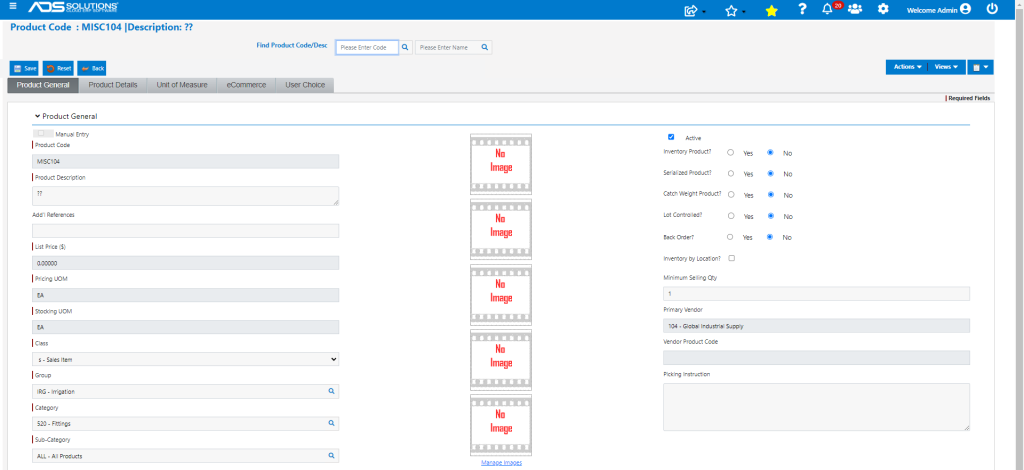
- Miscellaneous Products are created in the product master with a “??” in the description field.
- The user will be prompted to customize the description during order entry or PO entry.
- Miscellaneous Products may be set for each category and/or each vendor – these will then show up on reports by Vendor and reports by Category.
- For example, set up MISC104 for Vendor 104 with Category 520.
Miscellaneous Product – Non-Inventory
- Since a Miscellaneous Product can represent different products, it will almost always be a non-inventory product.
- Non-inventory Miscellaneous Products are often used for things such as brochures that can be added to an order but with no price and no cost.
- In this case, the Miscellaneous Product might be a replacement part, but there will be no ledger card stock record for the Miscellaneous Product and no GL Posting of cost on transactions using the Miscellaneous Product.
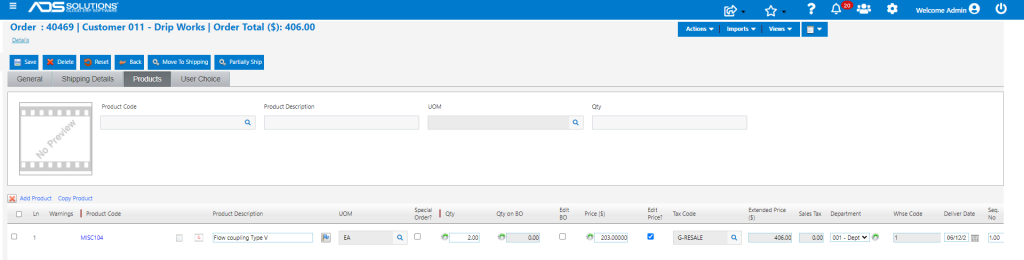
- For example, create order 40469 for customer 011.
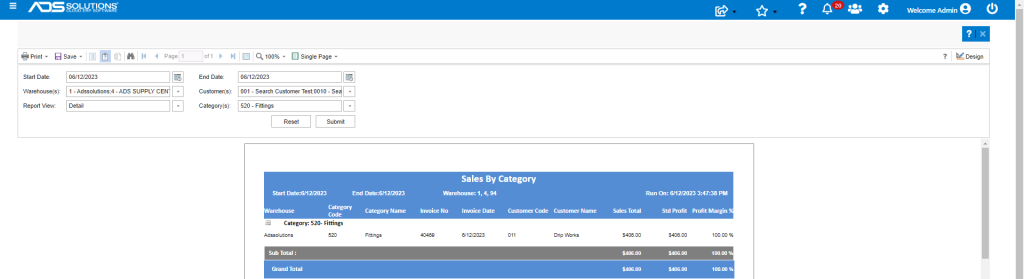
- When moved to Invoice the transaction will appear in the sales by Customer, sales by Vendor and Sales by Category reports.
- Because this is a non-inventory product no cost is recorded.
Miscellaneous Product – Inventory Products
- A Miscellaneous Product cannot be an inventory product since its Average Cost will be meaningless.
- Although this is not recommended, sometimes, services companies or restaurant equipment companies use Miscellaneous Products for special order products that come in and are billed out as part of the service.
- In this case, the Miscellaneous Product will need to be marked as a special-order product.
- When invoiced, a Miscellaneous Product marked as a special-order inventory product, takes the GL Cost directly from the PO rather than the Average Cost table.
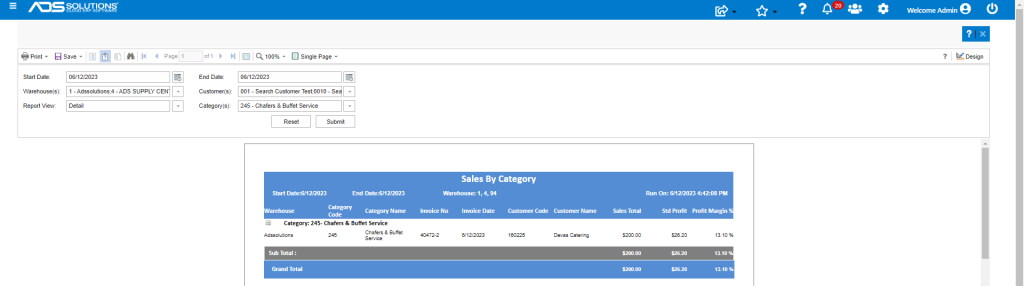
- For example, create a Miscellaneous Product for Chafers & Buffet Service items purchased from Vendor Winco.
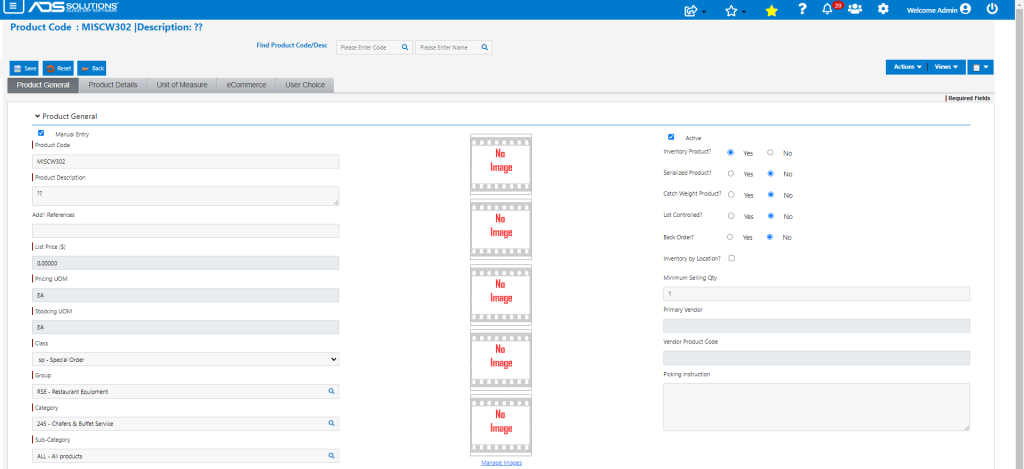
- Create order 40472 for customer 160225.
- Enter full description of item #601.
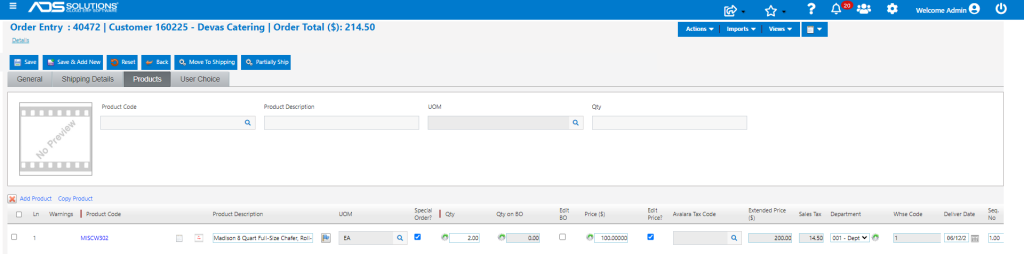
- Drop ship and Auto create PO for Vendor W302.
- The edited product description appears on the PO allowing the Vendor to identify the item.
- Edit PO C7389 with cost of $86.90 and submit PO.
- Then receive PO C7389 when Vendor confirms the item was drop-shipped.
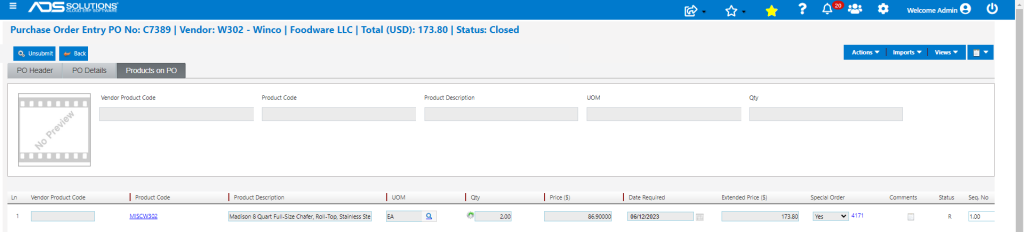
- Then Invoice the drop-shipped transaction.

- Took cost of $173.80 from the PO.