Accolent ERP allows the creation of Credit Memos to credit customers, for example, for damaged items received. With a two-step process, the Credit Memo is created then moved to fulfillment and an RMA form printed and sent to the customer. The Credit Memo is held in fulfillment pending return of the goods, then can be invoiced. The Credit Memo once invoiced, may be unconfirmed and edited, if necessary, then moved back to invoice status, at which point it will reduce the customer’s AR Balance.
Credit Memo Invoiced
- Open CM65869 for Customer 011, which has already been invoiced.
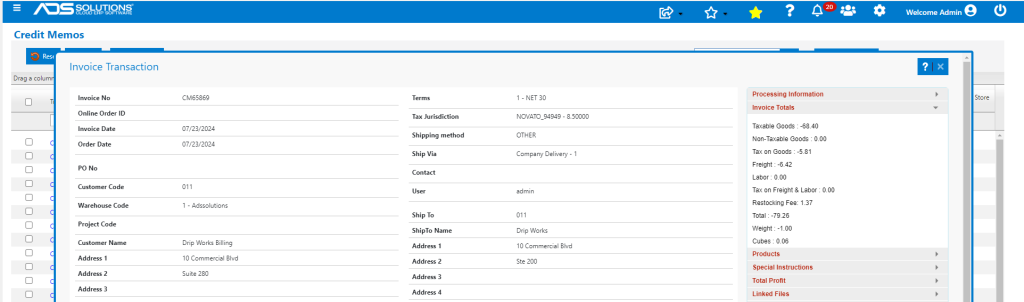
- CM65869 was invoiced for a total of -$79.26. This was made up of goods of $68.40 plus sales tax of $5.81 (at 8.5%) plus freight of $6.42 less a restocking fee of 2.00% (on the value of the goods) of $1.37, for a Credit Memo total of $79.26.
Unconfirm Credit Memo
- The Credit Memo incorrectly refunded the Customer for freight of -$6.42 and needs to be corrected.
- To correct, go to Sales > Orders > Manage Orders > Move Invoice back to Order.
- Enter CM65869 to unconfirm.

- Save then select the button: Move Invoice back to Fulfillment.
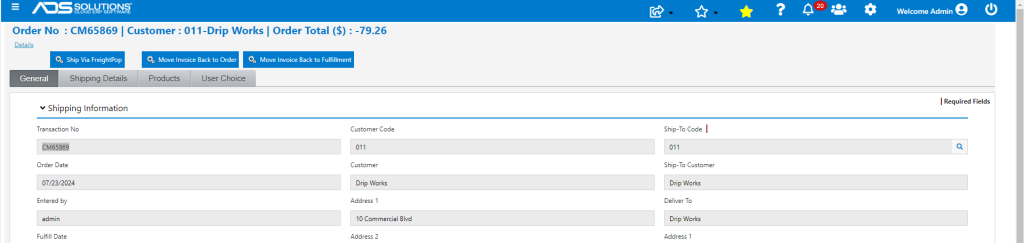
- The CM65869 is now in Fulfillment and can be edited.
Edit Credit Memo
- Open CM65869, go to the Shipping Details tab and edit to change the refund of -$6.42 for freight to $0.00.
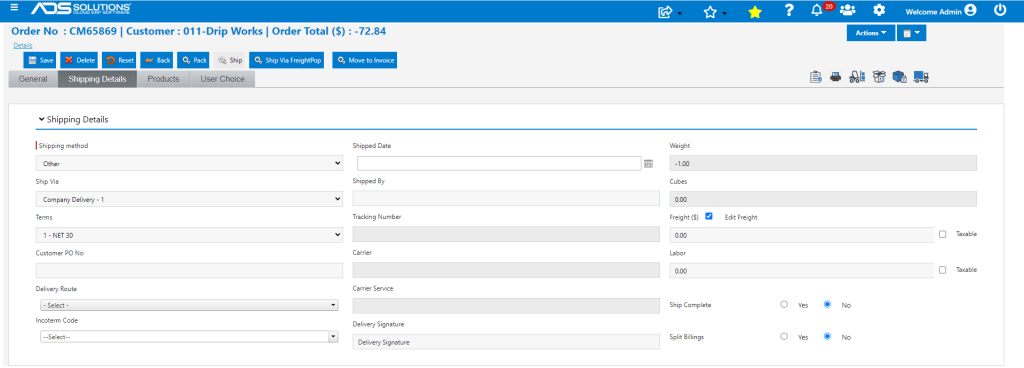
- The total is reduced from -$79.26 by -$6.42 to -$72.84.
Receive Returned Goods
- When goods are received into the warehouse, move CM65869 back to invoice status.

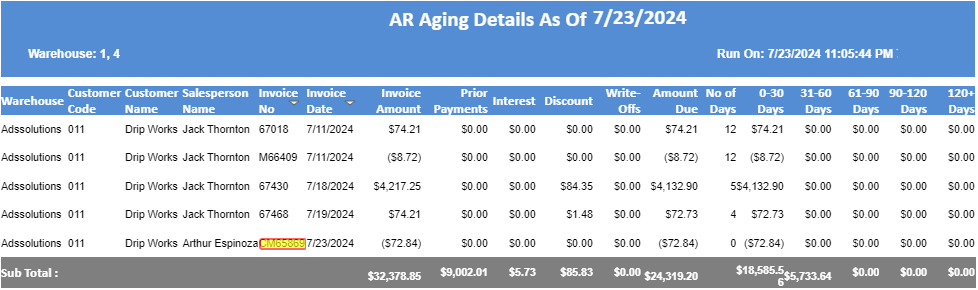
- The Customer’s AR Aging reflects the $72.84 credit.
General Ledger Posting
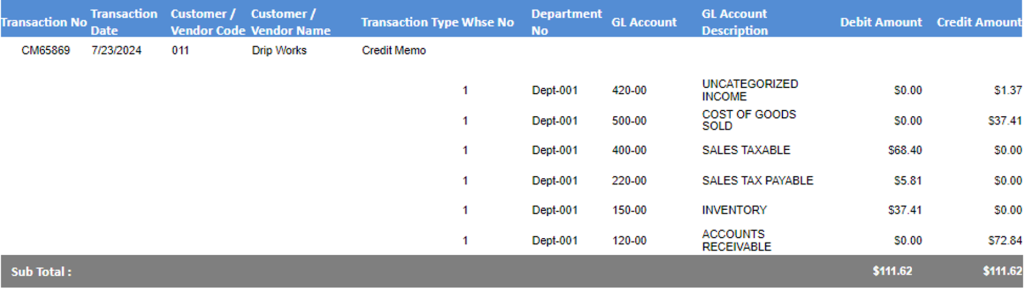
- This is the GL posting of the revised Credit Memo.