
Accolent ERP has extensive special order functionality. A special order links a sales order line item directly to a PO. Unlike other inventory transactions that take the sales order cost from the Average Cost, special orders get the sales order cost directly from the linked PO. Typically, the default PO cost is set up on the Application Setting V102-1. If a different PO cost is desired on the special order, the PO cost can be edited to reflect this.
Create Order
- Create regular order 21142 of customer 011 for 10 EA x 18JP1000V.
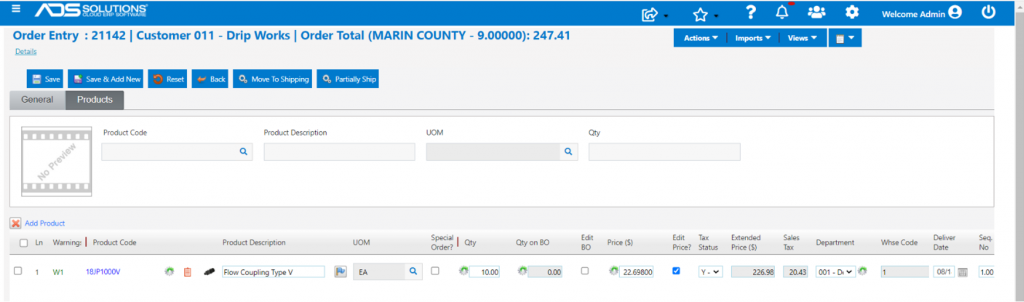
- Move to fulfillment then to invoice.

- Look up GL Posting.
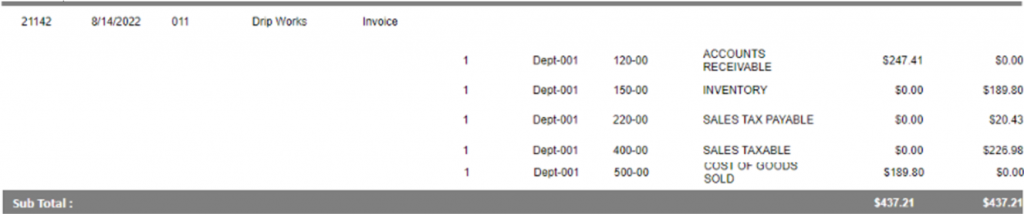
- Transaction recorded at sales price of $22.69800/EA and cost of goods sold of $18.98000/EA which is the Average Cost.

Create Special Order Transaction
- Now create order 21143 for customer 011 for 10 EA x 18JP1000V but this time as a one-time special order.
- Edit back-order quantity to place the whole order as a special order.
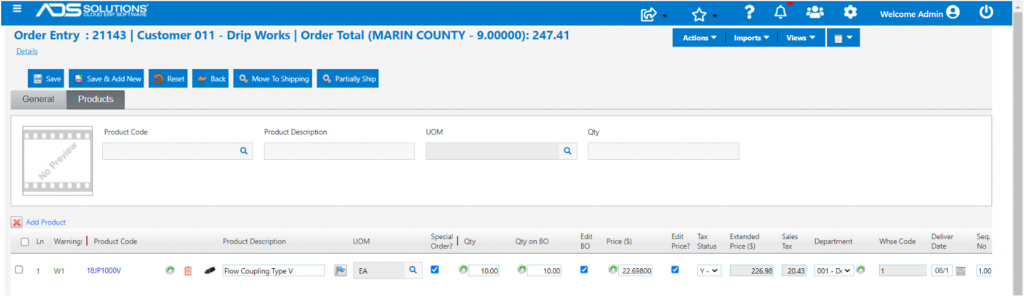
- Move to fulfillment brings up the Special Order Options screen.
- Make selections for Auto PO and Drop Ship then Save.

- Creates BO 21143-1
- Make PO C5587 and import and link special order BO 21143-1.
- Change PO price from $19.50000 Alt Cost to a price of $15.00000 for this order.
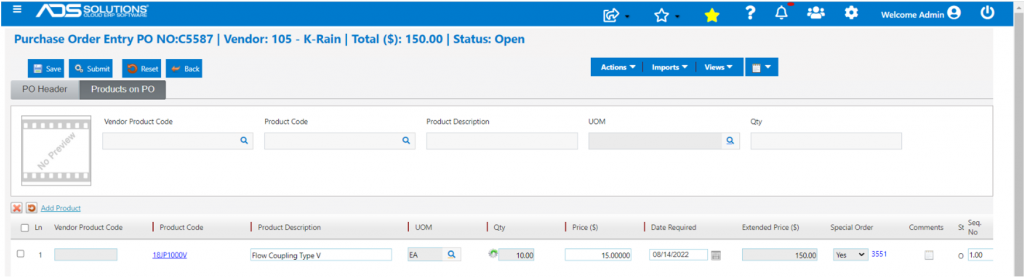
- Receive PO C5587.

- BO 21143-1 moves to fulfillment as 21143-2.
- Move 21143-2 to invoice.

- Look up GL Posting.
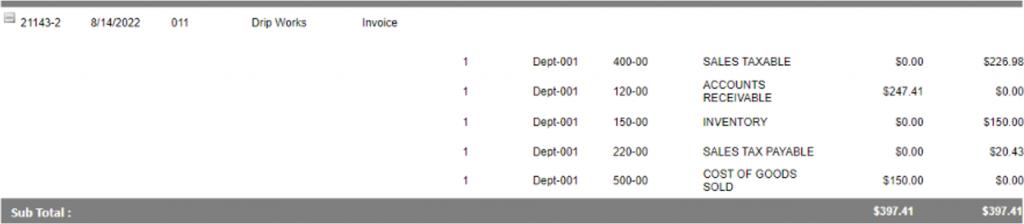
- Transaction recorded at sales price of $22.69800/EA and cost of goods sold of $15.00000/EA which was the cost on the linked PO.
- The goods will notionally come into inventory at $15.00000 and then go out again at the same cost.