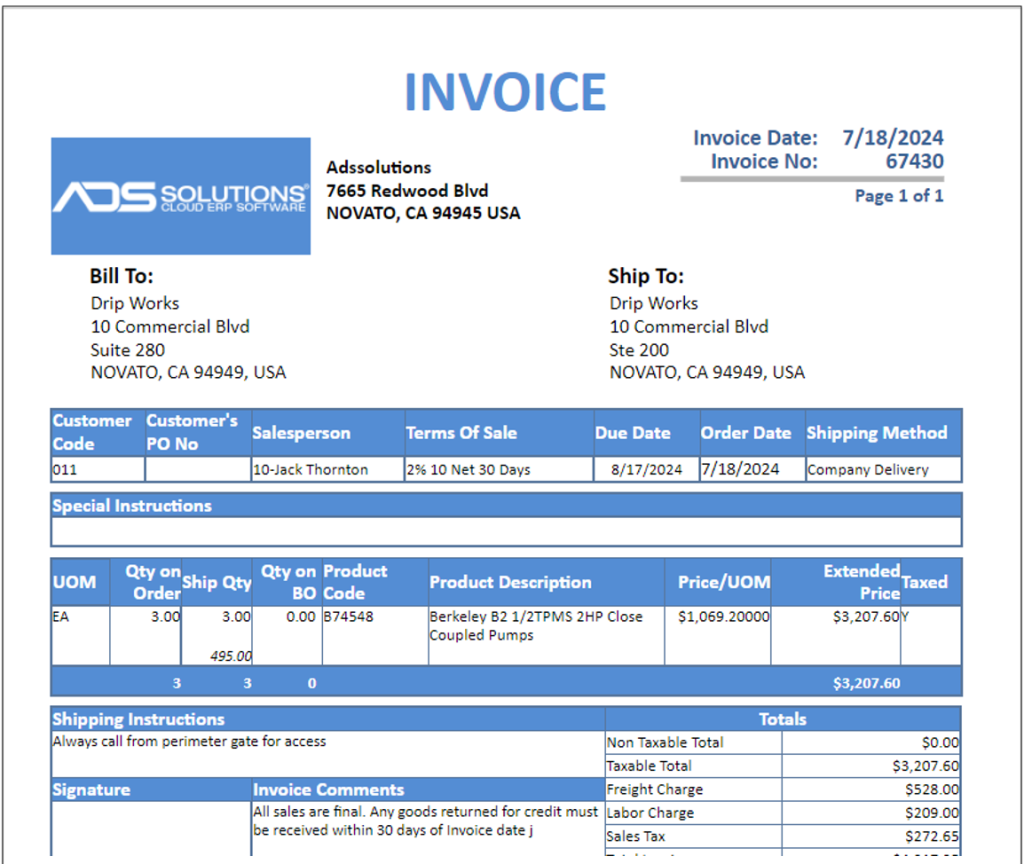
Accolent ERP allows entry of Shipping Instructions and Invoice Comments. Shipping Instructions that are entered and saved on a customer’s master record, print on Pick Tickets, Pro Forma Invoices and Invoices for that Customer. Similarly, Invoice Comments may be entered on the main Setup screen that will print on all Invoice forms.
Shipping Instructions
- Shipping Instructions are specific to a customer and have to do with how delivery is made to that Customer (e.g., “All deliveries must be made to Dock 3”).
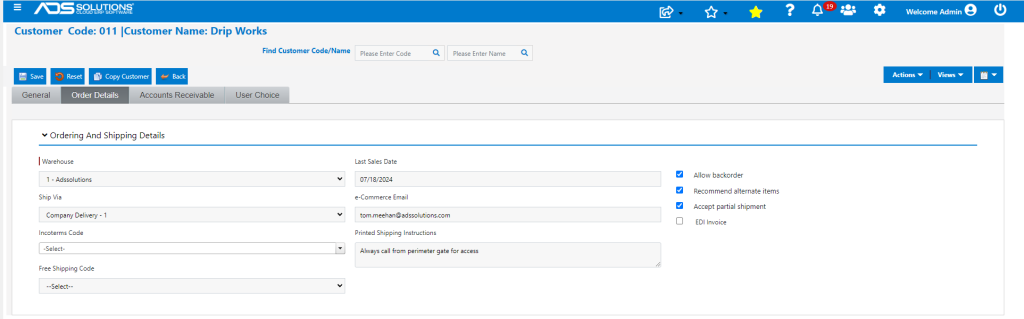
- Shipping Instructions can be entered and saved on the Order Details tab of the Customer master record:
- Only one Shipping Instruction can be entered,
- Shipping Instructions consist of a free form text entry.
Invoice Comments
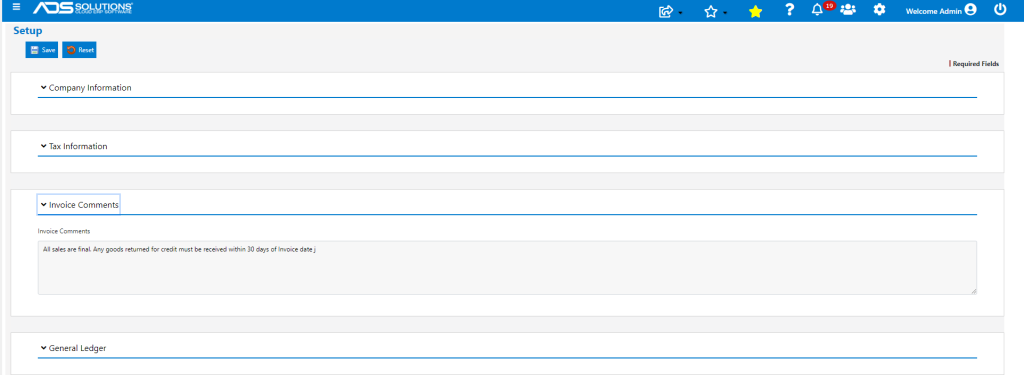
- Invoice Comments are used for standard comments that appear on every Invoice.
- These will typically be used to specify standard transaction terms (e.g., “All sales final. All returns for credit must be made within 30 days of the Invoice date”).
- Invoice Comments are entered from Settings > System Settings in the Invoice Comments section of the main Setup screen.
Printed Forms
- Shipping Instructions print on all Pick Tickets, Pro Forma Invoices and Invoices for this Customer and appear in the text box to the left of the Totals on all these forms.
- Invoice Comments print in the text box to the left of the totals on every Pro Forma Invoice and Invoice.