Accolent ERP supports State and Federal Excise taxes collected on Alcohol, (or Tobacco, Gasoline and Diesel fuel as well as other goods and services). A separate tab in the US Tax Jurisdictions value list allows State and Federal Excise taxes to be specified by tax jurisdiction. Depending on the State, excise taxes may be charged in addition to, or in lieu of, Sales and Use taxes. When applied to Alcoholic beverages the Excise taxes are charged by volume. Alcoholic beverage products (Beer, Wine and Distilled Spirits) should be set up with a single SKU for each container size.
State and Federal Excise Taxes
- Most States and the Federal government charge excise taxes in addition to (or sometimes instead of) traditional sales taxes, on alcoholic beverages like wine, beer, and liquor
- Excise taxes are applied on a per-unit basis, generally per gallon for liquids, and unlike sales taxes are collected from the merchant who sells the alcohol rather than the end consumer
- In almost all cases, excise taxes are passed on directly to the consumer in the form of raised alcohol prices
- State and Federal excise taxes are also charged on tobacco products and gasoline and diesel fuels
- Review this Sales Tax Handbook for details
- These are the State and Federal Excise Taxes that apply in California
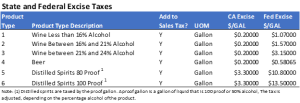
Product Excise Tax Value List
- Go to Settings > Value Lists > Product Only Lists and create a Value List for Product Excise Tax types
- Each Product Type corresponds to a specific Excise Tax (e.g., beer, wine < 16%, wine 16%-21%, wine 21%-24%, distilled spirits)

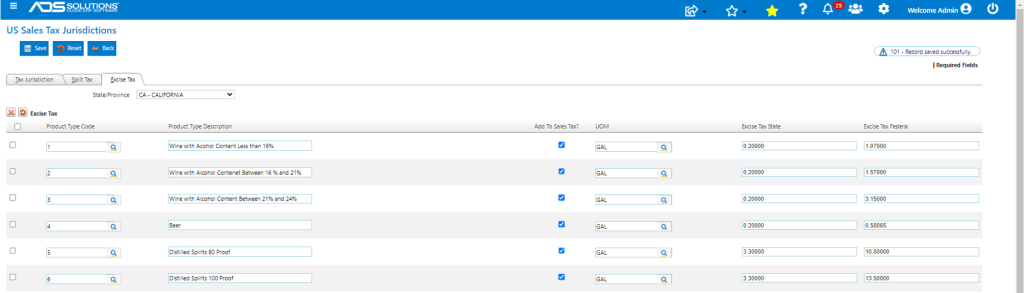
Excise Tax Rates
- Go to Settings > Value Lists > Other Value Lists (M to Z) > US Tax Jurisdictions
- Create the Excise Tax entries by State by Product Type
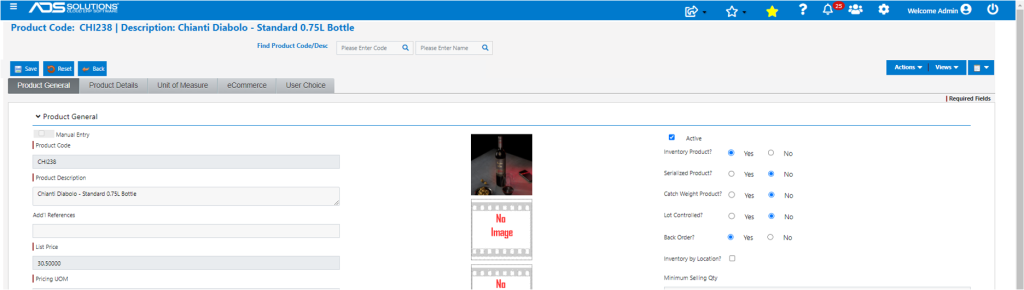
Alcoholic Beverage Products
- Each alcohol container size should be set up as a separate product
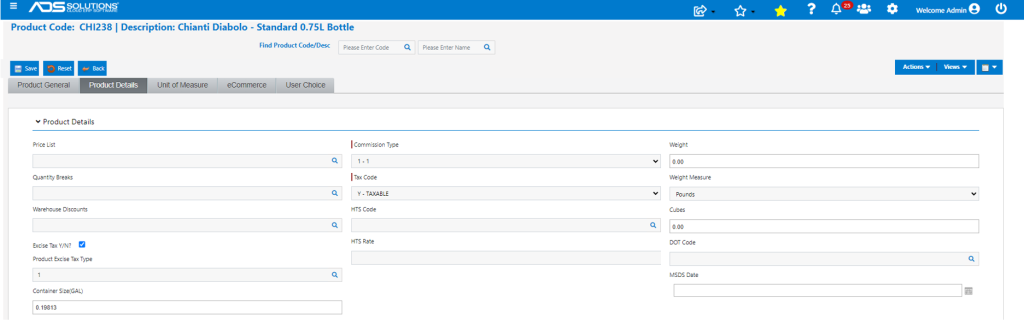
- CHI238 is sold in a standard 750 ml wine bottle
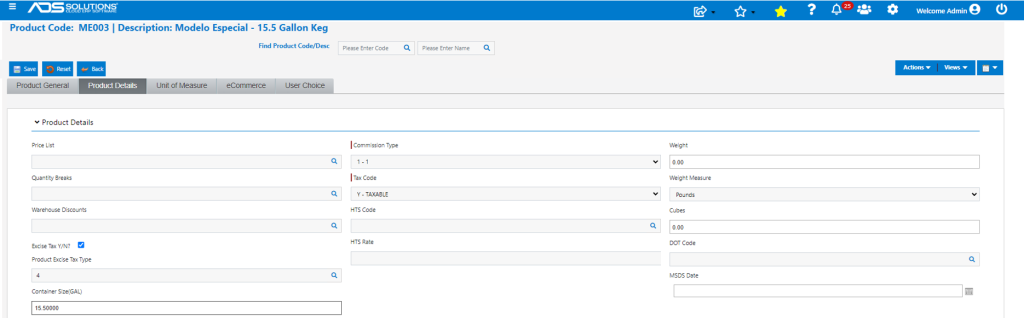
- On the Product Details tab, specify that this product is subject to Excise Tax, the Product Type (i.e., Wine < 16% alcohol) and the container size in GAL
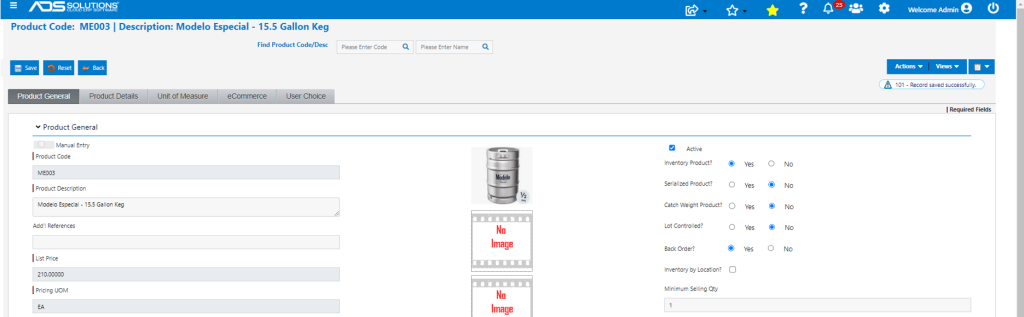
- ME003 is sold in 15.5 GAL half kegs, is subject to Excise taxes and has a product type of beer
Create Order with Alcoholic Beverages
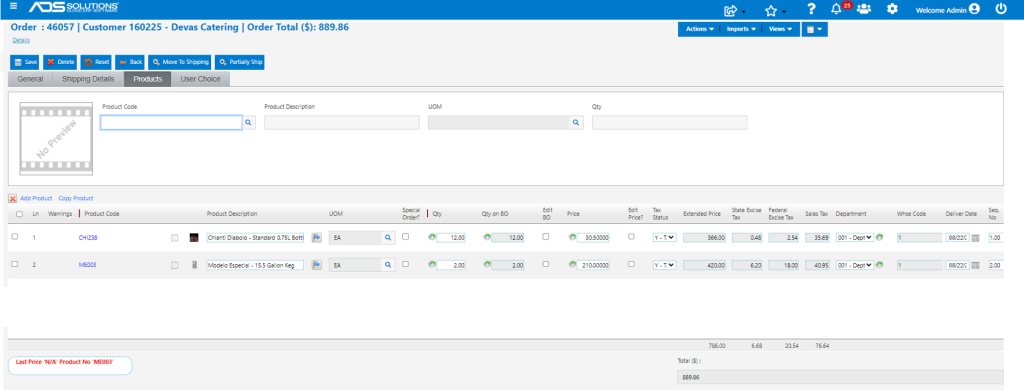
- Create order 46057 for customer 160225 with ship-to in CA
- Add alcoholic beverages
- Automatically calculates Sales Tax as well as State and Federal Excise Taxes based on product settings
- Sales tax and excise taxes for each order line are calculated as follows:
- Sales Tax: Since Add to Sales Tax =Y, Sales Tax = (12 x $30.5 x 9.75%) + (2 x $210.00 x 9.75%) = $35.69 + $40.95 = $76.64
- State Excise Tax: CA Excise Tax = (12 x 0.19813 x $0.20) + (2 x 15.5 x $0.20) = $0.48 + $6.20 = $6.68
- Federal Excise Tax: Fed Excise Tax = (12 x 0.19813 x 1.07) + (2 x 15.5 x 0.58065) = $2.54 + $18.00 = $20.54
- Totals: Tax = $76.64 + $6.68 + $20.54 = $103.86; Total = $366.00 + $420.00+ 104.06 = $889.86
Sales and Excise Tax Reports
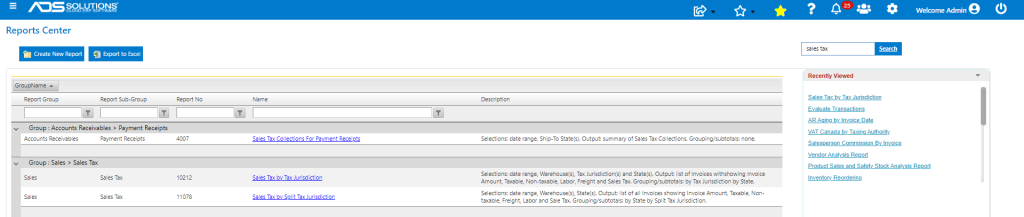
- There are 3 Sales Tax Reports
- Each of these reports has columns for State Excise Tax and Federal Excise Tax