
Accolent ERP accomodates Non-Inventory products which are typically items for internal consumption (e.g., Office Supplies) or items that may be billed to customers (e.g., Labor) but for which, costs are not tracked to orders. Non-Inventory products have no ledger card and so are not tracked as to quantity and have no Average Cost. Non-Inventory items may be purchased on POs together with Inventory products. In this case, the Inventory products will be booked to the Inventory account in the normal way and quantities and Average Costs will be tracked for these products; the Non-Inventory items will be expensed as a period cost.
Create PO for Inventory and Non-Inventory Products
- Create PO No C10893 for Vendor 104.
- Vendor 104 is an Inventory Vendor.
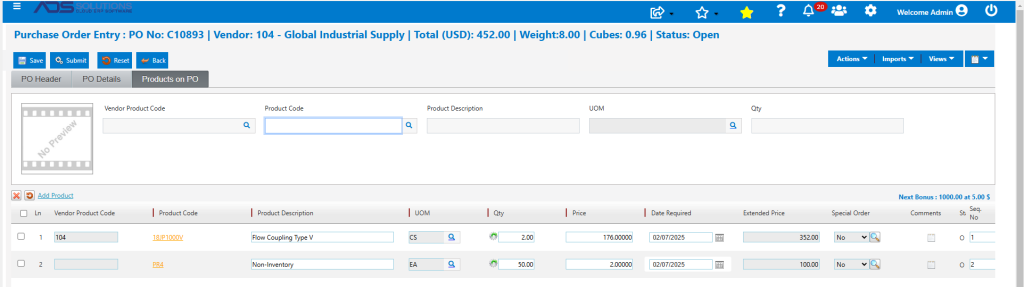
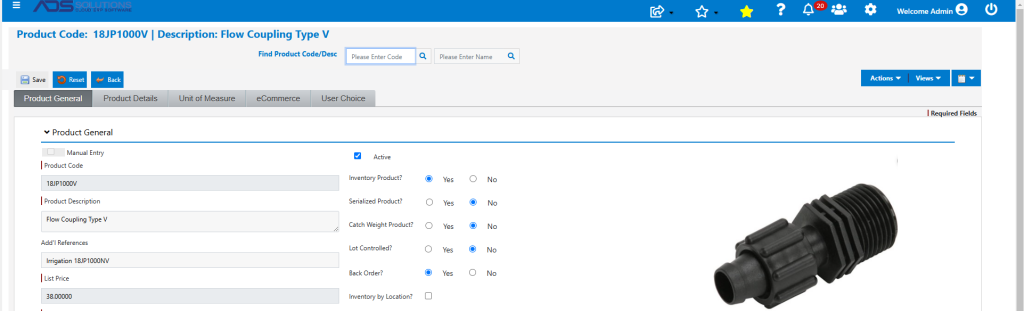
- Product 18JP1000V is an Inventory product.
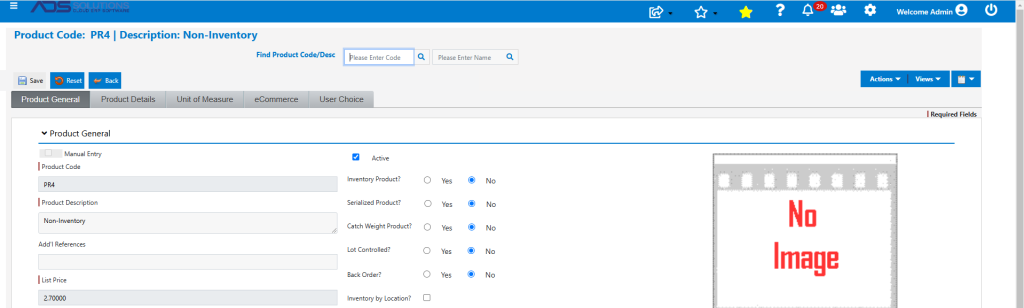
- Product PR4 is a Non-Inventory product.
Receive PO
- Receive PO C10893 for $352 in inventory products and $100 in non-inventory products.
- GL Posting used the default allocation for an Inventory Vendor to post only the inventory items.

- The balance posted to Inventory will increase the extended Average Cost by $352 and correspondingly change the unit Average Cost of product 18JP1000V.

Create Voucher
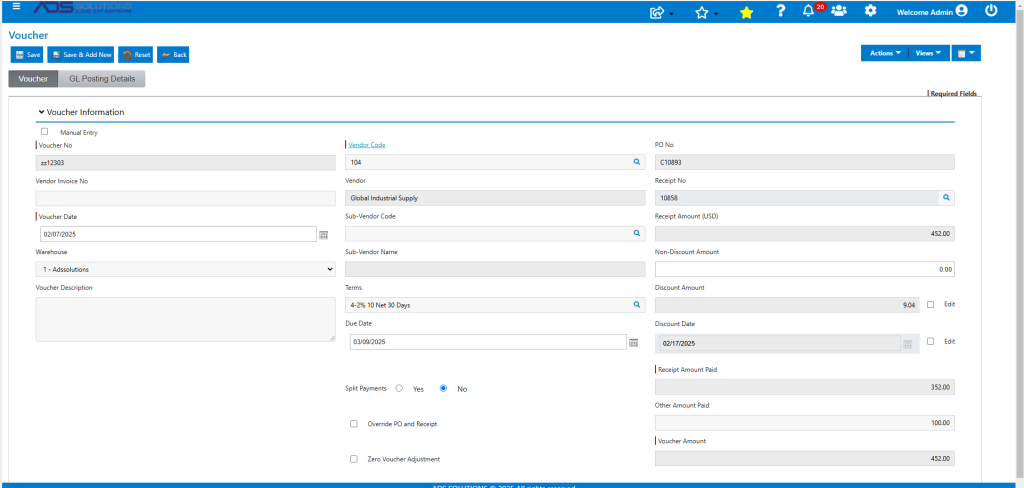
- Receive Vendor invoice for $452, total of Inventory and Non-Inventory items.
- Create Voucher ZZ12303 to pay Vendor 104.
- Look up Receipt 10858 on PO No C10893.
- Note that the Receipt is for $352 with an Other Amount Paid of $100.
- The default GL posting of the Voucher for an inventory vendor is to CR Accounts Payable by $452 and DR Unconfirmed AP DR for $352 for the Inventory items.
- The GL Posting is not balanced and so cannot be posted; to balance, the user will need to specify an expense GL Account for the remaining $100.
- Add a posting of $100 for the non-inventory items to (say) Miscellaneous Purchases.
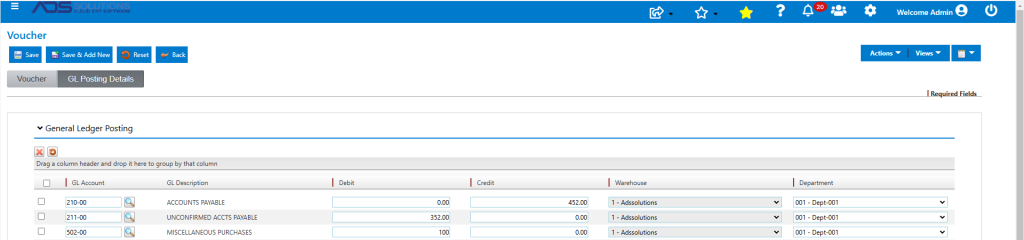
- Save to create Voucher ZZ12303.
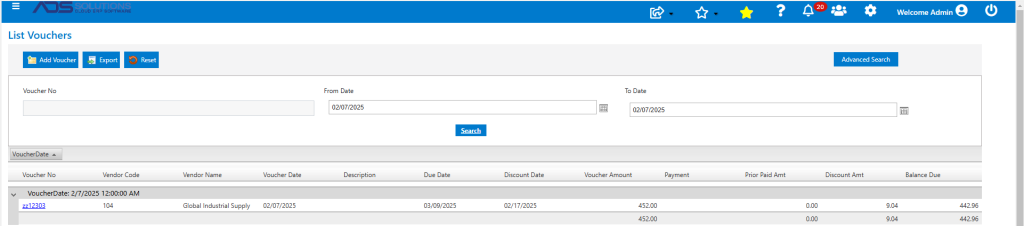
- This is the AP Journal Posting of the Voucher.

Sale of Inventory and Non-Inventory Products
- When the Inventory products are sold subsequently, they will record COGS based on their Average Cost multiplied by the quantity sold.
- In contrast, the sale of Non-Inventory items will record no COGS since the Non-Inventory items were already expensed as a period cost.