
Accolent ERP supports multi-currency through an API that delivers global FX Rates. Using the multi-currency module, a PO can be created in foreign currency for a Vendor. When the PO is Received, Inventory will be debited for the functional currency equivalent at that time. Subsequently when the Vendor’s Invoice is received, Accounts Payable will be credited for the functional currency equivalent at that time. Then when paid, the actual Payment amount in functional currency will clear the Accounts Payable entry and create a realized Gain/Loss on FX for the difference between the Inventory value and the Payment value.
Create PO for Vendor ITA345
- Vendor ITA345 is based in Italy and is associated with Foreign Currency EUR.
- Since the Vendor currency is EUR, the PO will be created in EUR.
- Create PO C9217 in EUR with FX Rate = 1.06860.
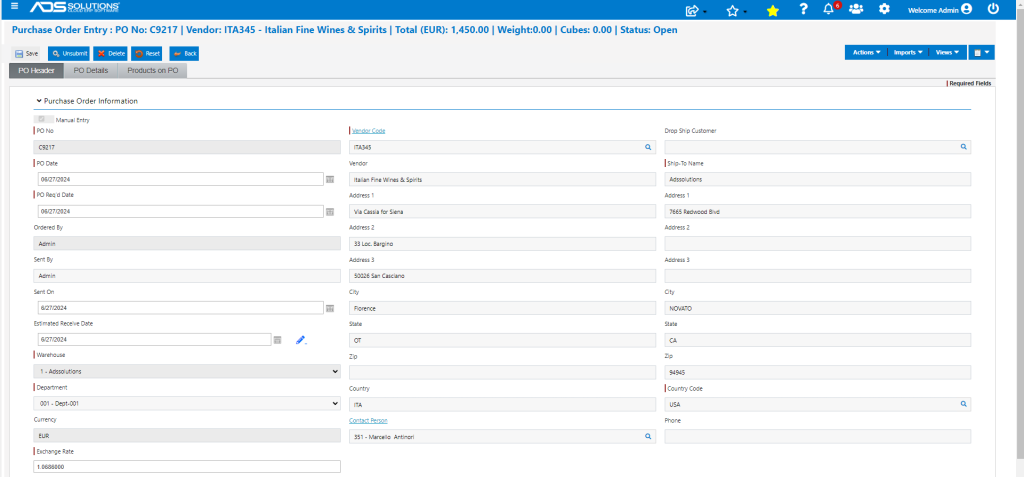
- When a PO is created for an FX Vendor, the system looks up the PO Cost in the child table, and takes the value shown there (i.e., EUR 145.00).
- For a PO in EUR, the currency labels change.
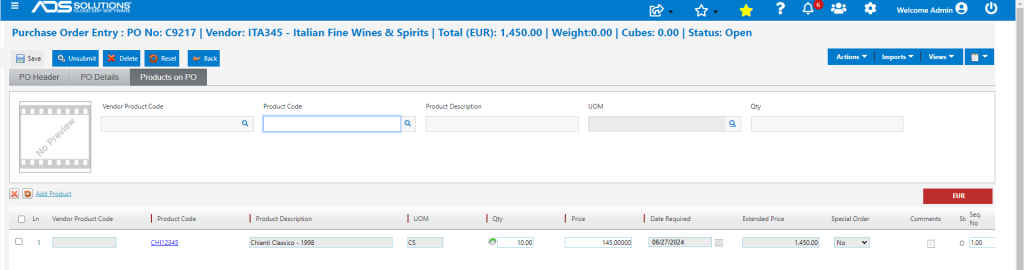
- Submit sends the PO to the Vendor.
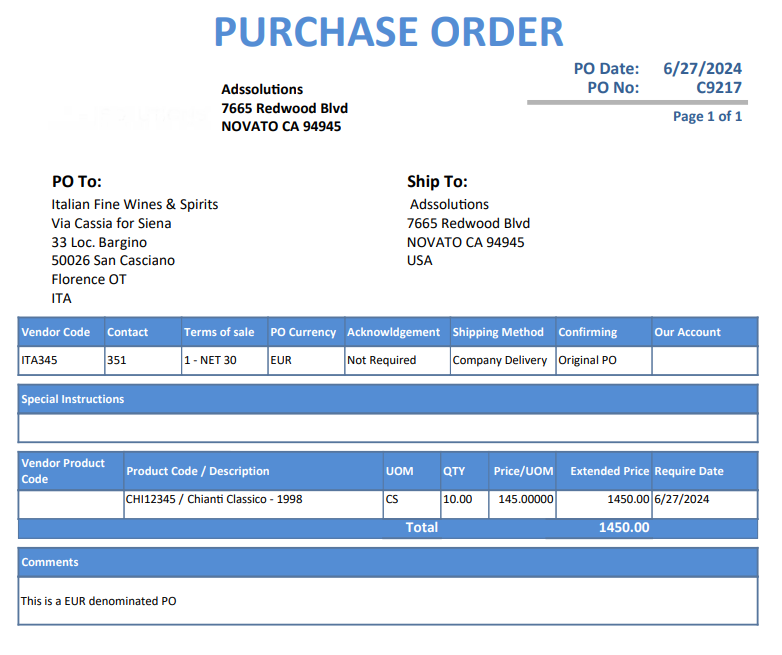
- This is the PO.
PO List screen
- List POs shows Currency (EUR) and PO Total (in PO Currency).

Receive PO
- On PO Receipt, the FX Rate is now 1.07032.
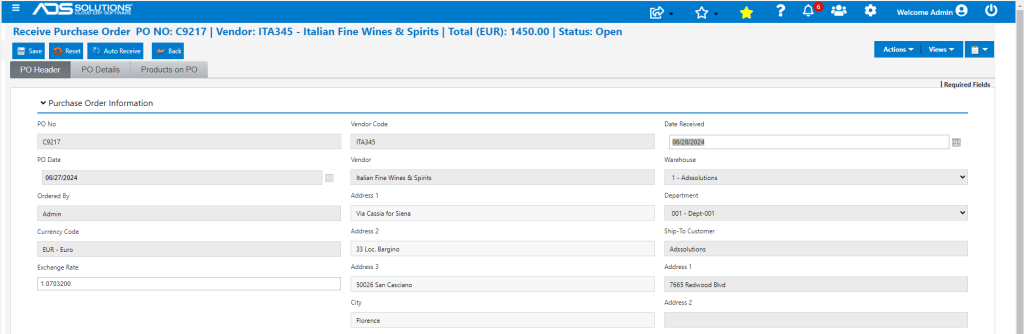

- Add any Landed Costs if desired.
- GL Postings will be done in the functional currency using Foreign Currency Amount x FX Rate.
- GL Posting to Dr Inventory and Cr Unconfirmed AP will be €1,450.00 x 1.07032 = $1,551.96.
- Once the PO is received the FX Rate is stored on the PO.

- Average Cost is maintained in functional currency.
- Ending Avg Cost = [(310 x 148.05792) + 1551.964] / 320 = $148.28100.

Create a Voucher
- PO was received for $1,551.96.
- Whenever the Vendor’s invoice is received, make the Voucher.
- In this case the voucher is made at the same time as PO Receipt, so FX Rate is unchanged.
- The Voucher will be made for $1,551.96 equivalent to €1,450.00 with FX Rate of 1.07032.
- Any change in the FX rate between the PO Receipt Date and the Voucher Date will create an Unrealized FX Gain or Loss.
- GL Posting is in the functional currency.
- Voucher amount is $1,551.96 same as Inventory amount, so Unrealized Gain is $0.00.
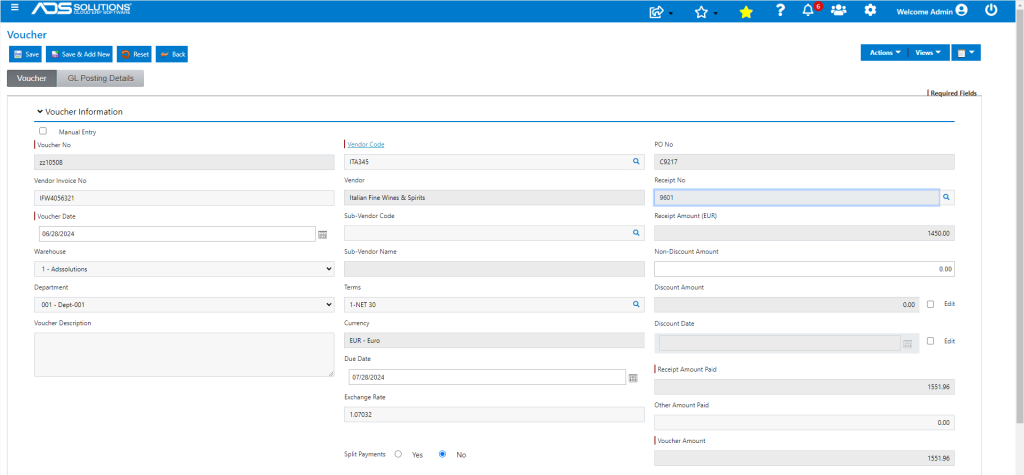
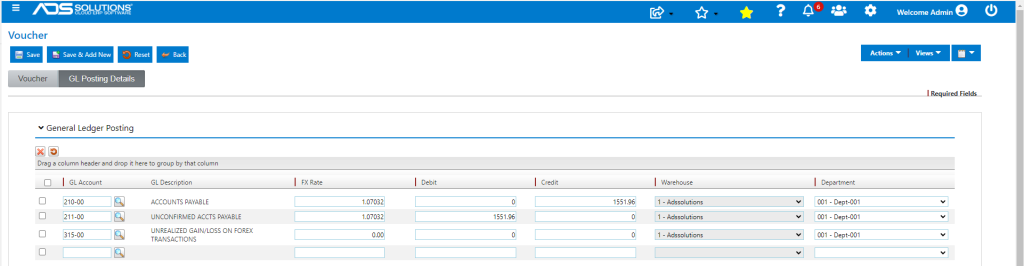
- Voucher GL Posting is:

Calculate the Payment
- At some point later the Vendor will need to be paid.
- Create a manual check for a bank transfer for the functional currency equivalent of Vendor’s Invoice in EUR.
- At the date of payment, the FX Rate for EUR is 1.08700 (say).
- Calculate payment = (€ 1,450.00 x 1.08700) = $1,576.15.
Create New Voucher
- Create a new Voucher ZZ10509 for the Payment Amount minus AP Amount = $1,576.15 – $1,551.96 = $24.19.
- Override the PO and Receipt.
- Enter the amount in Other Amount Paid.
- This should be allocated to:
- Reverse prior recording of Unrealized Gain/Loss = $0.00
- Record balance to Realized Forex Gain/Loss = $24.19
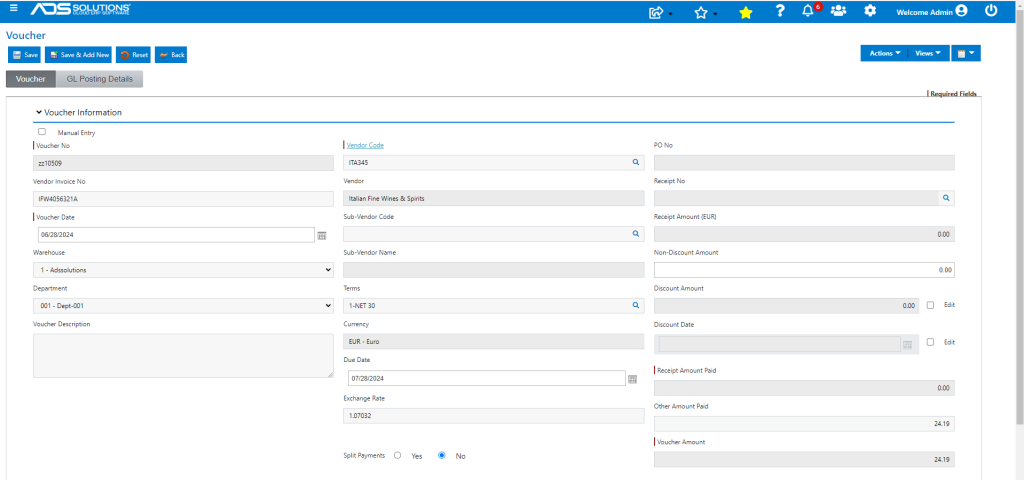
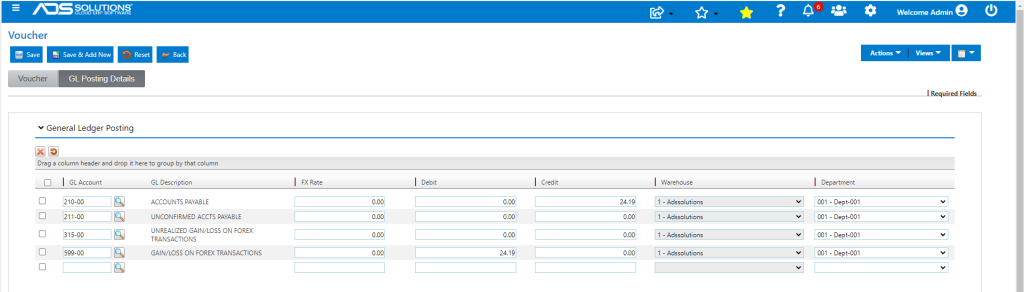
Create Manual Check to Record Bank Wire
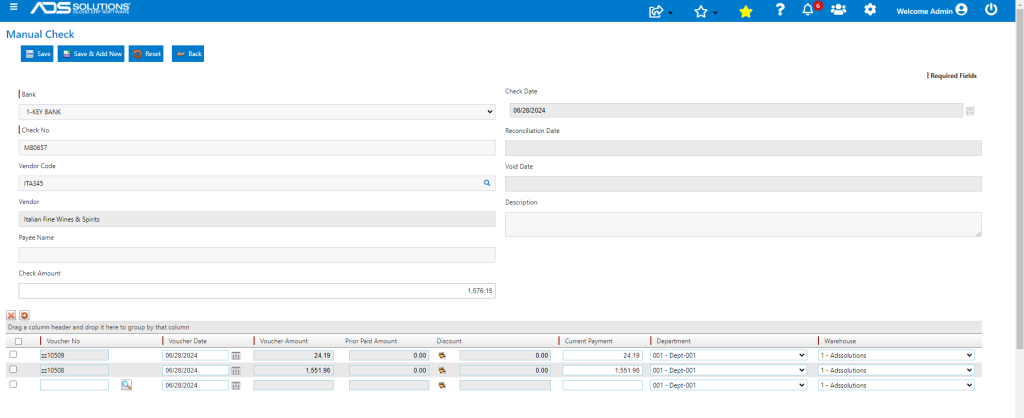
- Now create a Manual Check for payment amount of $1,576.15 to record bank charge for wire transfer of €1,450.00.
- This will pay the Vouchers ZZ10508 and ZZ10508.
- This is the GL Posting of the check:
