
Accolent ERP allows entry of Vendor PO Comments on a Vendor that will pop-up whenever a Purchase Order is created for that Vendor. Similarly, entering Ship Confirm Comments on a Customer will pop-up whenever an order for that Customer is created or opened in fulfillment.
Vendor PO Comments
- From the Vendor, select PO Comments.
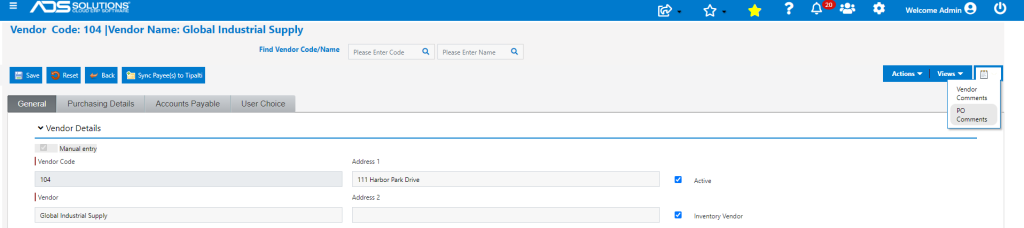
- Enter Vendor PO Comment that will pop-up whenever a PO is created for this Vendor.
- The PO Comments screen allows a Comment to be entered and saved, an existing Comment may be edited, or an old Comment may be deleted, if necessary.

- Create PO No C9558 for Vendor 104.
- The PO Comments screen pops up as soon as the Vendor is entered on the PO.

Customer Ship Confirm Comments
- From the Customer select Ship Confirm Comments.
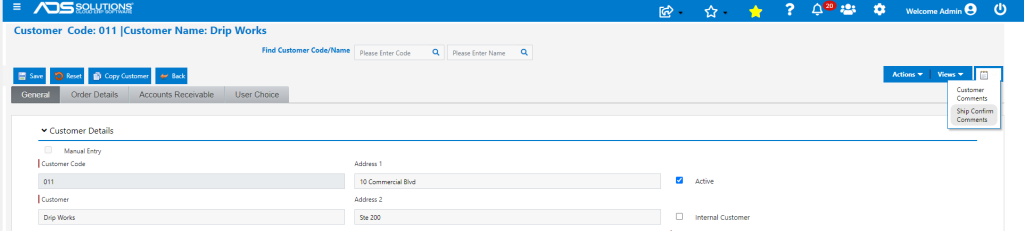
- Enter Ship Confirm Comments that will pop-up whenever an order for this Customer is created and/or moved to fulfillment.
- The Ship Confirm Comments screen allows a Comment to be entered and saved, an existing Comment may be edited, or an old Comment may be deleted, if necessary.

- Create an Order or open an Order in fulfillment (e.g., order 67673) for this Customer.
- The Ship Confirm Comments screen will pop-up.
