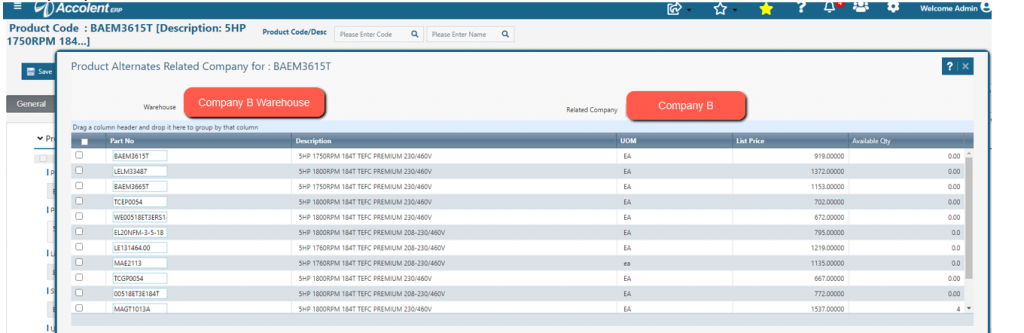
In Accolent ERP two separate companies (“Company A” and “Company B”) that are under common ownership, can “look-through” from one system to the other. The two companies will have two separate Accolent ERP URLs and two separate databases. If requested, ADS Solutions will set the configuration that allows Multi-Company Inventory and link the two databases. A user in Company A can then look up the inventory in Company B.
Set Configuration
- ADS Solutions will set the Configurations screen to allow Multi-Company Inventory Lookup.
- ADS Solutions will provide a look-through between the two databases.
From Company A
- Enter order 1070.
- Specify product (e.g., BAEM3615T) that has insufficient stock available to fill the order.
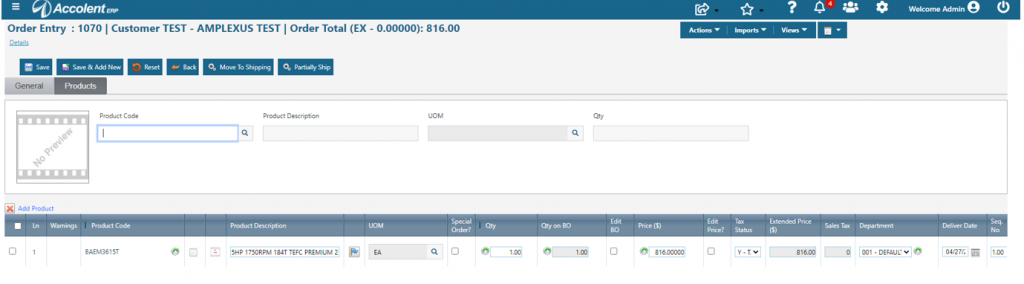
- Click on product hyperlink to open the product master in a separate tab.
- From the Views menu select Alternates – Related Company.
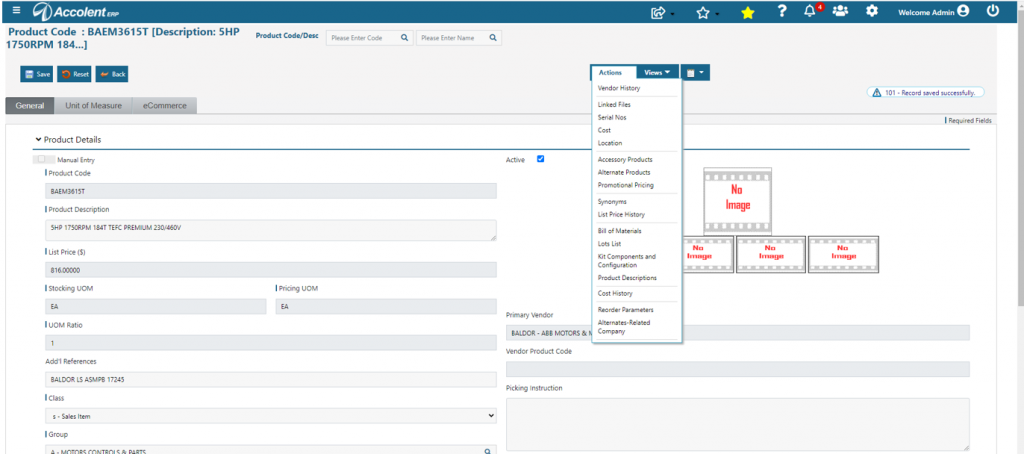
View Inventory of Alternates on Company B
- This screen shows all the products in Company B’s database that have been assigned as Alternates for product BAEM3615T.
- User can see the inventory levels of all of these Product Alternates on the Related Company (i.e., Company B).