Accolent ERP allows for early payment discount terms to be specified by the customer. If early payment discounts are available on a particular invoice paid prior to the expiration of the discount, the Accounts Receivable (AR) payment receipts screen allows giving these discounts when recording the payment. If payment discounts have expired, they may be extended and/or discounts may be edited, if desired.
Discounts on AR Payment Receipts
- Discounts on invoices for a customer are computed daily based on the Invoice date and Terms for that customer.
- If a Discount is available for a particular Invoice based on Terms, the Discount amount will show in the Payment Receipts grid.
- If a Discount has expired for a particular Invoice based on Terms, the Discount amount will show as zero in the Payment Receipts grid.
- To receive a Discount, the Invoice must be paid in full within the Terms; partial payments do not receive a Discount.
Receiving AR Payments
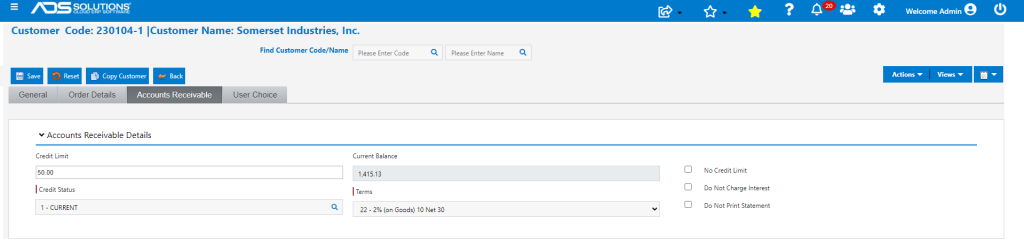
- Customer 230104-1 has terms of 2% 10 net 30.
- Go to Receivables > Payment Receipts > List Payment Receipts, click Add Payment.
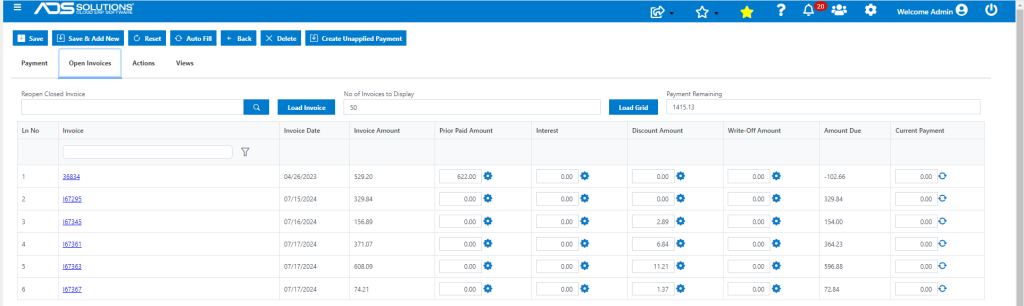
- Enter Customer 230104-1 and click on Load Grid.
- Open invoices older than 10 days show no discount.
- Current invoices less than 10 days old do show a discount.
Giving an Available Discount
- Invoice I67345 has invoice date of 7/16/24, so discount expires on 7/26/24.
- Click on Discount details icon for Invoice I67345 to see Discount amount of $2.89.
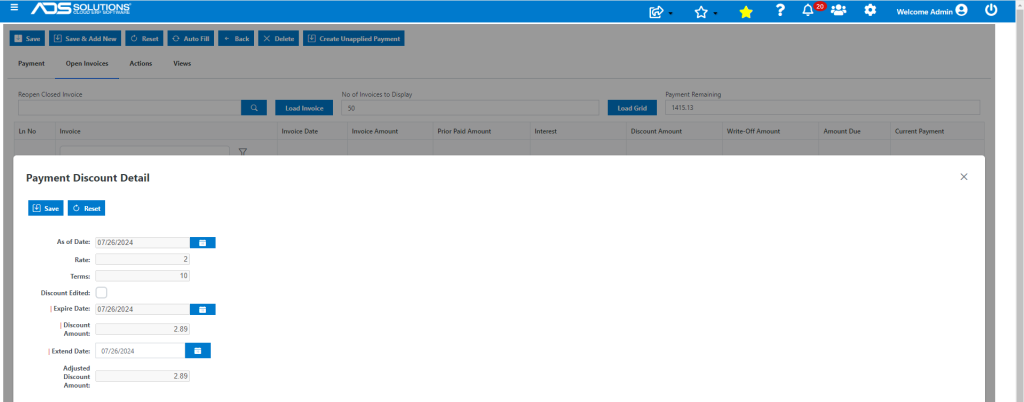
- The Discount is still available and may be given in connection with a payment.
- Take payment on Invoice I67345 of $154.00 net of $2.89 payment Discount.
- This gives the Discount and closes the open AR item.

Extending an Expired Discount
- To extend an expired Discount, click on the Discount details icon.
- Enter an extension date beyond the current date.
- The Discount will reappear as available.
- To give the Discount, payment has to be received prior to the extension date; if payment is not received the Discount will revert to its original expired status.
- Invoice I67295 had Invoice date of 7/15/24 so the discount expired on 7/25/24.
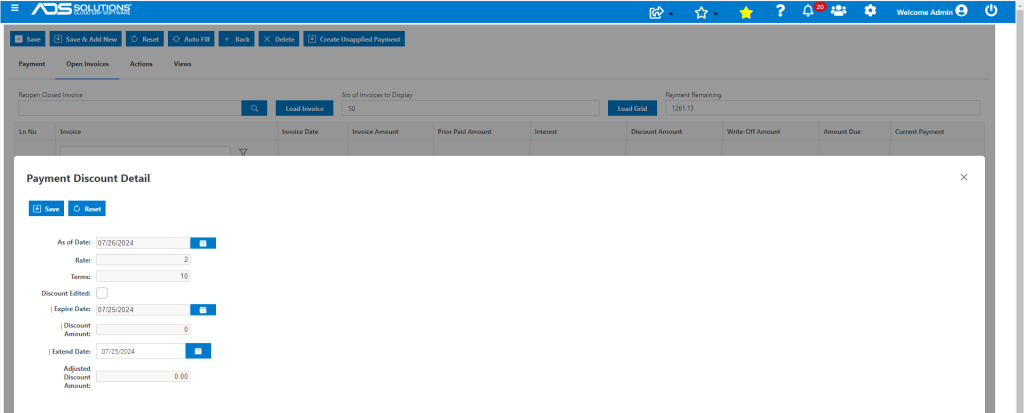
- Extend the Date to 7/26/24 to see the Discount of $6.08 and Save.
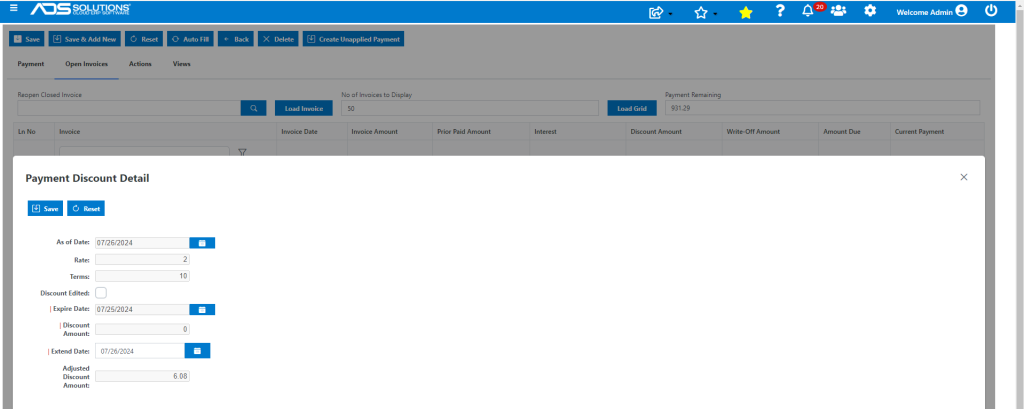
- The Payment Receipt grid now shows the Discount as available.
- Take payment of $323.76 net of the original discount which has had its availability extended.
- The Discount is now given, and the AR item closed.

General Ledger Postings
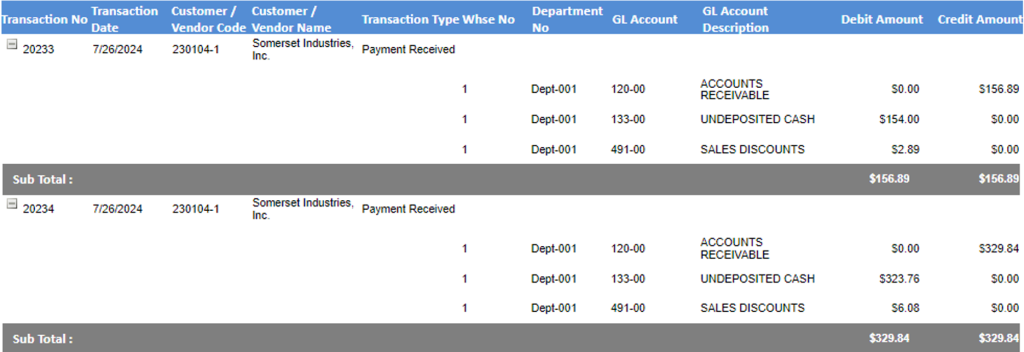
- These are the GL postings of the 2 payments taken.
- The payment discounts are booked to the GL Account 491-00 Sales Discounts set up in the GL Warehouse Defaults.