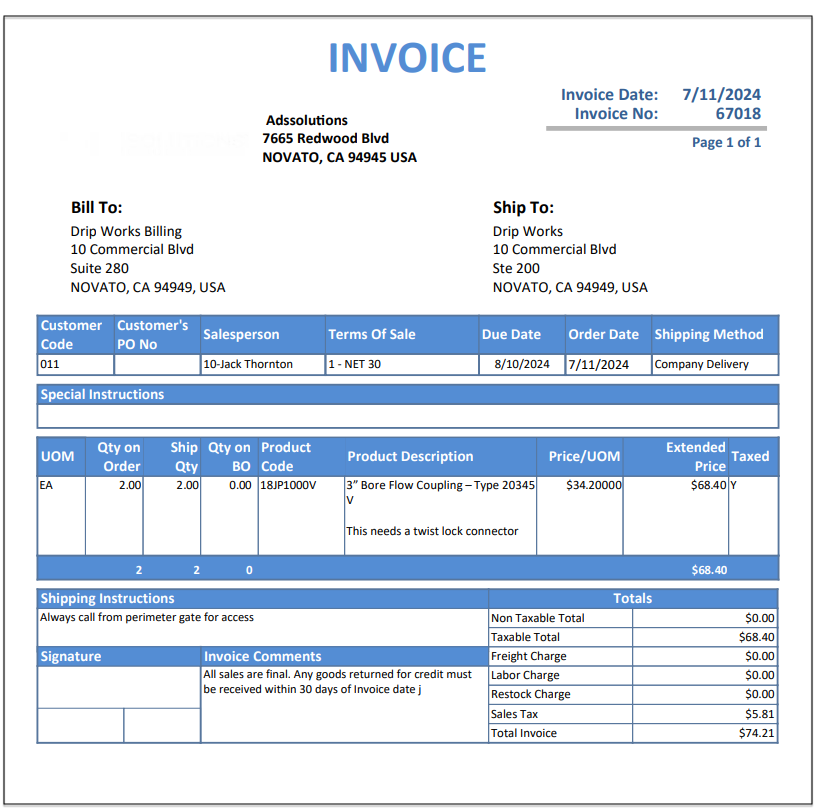
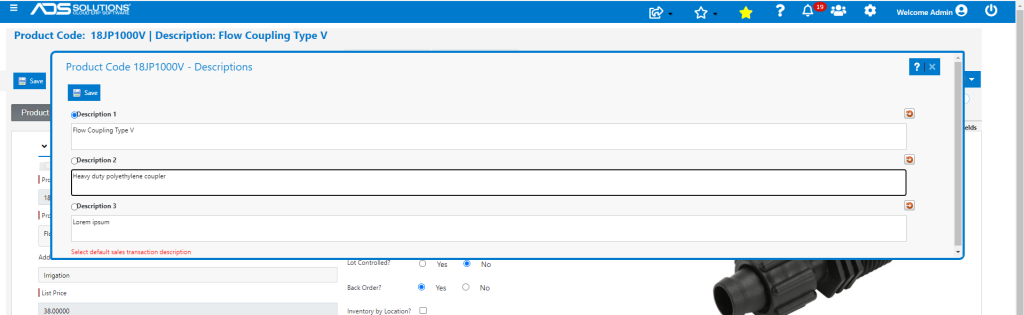
Accolent ERP allows for multiple product descriptions, and/or entering free-hand descriptions of products. Up to 3 product descriptions may be saved on the product; these are often used for maintaining the product descriptions in different languages. Only the Product Description on the product master can be used to select the product. However, once selected, in order entry, any one of the saved product descriptions may be selected, or a free-hand description may be entered. Whatever description is entered will appear on all the forms associated with the order. Note that any free-hand description entered will not update the product.
Set up Product Descriptions
- From a Product, select Actions > Product Descriptions.
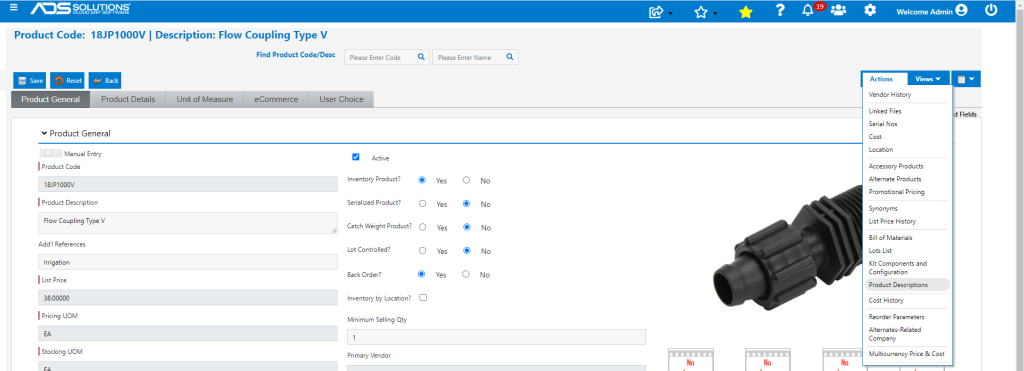
- Enter Alternative Descriptions and Save.
Add the Product to an Order
- In Order Entry select product either by typing in Product Code or by typing in the Product Description saved on the product master general tab.
- Type in the Product Code and you will get a dropdown list of possible matches, select one.
- Alternatively, type in the Product Description and you will get a dropdown list of possible matches, select one.
- Note that whichever field was selected last will overwrite the prior result.
- g., type in “18” in the Product Code and this will get the Default Product Setup; type “Flow C” in the Product Description and this will change the Product to 18JP1000V. You can flip back and forth as many times as you wish each time selecting a different Product. Once a Qty is entered – the search will assume that the Product has been selected.
- Once a Product is selected a Flag icon will appear next to the Product Description.
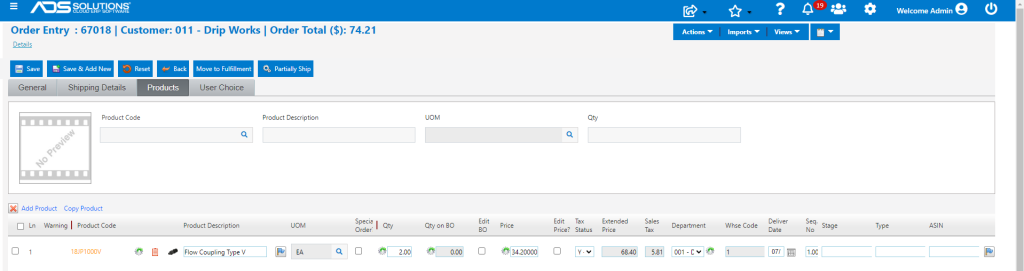
- Click on the Flag icon to select from one of the previously set up Product Descriptions or to enter a new free-hand description.
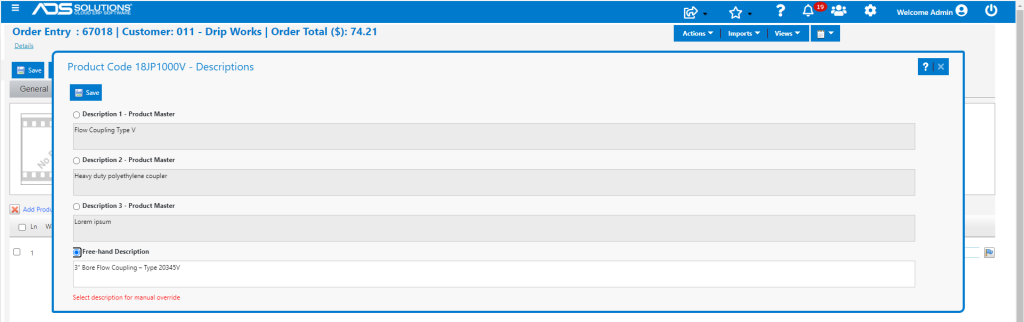
- Users can select from any of the pre-made descriptions or the free-hand entry option by selecting that radio button.
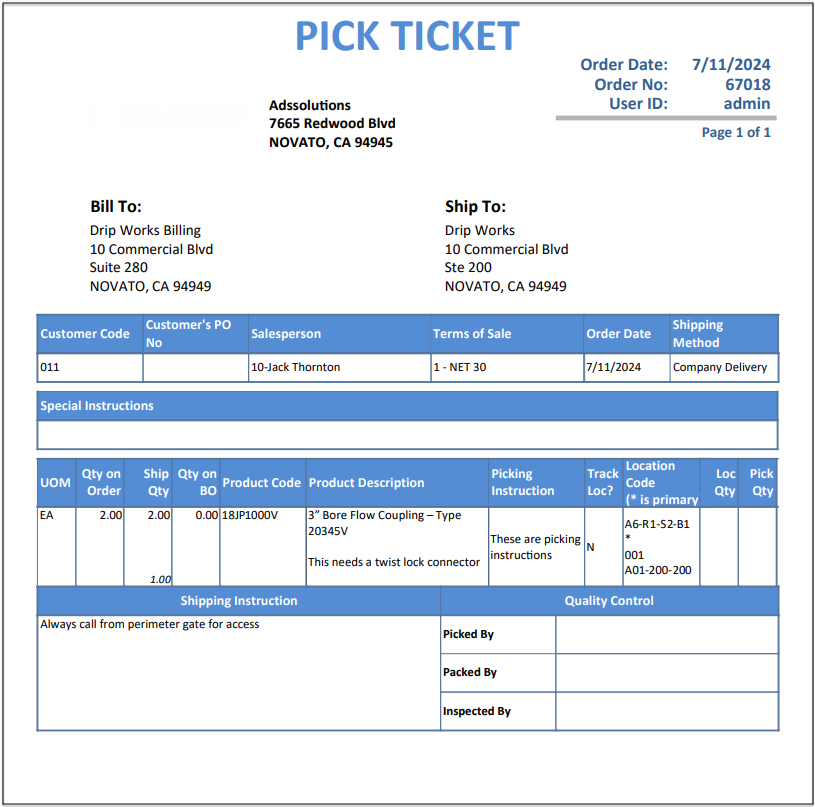
- Whatever description is selected will appear on all the forms associated with the order.
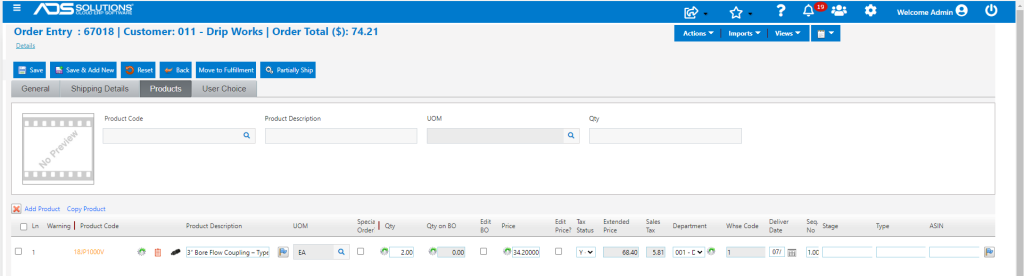
- g., Enter description: 3” Bore Flow Coupling – Type 20345V.
- Product description displayed will change on the order.
- Any free-hand product description entered will not save on the Product Master.
- Move to Shipping and view the Pick Ticket
- Move to invoice and view the Invoice form