
Accolent ERP comes with Customer, Prospect, Vendor and Product records named DEFAULT. Once set up, these DEFAULT record will supply the selected default values whenever new Customer, Prospect, Vendor or Product records are created. They will also be used by the AI Agent that creates the import templates for any required fields missing in the supplied raw data files.
Select the DEFAULT Record
- Find the DEFAULT Vendor record.

Populating the DEFAULT Record
- Any user with “All Rights” permissions can edit the DEFAULT records.
- To make changes to a DEFAULT search for the code DEFAULT and select the record.
- For example, select Vendor DEFAULT.
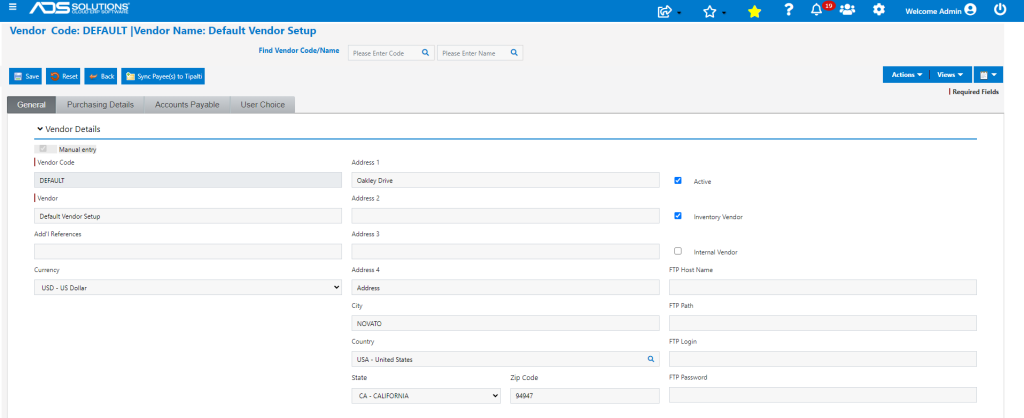
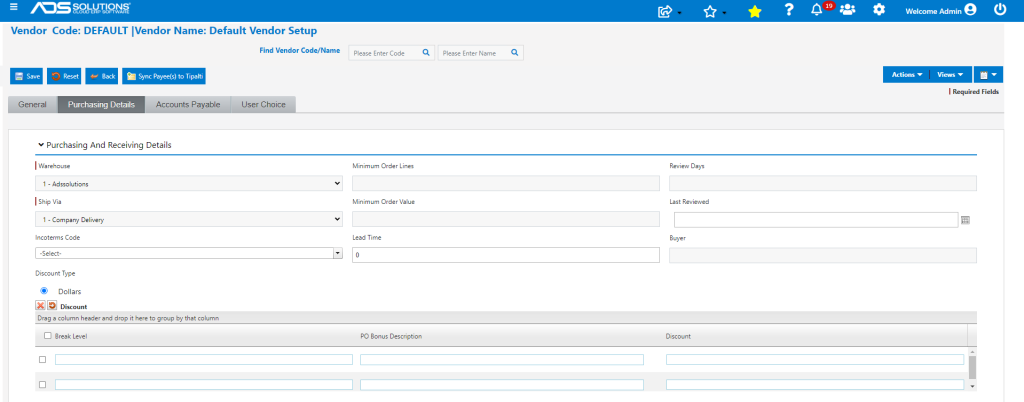
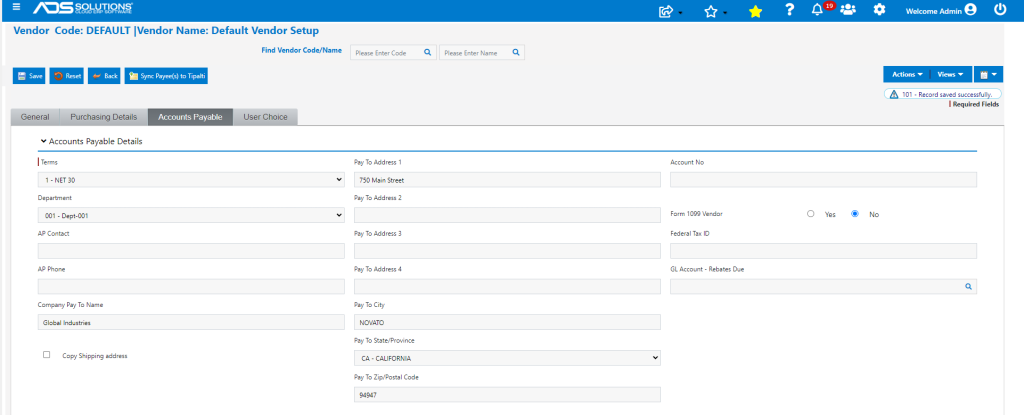
- Edit the record to set those values, if any, that are typical for new Vendor records (e.g., warehouse) and save.
- DEFAULT record: General tab.
- DEFAULT record: Purchasing/Receiving tab.
- DEFAULT record: Accounts Payable tab.
Creating new Records
- When a new Customer, Prospect, Vendor or Product record is created, the screen fields will default in the values from the DEFAULT record.
- This can save time and also make sure certain default settings are always selected that might otherwise be overlooked (e.g., 1099?).