
Accolent ERP does all internal calculations to 5 decimal places by default. When the system multiplies a unit price or a unit cost by quantity to calculate an extended dollar value, the result is rounded to 2 decimal places and the additional digits are dropped. Subsequent calculations such as to calculate sales tax are performed at the line item level and operate on the 2 decimal extended dollar value and the resulting sales tax is itself rounded to a 2 decimal place dollar value.
Product Pricing
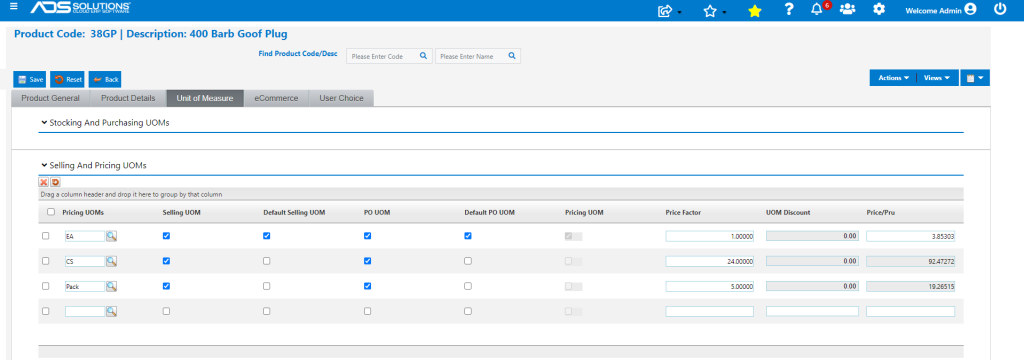
- Product 38GP has a 5 decimal place List Price of $3.85303.
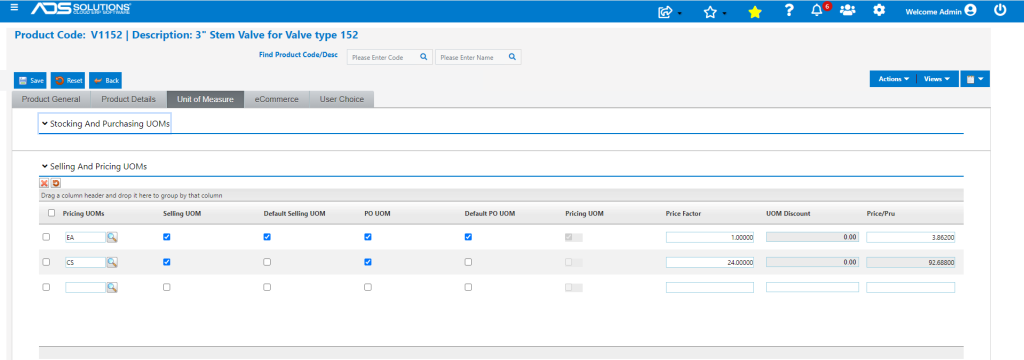
- Product V1152 has a 5 decimal List Price of $3.86200.
Tax Jurisdictions
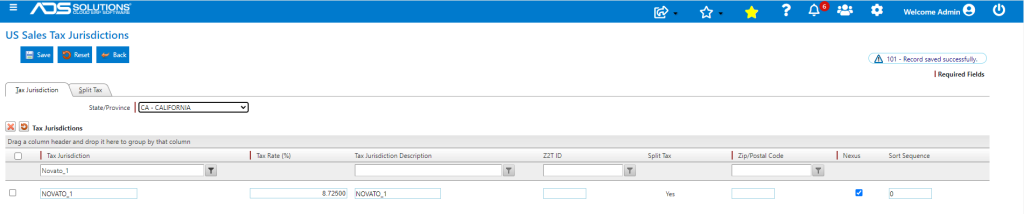
- Create a Tax Jurisdiction with a rate of up to 5 decimal places; in this case 8.725%.
Order Pricing
- Create an order and enter products:
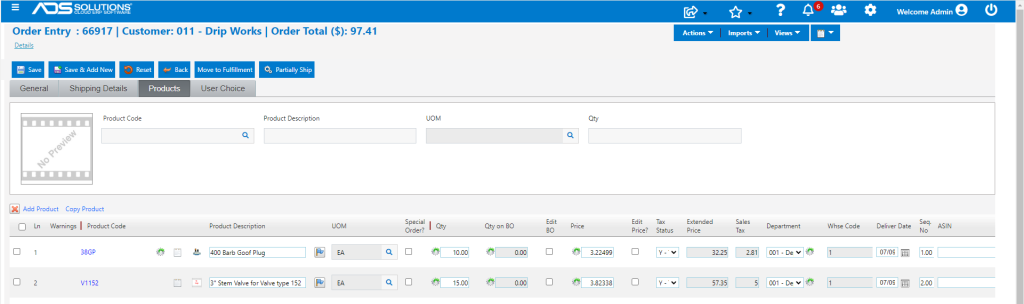
- Product 38GP has an Order Qty of 10 EA and a total discount of 16.3% applies.
- Product V1152 has an Order Qty of 15 FT and a discount of 1.0% applies.
Line 1
- Extended Price Calculation for Line 1:
- Undiscounted price = $3.85303
- Discounted price = $3.22499
- Discounted extended price = $32.24990 rounded to $32.25
- Sales Tax Calculation for Line 1:
- Sales Tax = (0.08725 x $32.25) = $2.81381, rounded to $2.81
Line 2
- Extended Price Calculation for Line 2:
- Undiscounted price = $3.86200
- Discounted price = $3.82338
- Discounted extended price = $57.35070, rounded to $57.35
- Sales Tax Calculation for Line 2:
- Sales Tax = (0.08725 x $57.35) = $5.00379, rounded to $5.00
Total Order
- Total Order before Sales Tax is ($32.25 + $57.35) = $89.60
- Total Sales Tax is ($2.81 + $5.00) = $7.81
- Total Order including Sales Tax is ($89.60 + $7.81) = $97.41
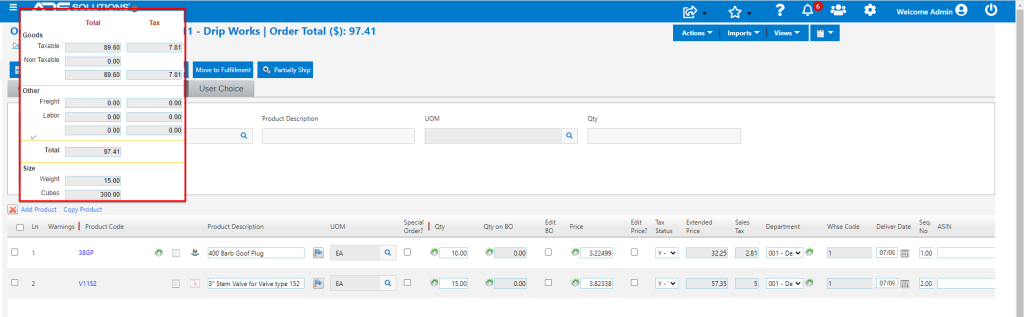
- List Orders screen.
