Accolent ERP provides the Customer’s open AR Balance in several different places throughout the system.
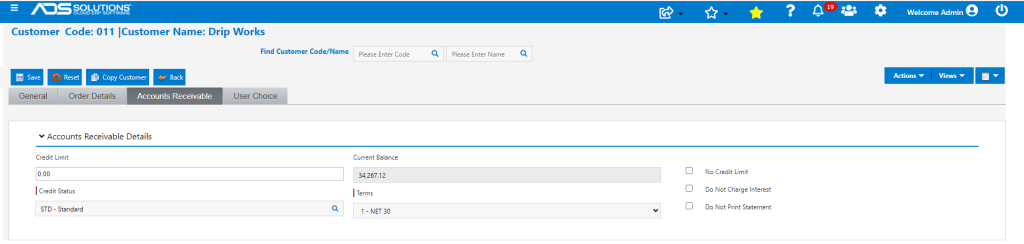
Customer Record
- Go to the Customer screen – shows the Current AR Balance (as of today).
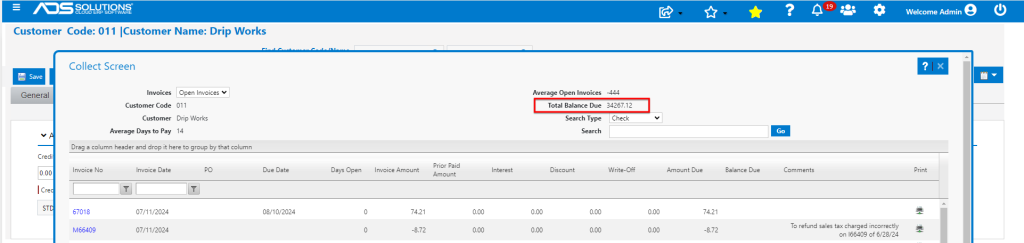
Collections screen
- Go to Customer > Views > Collections – shows detail of Open (and Closed) Invoices (as of today)
- At the top right hand side of the screen is the Total Balance Due.
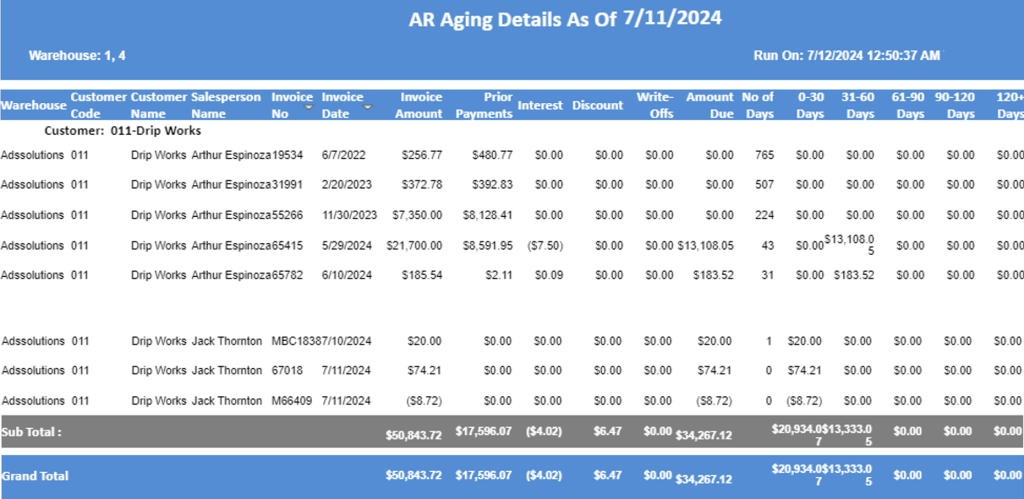
Customer AR Aging
- Go to Customer > Views > AR Aging Details – shows details of AR Aging (as of a specified date) for this customer.
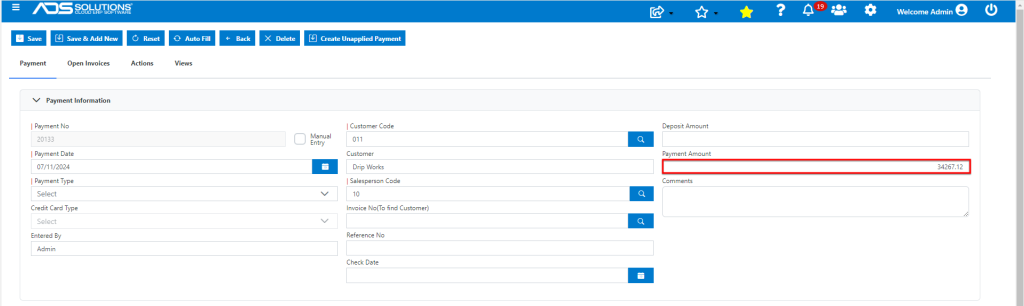
Payment Receipts Grid
- Go to Receivables > Payment Receipts > List Payment Receipts > Add Payment.
- Select Customer and click Load Grid – shows total of all open Invoices (as of today) as the open Payment Amount.
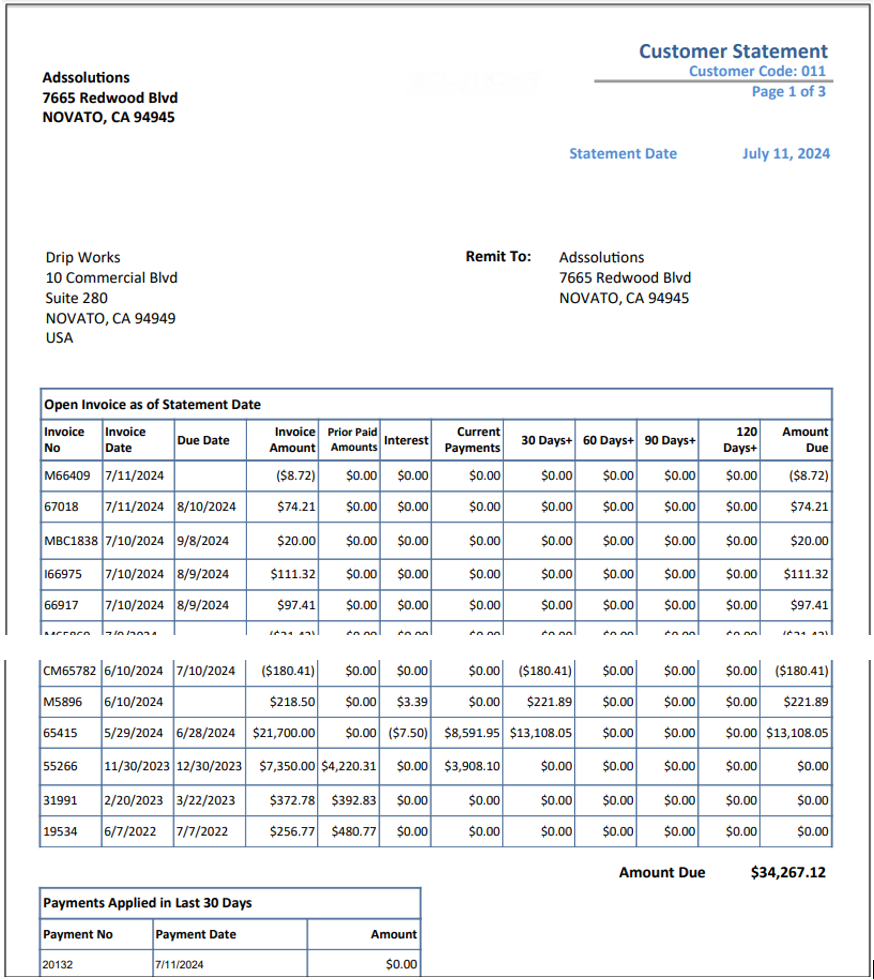
Customer Statement
- Go to Actions > Customer Statement.
- Select run Statement (as of a specified date).
- Customer Statement – shows balance due.