
Accolent ERP has extensive special order functionality. A special order links a sales order line item directly to a PO. The special order line item can be filled only from the linked PO which can be created automatically. When the linked sales order is moved to shipping, it is moved to a back order and held until the linked PO is received. Typically, special orders start with sales orders which then either auto create the linked PO or are imported into a PO and linked. Although unusual, Accolent ERP also supports the flow where the PO was created first, followed by the creation of the sales orders which are then linked from the PO.
Create a Purchase Order
- Enter PO for Vendor 104.
- PO C10283 includes Special Order products that do not yet have Sales Orders entered.
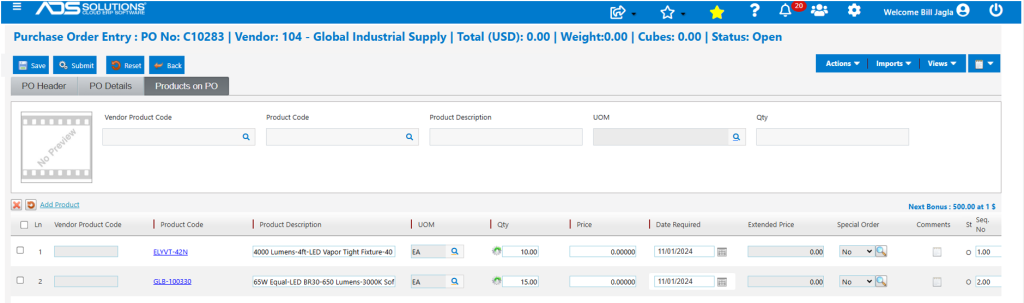
- Save the PO but do not Submit at this time, since the sales order links haven’t yet been added.
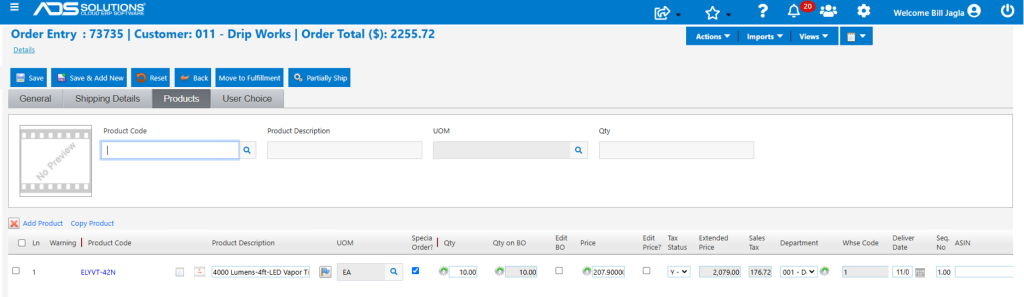
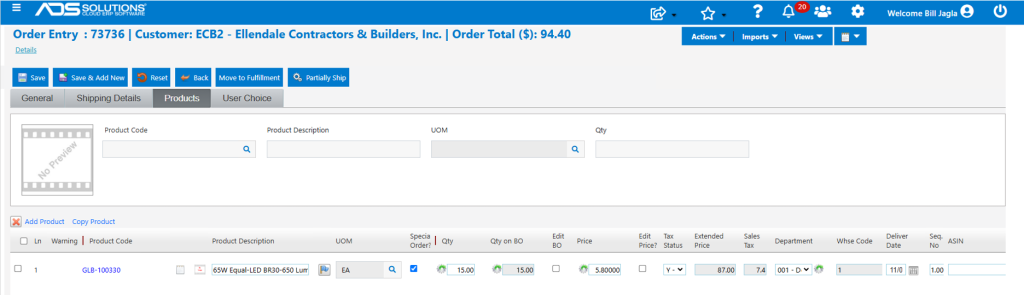
- Now enter sales orders for these products for two separate customers.
Create Sales Orders
- Create order 73735 for Customer 011.
- Now create order 73735 for Customer ECB2.
Move Orders to Fulfillment
- When the orders are moved to fulfillment the Special Order Processing Options screen appears.
- On the Special Order Processing Options screen, specify Drop Ship=NO and Auto PO=NO.

- Save the screen and the orders will then be moved to back orders.
Go To PO and Link Orders and Submit
- Open PO C10283.
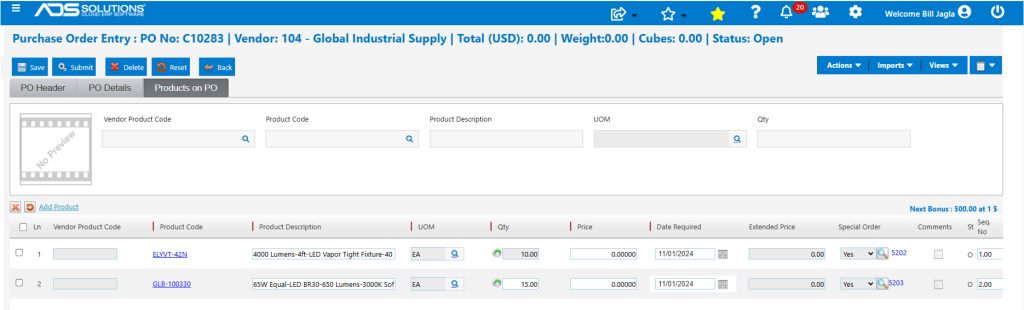
- Click on the lookup magnifying glass to the right of the Special Order field.
- Unassigned Special Orders for this Vendor will appear.
- Select the appropriate orders using the Import Link, then Import.
- NOTE: if the same product ordered from the Vendor was to fill separate customer orders, separate lines would need to be entered on the PO.
- The PO lines are now linked to the sales orders for these customers.
Receive PO
- When the PO is received, the SPO automation will move the back orders linked to the PO to fulfillment.
- The option to print the Pick Tickets is available.

Invoice Sales Orders
- The special order sales orders can then be picked, packed and shipped, then invoiced.