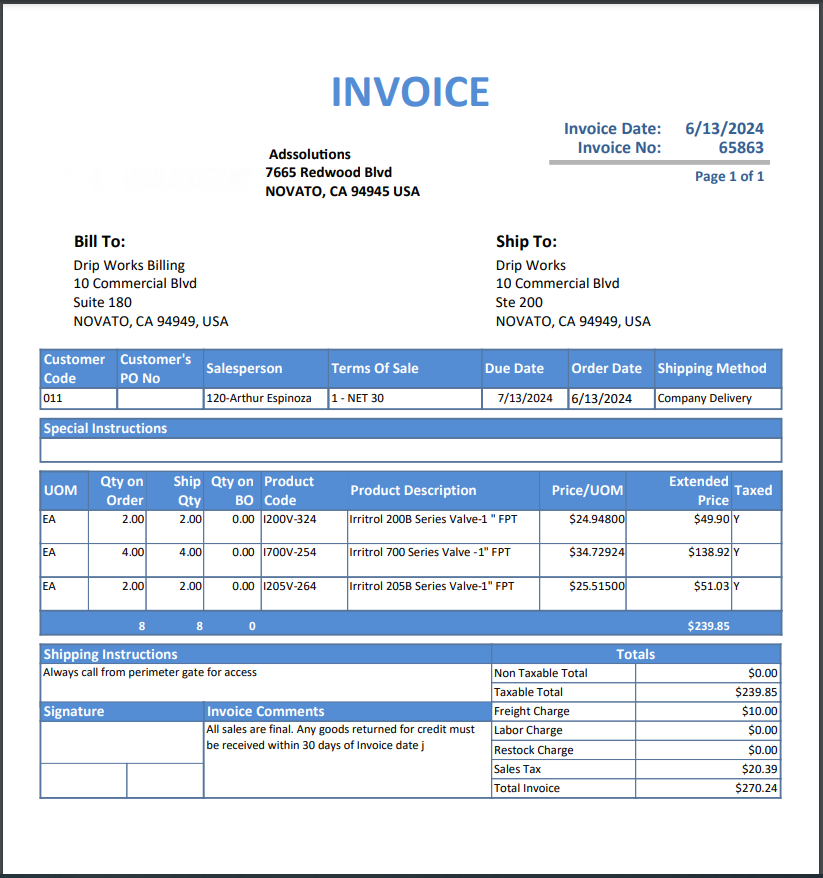
Accolent ERP allows both Immediate Invoices, for over-the-counter sales, as well as traditional two-step Orders. In the traditional two-step transaction, an order is first created. Then when the order is complete it is moved to fulfillment which releases the order to the warehouse to be picked, packed and shipped. When the order is confirmed as shipped, it can be moved to Invoice to bill the Customer.
Create Order
- Create order 65863 for Customer 011.
- When the order is complete and ready to be released to the warehouse for fulfillment, click on the Move to Fulfillment button.
Fulfill the Order
- The Pick Ticket can be set to print automatically when the order is moved to fulfillment.
- Open the Order from the List Fulfillments screen.
- Using the Pick Ticket, the goods will be picked from the bins and made ready for packing.
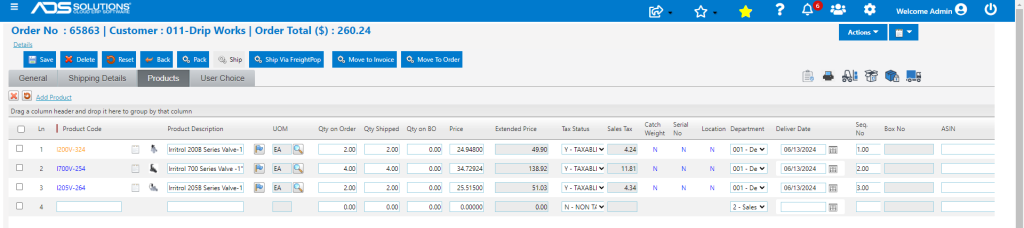
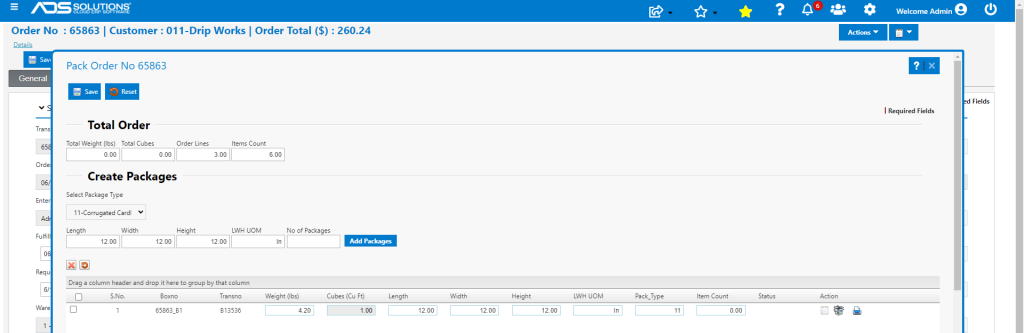
- Packing is the process of assigning the goods to boxes and printing packing lists for each box.
- This can be accomplished by clicking on the Pack button.
- In this case pack all goods in one 12x12x12 type 11-Corrugated Cardboard box.
- If set up on the product master, weights will calculate automatically, or the box may be weighed.
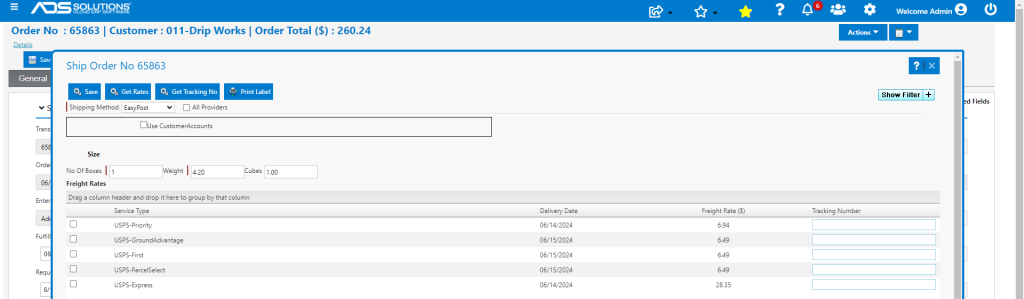
- When packed, the Ship button becomes available and can be clicked to select third party carriers and services.
- After selection, tracking numbers can be generated and shipping labels printed.
- Alternatively, if delivering by Company trucks, Freight and/or Labor charges may be added manually on the Shipping Details tab, if desired.
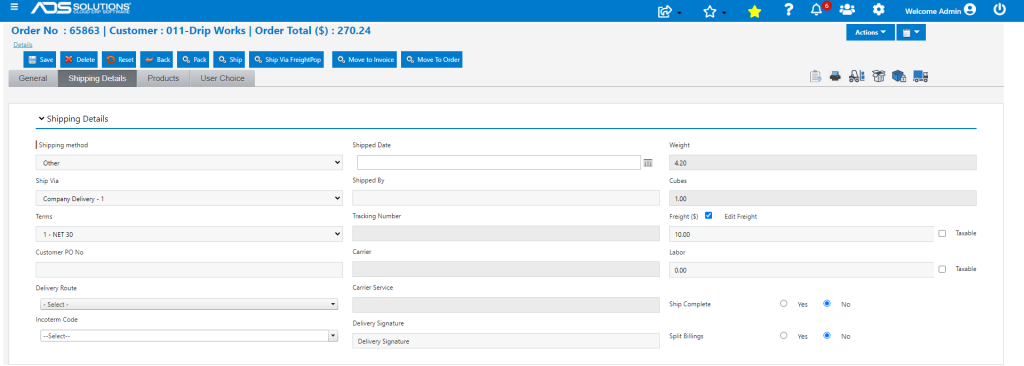
- There is also a Quick Pack & Ship screen available directly from the List Fulfillments screen without having to go into the order.
- When done Save the Order in Fulfillment.
Bill the Order
- When the order is physically shipped it can be billed by clicking on the Move to Invoice button.
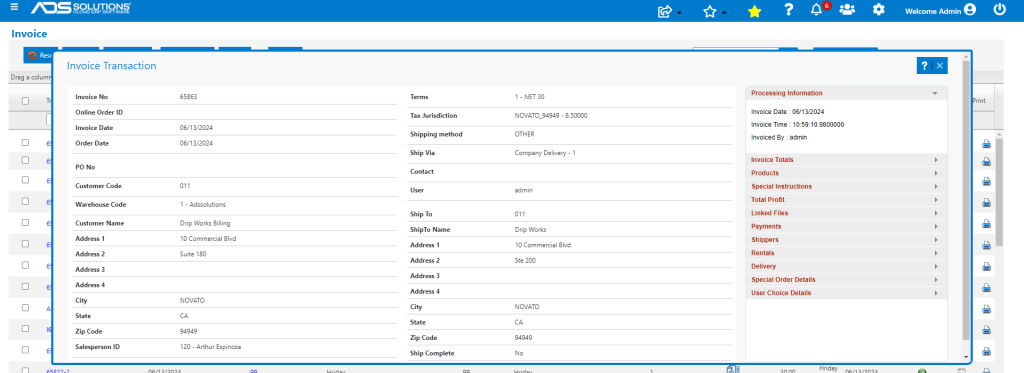
- The Move to Invoice button:
- Generates the Invoice,
- Posts the Invoice to the GL Sales Journal,
- Updates the Inventory Ledger Cards,
- Updates the Customer’s open Accounts Receivable account, and
- Automatically sends the Invoice to the Customer if email/fax defaults are set up.