
Accolent ERP allows POs to be received at a different price than that originally specified. If the price change is found before the PO is received, the PO can be unsubmitted and the price changed then the PO can be resubmitted and received at the changed price. Sometimes, however, the changed price is discovered after the PO has already been received. In this case, enter a PO Adjustment to move the PO to Open Status then click Unsubmit, change the price then re-Submit and receive as before.
Create PO and Change Price Before Receiving
- Create PO C7191 for Vendor 104.
- Enter product B54486S at a unit price of $900.00 EA.
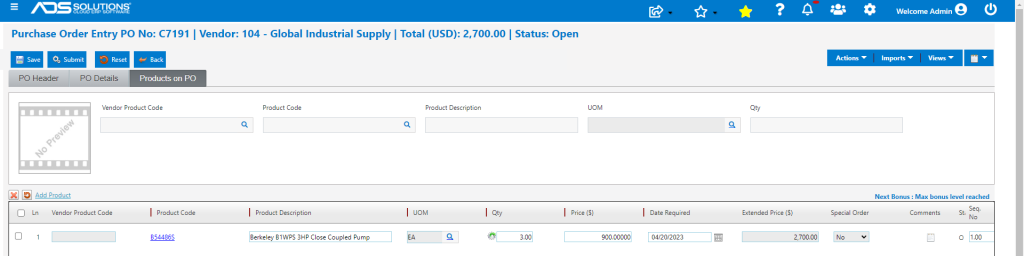
- Submit the PO.
- Assume Vendor sends a notice indicating that the price was changed to $945.00 prior to delivery of goods.
- To receive the PO, first go to List POs screen, select and open PO C7191 and click Unsubmit.
- The PO can now be edited to change the price to $945.00.
- A system pop-up gives the option to increase the Alternate Cost and/or the List Price of the product.
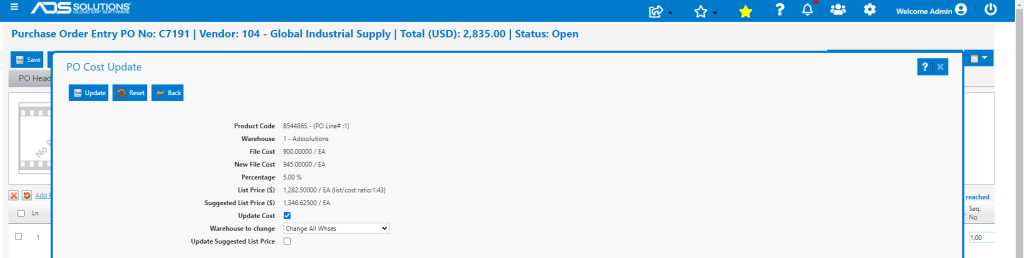
- Then Submit the PO.
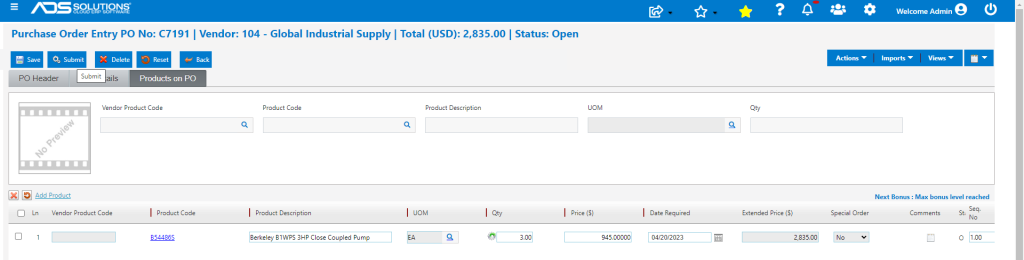
- The PO can now be received at the unit price of $945.00 EA.
Create PO and Receive then Change Price
- Create PO C7192 at original unit price of $900.00 and submit.
- In this case, the user is unaware of the price increase and so, the PO is received at the original price of $900.00.

- The PO is received on Receipt 7339 at a unit price of $900.00 EA for an extended total of $2,700.00.
- Subsequent to the PO Receipt, the vendor invoice is received and shows the changed price.
- The Adjust PO Receipts menu is used to “unreceive” the PO lines subject to the changed price.
- Go to Purchasing/Vendors > Purchase Orders > Adjust PO Receipts and select PO C7192.
- Then select lines and to unreceive, enter negative quantity in Qty Rec’d column.

- The PO has been successfully unreceived and on the List Purchase Orders screen, C7192 is now showing as Open.

- Open PO C7192, click the Unsubmit button then edit price to $945.00.
- The pop-up again gives the option to increase the Alternate Cost and/or the List Price of the product.
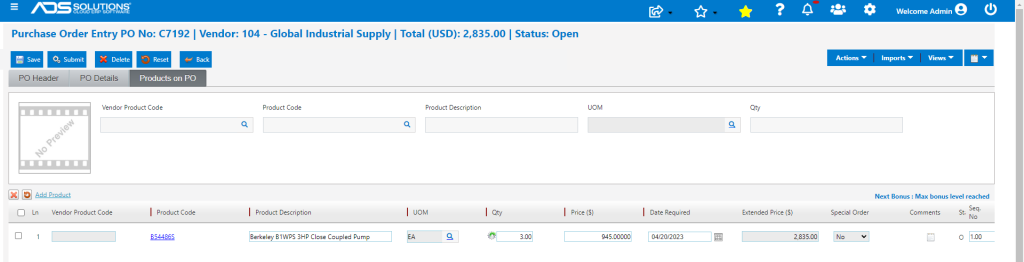
- Now Submit the PO.
- Then go to Receive Purchase Orders screen and receive the PO as usual.

- The PO is now received at a unit price of $945.00 EA for an extended total of $2,835.00.
