Accolent ERP supports the concept of Bill-To customers and Ship-To customers. A Bill-To customer is responsible for payment of the invoice for goods that may be delivered either to the Bill-To customer or to one or more Ship-To customers associated with the Bill-To customer. If sales need to be tracked by ship-to addresses, then Ship-To customers should be used. If sales do not need to be tracked by ship-to addresses, then the Bill-To customer can serve as its own Ship-To and the shipping address for each order can be edited as needed.
Overview
- Orders specify both a Bill-To customer (e.g., Customer 011) and a Ship-To customer.
- If sales do not need to be tracked by the address where the goods will be delivered (e.g., a temporary job site) then a separate Ship-To Customer is not needed; the order would have the same Bill-To and Ship-To (e.g., Customer 011) and the ship-to address would simply be edited as required.
- If sales do need to be tracked by the ship-to address (e.g., a franchisee or branch) then a separate Ship-To customer (e.g., Customer 011-1) would need to be used.
Bill-To Customers
- The Bill-To customer is (as the name implies) responsible for payment of the invoice, while the Ship-To customer receives the goods.
- The Bill-To customer may have one or more associated Ship-To customers.
- Both the Bill-To customer and the Ship-To customer must be set up as unique customers in the system, then the Ship-To customer must be linked to its Bill-To customer.
- Sales history is stored for both the Bill-To customer and the one or more Ship-To customers linked to that Bill-To customer.
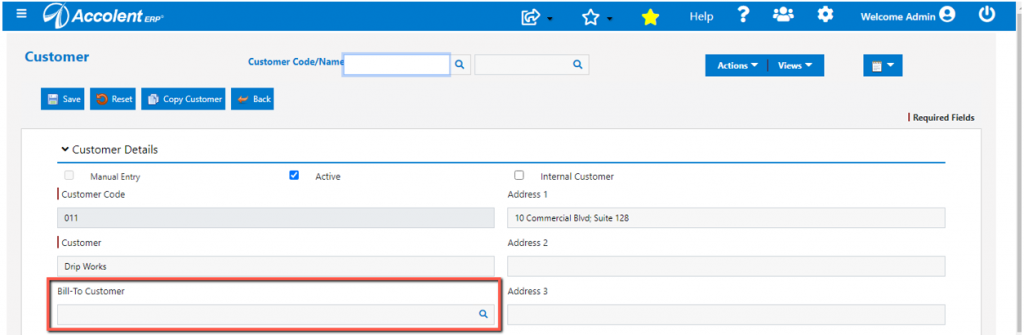
- To designate a customer as a Ship-To customer select its Bill-To customer on the Customer master.
- In this case, since no Bill-To is selected, Customer 011 is a Bill-To customer.
Ship-To Customers
- Bill-To customers are associated with one or more Ship-To customers.
- To designate a customer as a Ship-To customer, enter its Bill-To customer on the customer master record.
- In this case, Customer 011-1 is a Ship-To customer of Bill-To customer 011.
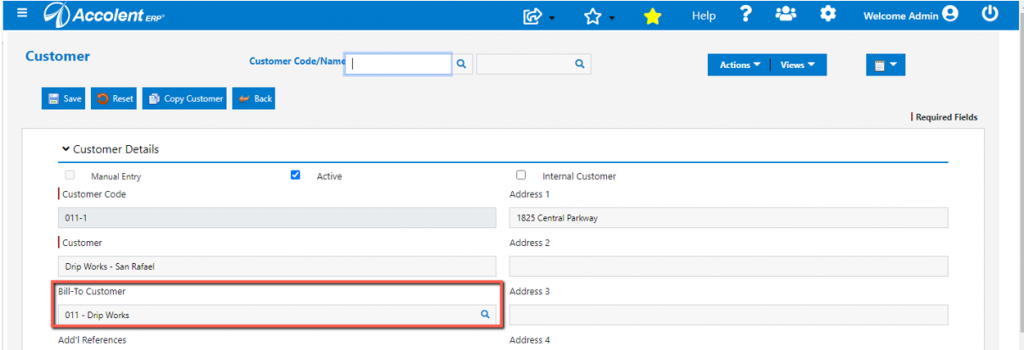
- Adding the Bill-To customer on the customer master record links the Ship-To customer to the Bill-To and updates the Ship-To Customers screen of the Bill-To.
- All of the Ship-To customers associated with a Bill-To are displayed on the customer master of the Bill-To under Actions > Ship-To Customers.
- Ship-To customers linked to the Bill-To customer may be added to or removed from this screen.

List Customers
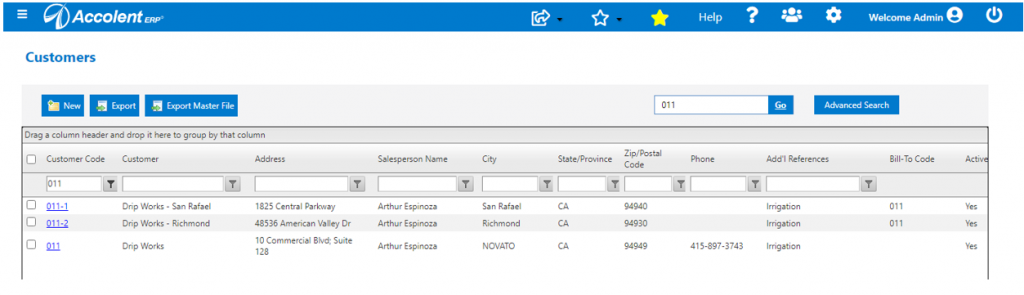
- The Advanced Search creen can be set to display Bill-To customers (default) or All Customers.
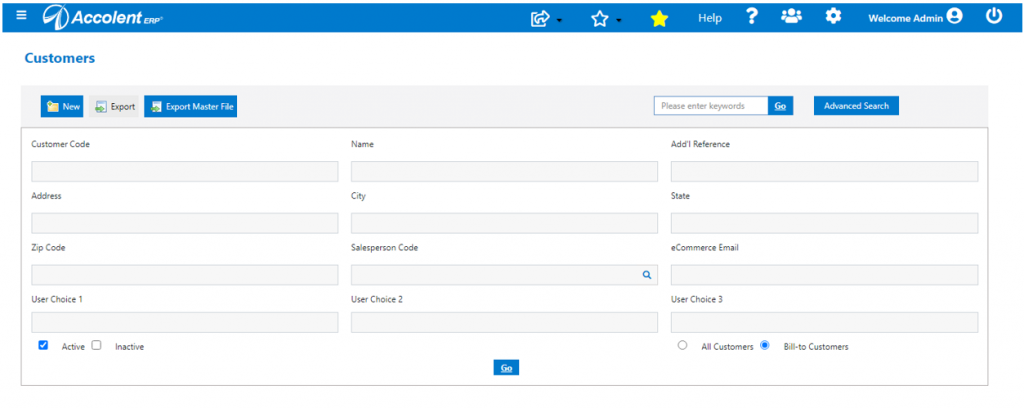
- On a listing of all customers, only Ship-To customers will have the Bill-To field populated.
Separate Sales Histories
- Sales histories are kept separately for Bill-To and Ship-To customers.
- This means that Bill-To customers and Ship-To customers can be used effectively for organizations with multiple branches to see sales history consolidated or for specific branches.
- Similarly, organizations with multiple job sites which may have different tax statuses, may be tracked using a Bill-To customer and multiple Ship-To customers one for each job site.
Bill-To and Ship-To Customer Pricing
- In general, the pricing applied on an order is by the Ship-To customer.
- However, a Ship-To customer may be use the pricing methods set up for its Bill-To customer; see this wiki: Pricing for Bill-Tos and Ship-Tos.
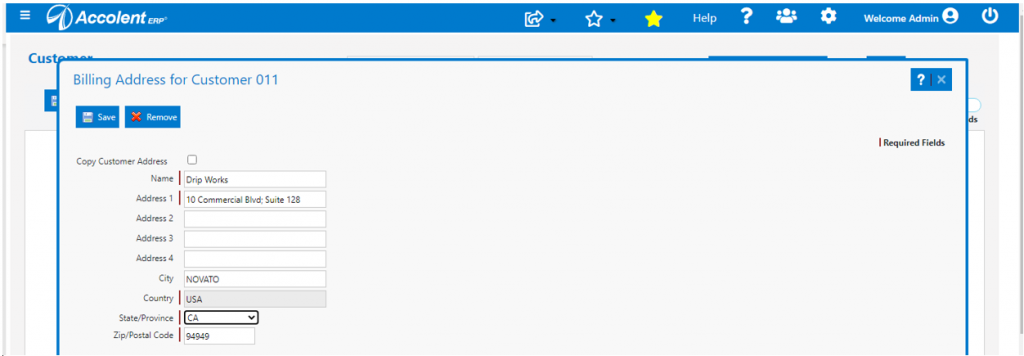
Billing Address
- A billing address is not the same thing as a Bill-to customer.
- A Bill-To customer is a separate customer record that may have multiple linked Ship-To customers.
- A billing address is used only to add a billing address to a customer.