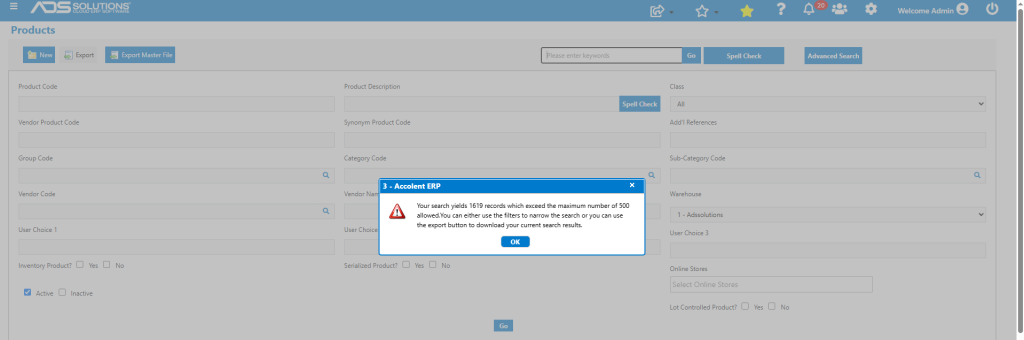
The Accolent ERP Product Advanced Search screen searches, based on the user’s filters selection; to query the database and count the resulting records. The number of search result records is compared to the maximum number of records allowed on a display screen. This display maximum is provided in order to minimize browser-overload which can affect performance of the system. If the selected results are less than the maximum, the screen will display. However, irrespective of the number of results, the actual search results are bound to a CSV file which will always be available for download using the Export or Export Master File buttons.
Maximum Display Records
- This is an internal system setting that is set to 500 records to prevent performance issues from overloading the browser.

- This maximum should be sufficient to find what you are looking for using the extensive filtering capabilities.
- Contact support if you need this maximum adjusted.
Search for Products
- Run the Advanced Search with all filters open.
- This will throw up a message that the search yields more records than can be displayed.
- The user can choose to get the results of the search as a CSV file by clicking on the Export Master File button, or the user can refine the search filters to reduce the number of search result records.
- The search yields 1619 records.
Export Search Results
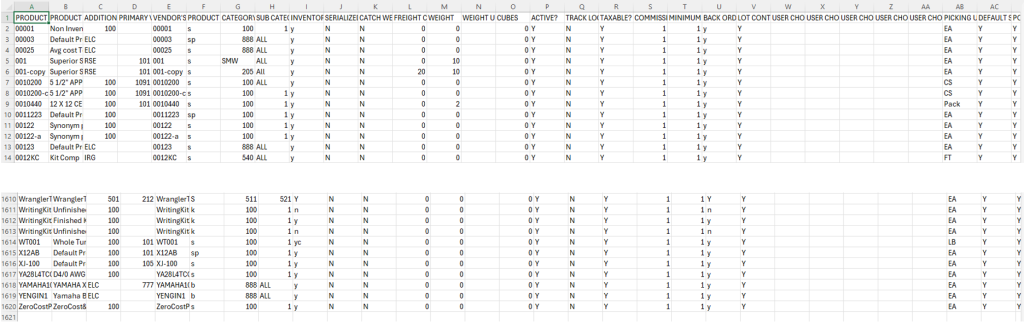
- Click OK, then click on the Export Master File button to export the results to a CSV file.
- Generates a CSV file with the results of that specific search.
- Shows all 1619 products.
Display Search Results
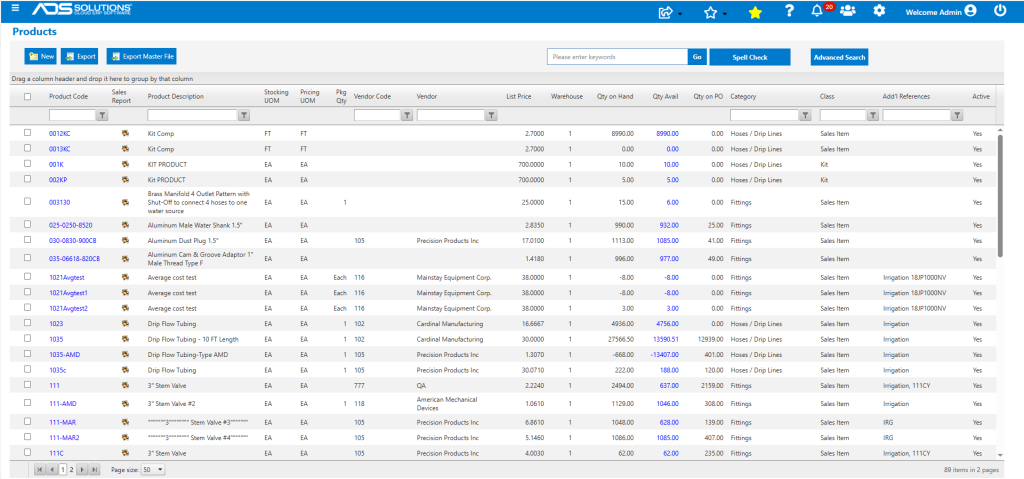
- If the search results are less than the configured maximum, they will be displayed.
- Narrow search to Group=IRG for example, search now yields 89 items which are displayed.
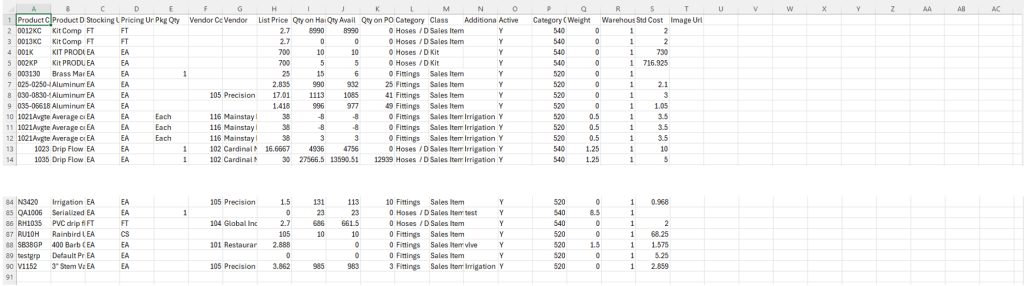
- If these results are desired in a CSV file, click on the Export button.
- This exports the 89 products.