
Accolent ERP allows users to enter adjustments to record changes in the inventory balance of any product to reflect inventory shrinkages or breakages. In general, these adjustments record a period expense (or negative expense) to offset a reduction (or an increase) in the inventory balance and automatically post to the GL. There are several options offered to assist users to select the right GL Postings.
Manual Inventory Adjustment
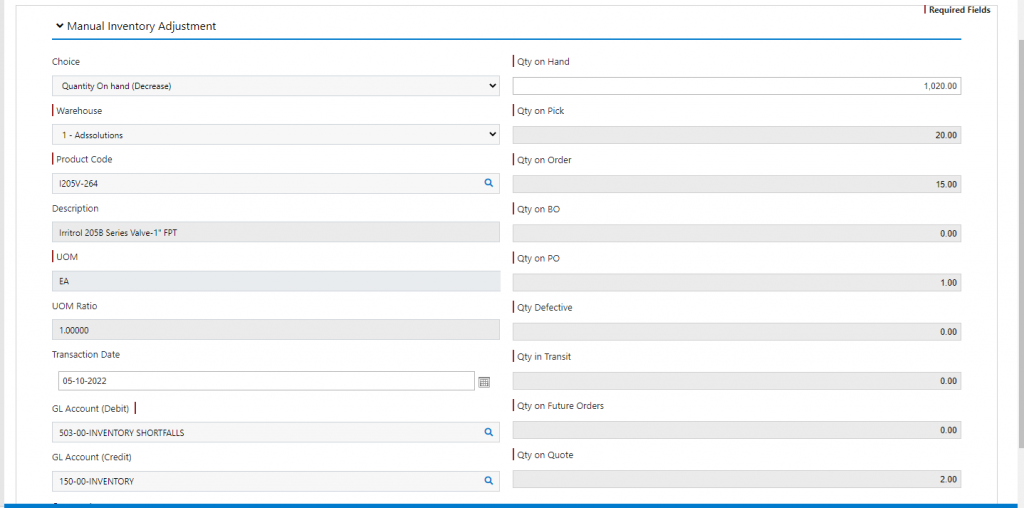
- The Manual Inventory Adjustment screen offers six options which are largely to help users make the right GL Postings:
- Increase QOH– used to reflect an increase in QOH perhaps as result of physical inventory counts. The GL Posting of the adjustment will debit inventory for the increased quantity at the current Average Cost for that item and credit an inventory shortfall expense account
- Decrease QOH– used to reflect a decrease in QOH perhaps as result of physical inventory counts. The GL Posting of the adjustment will credit inventory for the decreased quantity at the current Average Cost for that item and debit an inventory shortfall expense account
- Move from QOH to Defective– used to record damage of items that may be able to be sold at a discount. The GL Posting of the adjustment will credit Inventory for the quantity of items moved at the Average Cost for that item and debit the inventory shortfall expense account
- Move from Defective to QOH– used to move damaged items to Inventory to allow them to be sold. The GL Posting of the adjustment will debit Inventory for the quantity of items moved at the Average Cost for that item and credit the inventory shortfall expense account
- Increase Defective Qty– used to reflect an increase in Defective Qty perhaps as result of damaged item considered salvageable. There is no GL Posting since Defective items are carried at zero cost
- Decrease Defective Qty– used to reflect a decrease in Defective Qty perhaps as result of a damaged item discarded. There is no GL Posting since Defective items are carried at zero cost
- Go to Inventory/Products > Products > Adjust Inventory
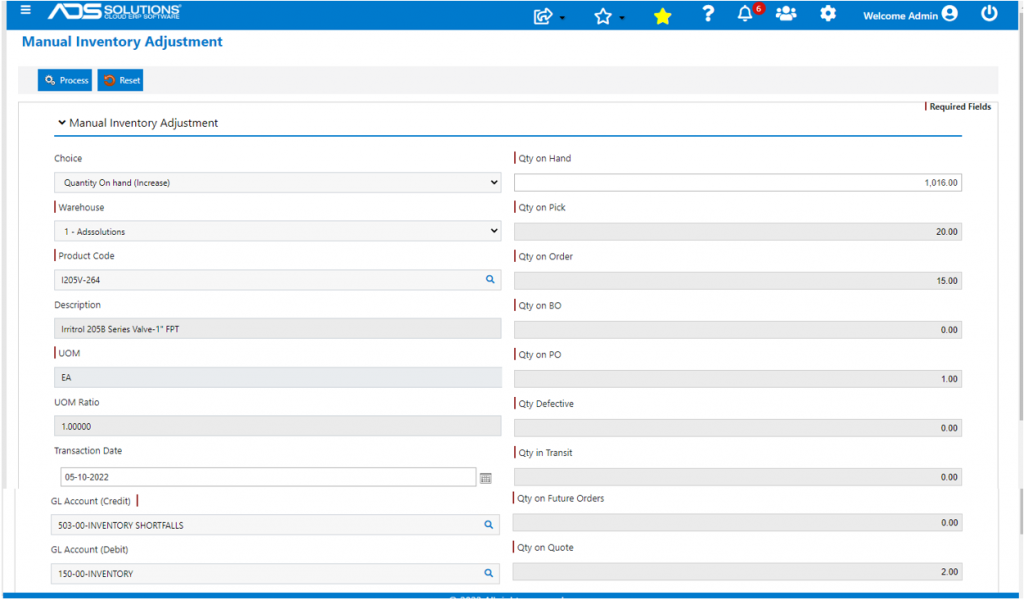
Increase in QOH
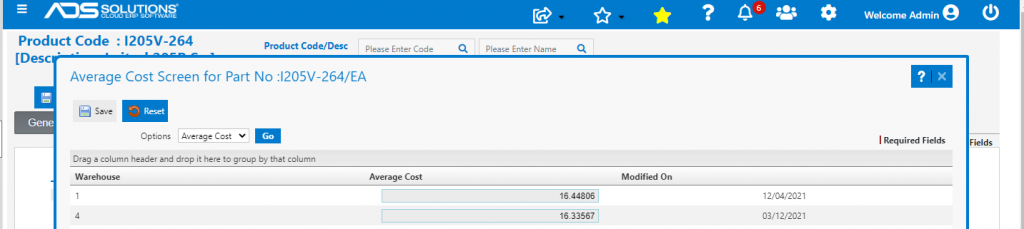
- Product I205V-264 has QOH of 1016 EA, and Average Cost in Warehouse 1 of $16.44806
- To adjust inventory QOH to 1020 EA, select Quantity on Hand (Increase) this will select the correct GL Accounts
- Change the value in the Qty on Hand field to 1020 EA
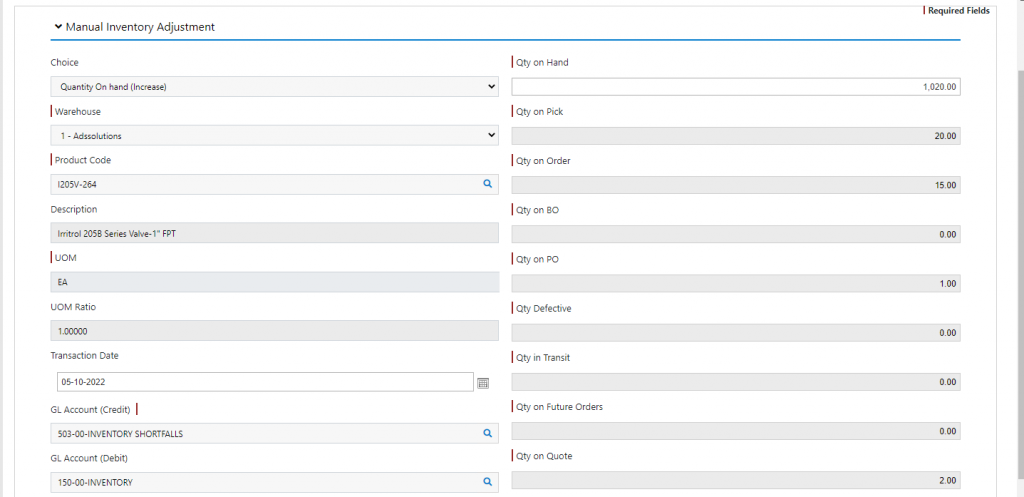
- Click Process

- Look up Inventory to see balance increased to 1020 EA on Receipt No. 5275
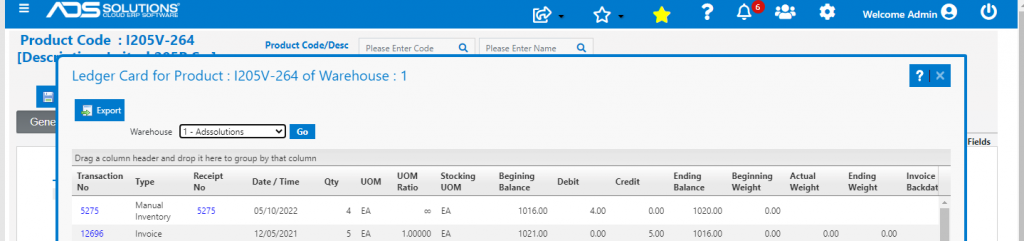
- Look up GL Posting

- GL Posting is to Debit Inventory 150-00 for 4 EA x $16.44806 = $65.79 and to Credit Inventory Shortfalls 503-00
Decrease in QOH
- This works the same way as the Increase QOH option except that the GL Posting will Debit Inventory Shortfalls 503-00 and Credit Inventory 150-00
Defective Items Options
- Defective items are those that are damaged but still serviceable and that may be able to be sold at a discounted value
- Defective items are carried at zero cost
- So, when items are damaged and moved from QOH to Defective they are written off to an expense in full
- When items are moved from Defective to QOH, perhaps to be sold at a discounted price, Inventory will be Debited and there will be an offsetting negative expense to Inventory Shortfalls
- When the balance of items in Defective are increased or decreased, there will be no GL effect since the items were already written off when moved to Defective and so are carried in Defective at zero cost
- See this wiki: Dealing with Defective Items