Accolent ERP supports the use of standard Payment Terms (Non-Prox) as well as Prox Terms. In general, Payment Terms will specify a discount date for early payment discounts and a due date both expressed in number of days from the Invoice Date. For example, 2% 10 Net 30 Days means an Invoice receives a 2% early payment Discount if paid within 10 days of the Invoice Date and is due net within 30 days of the Invoice Date.
Set Up Payment Terms with Discount on Invoice Value
- Go to Settings > Value Lists > Other Value Lists (M to Z) > Terms.
- Create a Payment Term (i.e., do not select the Prox Term checkbox).
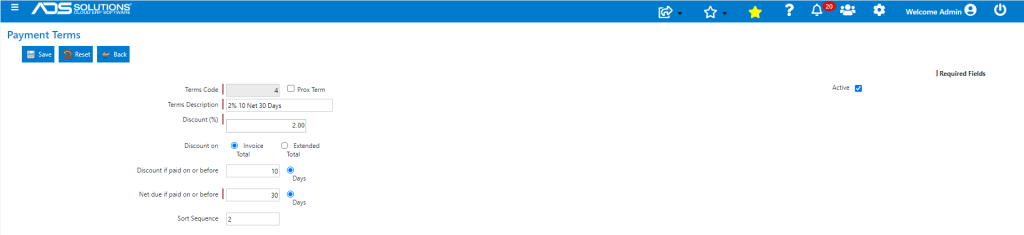
- This Payment Terms’ settings means that:
- The net invoice amount is due 30 days from the Invoice Date, and
- There is a 2% discount on the invoice value if paid within 10 days of the Invoice Date.
- The default is that the early payment discount is computed on the amount of the invoice (i.e., the payment amount).
- Select Extended Total for the discount to be calculated on the value of the goods.
Effect of Terms Code 4
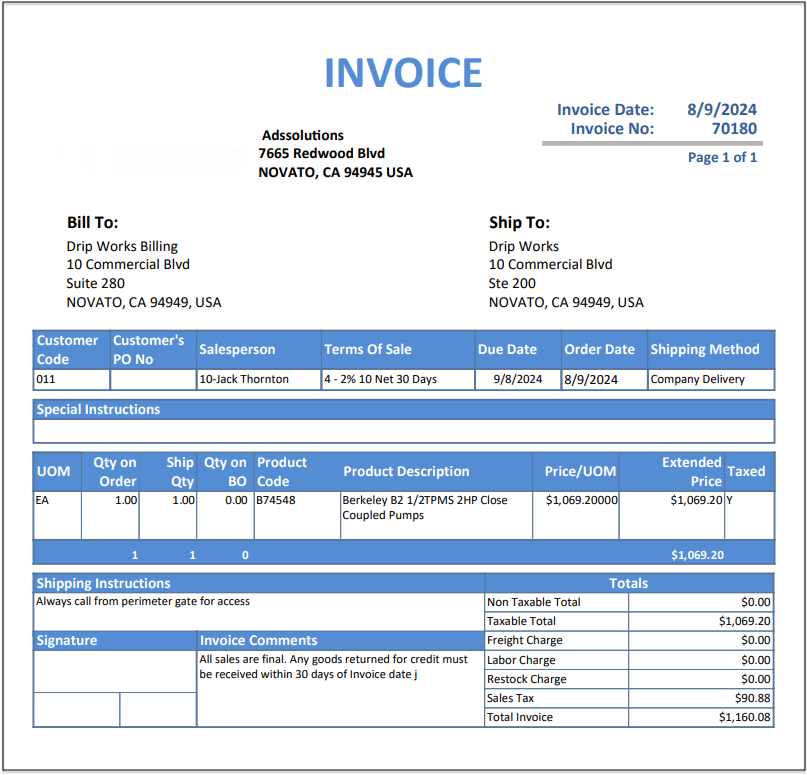
- Create order 70180 for Customer 011 with Terms Code 4-2% 10 Net 30 Days.
- Move to fulfillment then invoice with Invoice Date of 8/9/24.
- Due Date is 9/8/24 which is Invoice Date plus 30 days.
- Go to Receivables to look up available discount on invoice 70180.
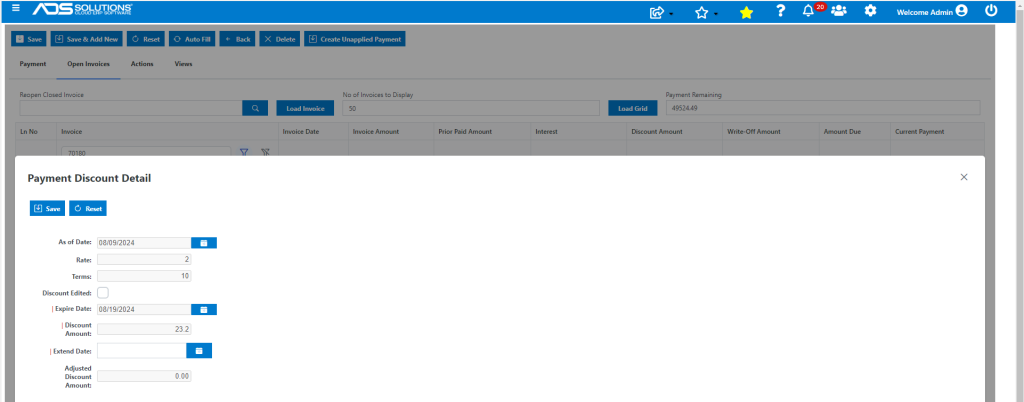
- Invoice 70180 is for $1,160.08 and has:
- Discount date of 8/19/24 (10 days after Invoice Date), and
- Discount of $23.20 (2% of Invoice Amount).
- To qualify for the Discount, the Invoice must be paid in full on or before the Discount Date. Note partial payments do not get any early payment discounts.
- If the Discount Date has passed the Discount will expire, but may be extended by the user if desired.
- The Discount Amount can also be edited by the user, if desired.
Set Up Terms with Discount only on Goods Value
- Create Payment Terms 22-2% (on Goods) 10 Net 30.
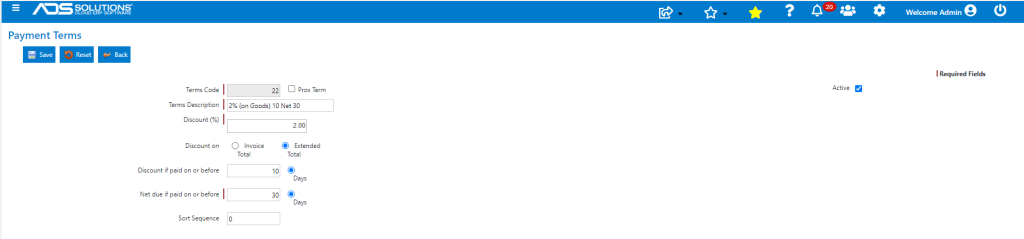
- In this case, the early payment discount is computed on the value of the goods on the invoice (i.e., excluding Freight, Labor and Sales Tax).
Effect of Terms Code 22
- Create order 70181 for the same customer and goods with Terms Code 22-2% (on Goods) 10 Net 30 Days.
- The Invoice has:
- Invoice Date of 8/9/2024,
- Due Date of 9/8/24 which is Invoice Date plus 30 days,
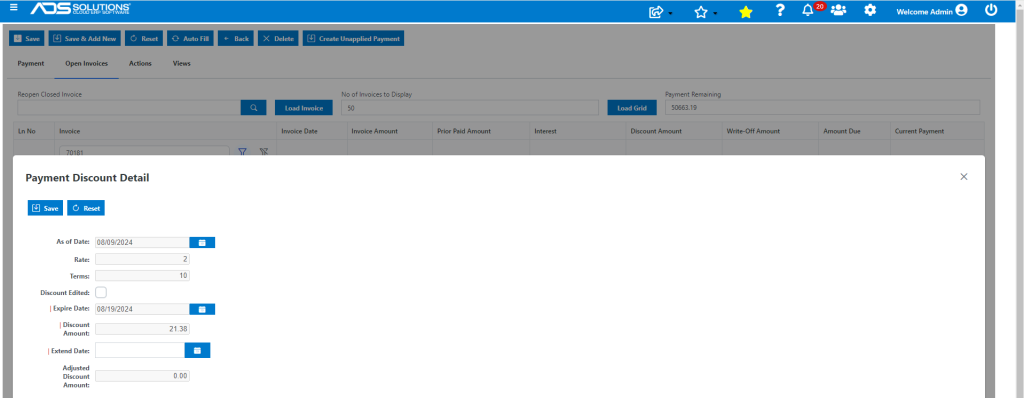
- Discount Date of 8/19/24, which is Invoice Date plus 10 days,
- Discount Amount of $21.38 computed as 2% of the value of the Goods of $1,069.20 (i.e., excluding Sales Tax, Freight and Labor).