
Accolent ERP automatically creates entries into the Temporary Order and Temporary Purchase Order (PO) tables that update as line items are entered on Orders or POs respectively. This means that if a user experiences a power outage, loss of Internet connectivity, or exits from Accolent ERP without saving the Order or PO, a copy will be recoverable using the Temporary Orders and Temporary POs menus.
Enter an Order
- Go to Sales > Orders > Create Order and enter order 66000.
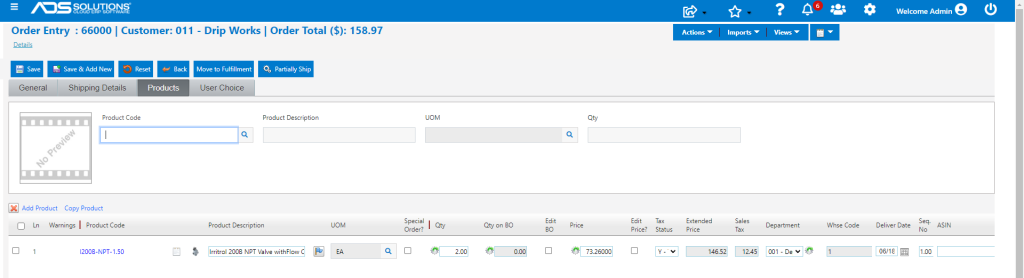
Exit Accolent ERP
- Exiting Accolent ERP either inadvertently as a result of a lost connection or otherwise without saving the order, will save 66000 in the Temporary Order table.
- The order 66000 will be held in the Temporary Order table for a period of time.
- Upon next login, the user will be automatically redirected to the Temporary Orders screen.
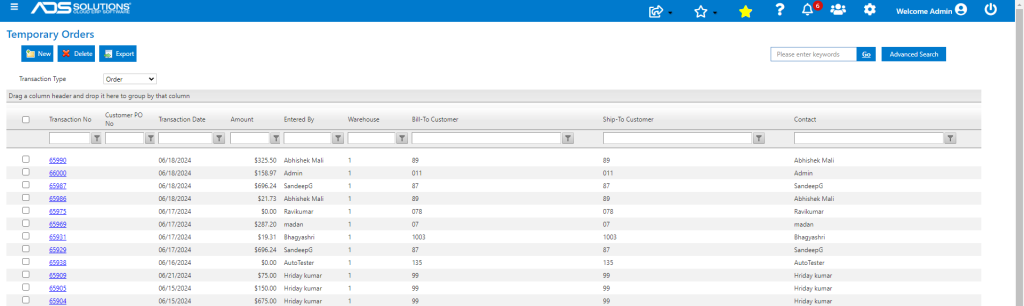
Reopen Temporary Order
- Reopen order 66000 by clicking on the hyperlink.
- This reopens the order that was being worked on when the connection was dropped or the user exited without saving.
- The user can continue from with the order, then Save to complete the order.
- Once saved, the order will be stored in the orders table and will no longer be held in Temporary Orders.

Other Temporary Transactions
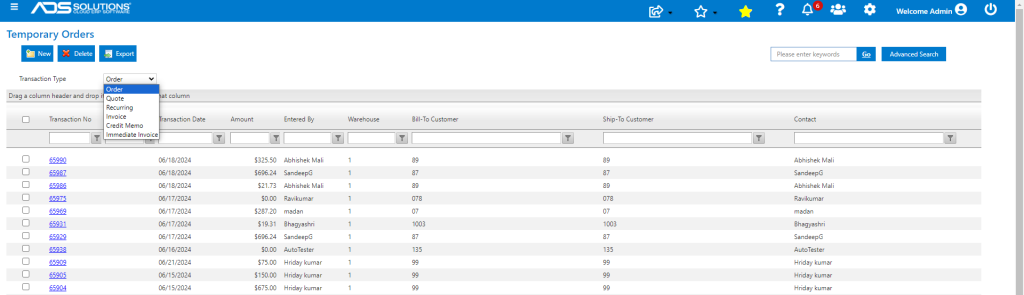
- Go to Home > Temporary Orders to find temporary orders.
- All order transaction types Quotes, Orders, Recurring Orders, Immediate Invoices and Credit Memos are saved in the same way.
- Any of these can be retrieved from the Temporary Orders table.
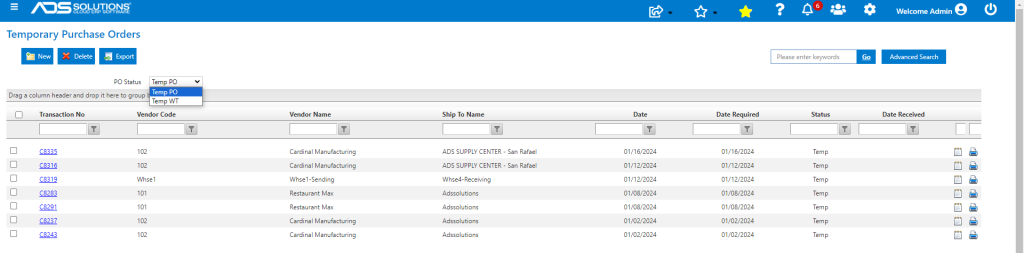
- Similarly, go to Home > Temporary POs to retrieve temporary POs and warehouse transfers.
Purging of Temporary Orders and POs
- It is very important that Temporary Orders and Temporary POs get reviewed every day.
- Accolent ERP allocates inventory line by line on Orders and Immediate Invoices; so, even Temporary Orders will reduce the inventory Qty Available.
- Similarly, the system tracks Qty on PO line by line; so, Temporary POs can throw off replenishment orders.