
Accolent ERP stores the Standard Cost of an inventory product on an order. Users may change the stored Standard Cost on an order. The changed Standard Cost will show up on the Sales reports for that order after it is invoiced. However, the Standard Cost will not be changed for the product. This functionality may be used to adjust Standard Profit used for Commission or other purposes. Note however, that changing the Standard Cost will not affect the GL posting of the transaction.
Look up an Inventory Product
- Look up I700V-254, which is an Inventory Product.
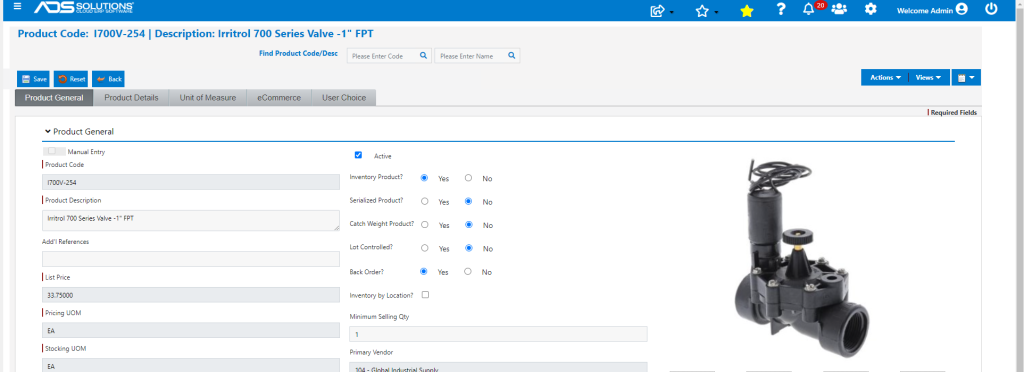
- Std Cost for I700V-254 is $26.25.

- Avg Cost for I700V-254 is $23.26.

Do Not Change Standard Cost on Order
- Create Order 67967 for a quantity of 3 EA of I700V-254.
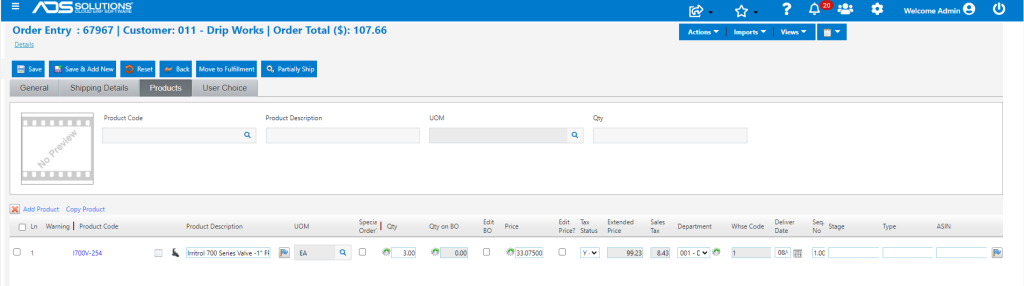
- Move order to fulfillment then invoice.
Change Standard Cost on Order
- Create order 67968 for the same Customer 011 and put the same products on the order.
- This time, use the gear icon next to the Department field to bring up the Change Cost screen.
- The screen shows the Standard Cost of $26.25 but may be changed.

- Change Standard Cost for this product to $27.00 for this order only.
- Move order to fulfillment and invoice.

GL Posting of Transactions
- Look up GL Posting of both invoices.
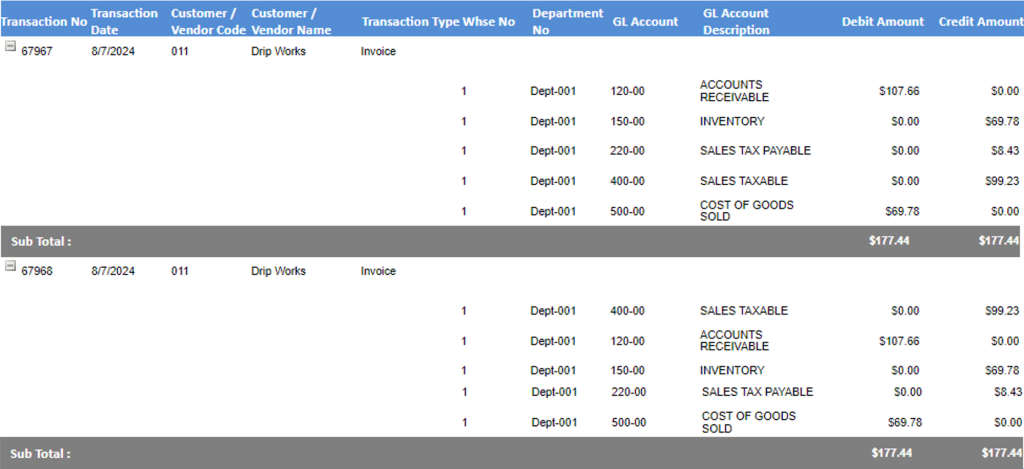
- For both orders the COGS is correctly posted as 3 x $23.26 = $69.78, regardless of the fact that Standard Cost was changed for order 67968.
Sales Reports
- Look up Sales Profit by Product by Ship-To Customer report.

- Standard Cost was not changed for order 67967 so extended Std Cost is 3 x $26.25 = $78.75.
- Standard Cost was changed for order 67968 and so extended Std Cost is 3 x $27.00 = $81.00.