Accolent ERP provides Manual Invoices that have a variety of uses. Manual Invoices do not have any line items and do not affect inventory. Because of this, Manual Invoices can be used to, among other things: adjust invoices that were priced incorrectly, enter special adjustments or discounts, adjust sales tax charged, add freight and labor, refund freight, or to invoice for special non-inventory charges such as Returned Check Charges. There is also a Manual Invoice CSV Import that can be used to import multiple Manual Invoices and post these to the General Ledger.
Create a Manual Invoice
- Go to Receivables > Payment Receipts > Manual Invoices, click New.
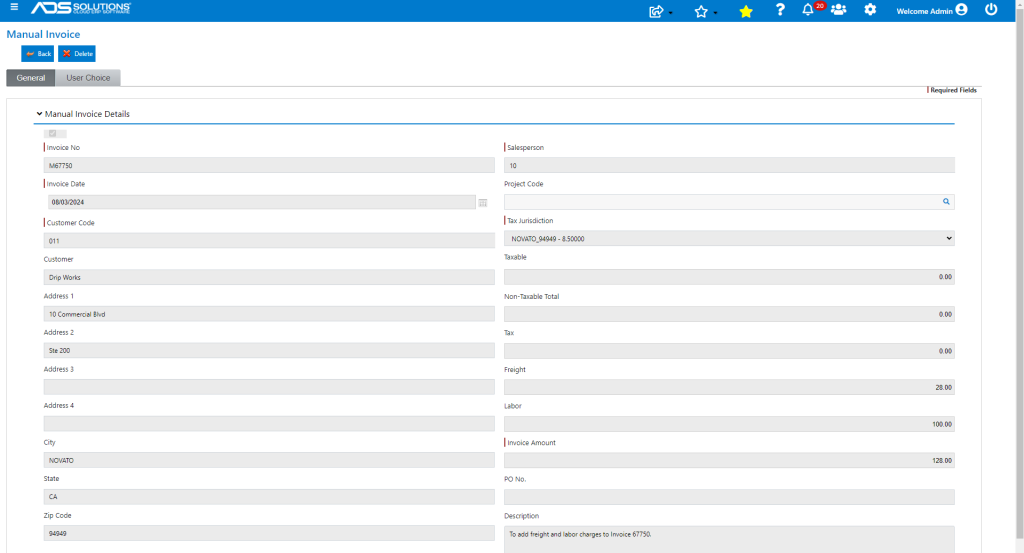
- Enter Manual Invoice details.
- Enter Taxable Amount, then Non-Taxable Amount.
- Sales Tax will be calculated automatically based on Tax Jurisdiction and Taxable Amount.
- Enter Freight and Labor.
- Total Invoice Amount will be calculated automatically as the sum of the above entries.
- Note the Manual Invoice Date is open and so can be used to backdate adjustments if needed; for example:
- Create a backdated Manual Invoice on 8/7/2024 to adjust pricing and add Freight and Labor on an Invoice 67750 dated 8/3/2024.
- Can be numbered the same as the original invoice but prefixed with “M” to denote a manual invoice for ease of reference (e.g., M67750).
- Add a description if required to facilitate tie-out (e.g., to add freight and labor charges).
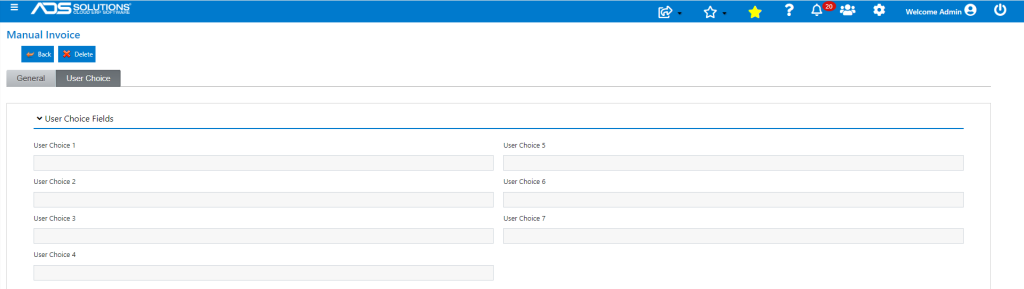
- There are also multiple User Choice fields (whose labels can be changed) that can be used to record data.
- Save to create the Manual Invoice.
- Manual Invoice is recorded as of backdated date of 8/3/2024.

Accounts Receivable Record
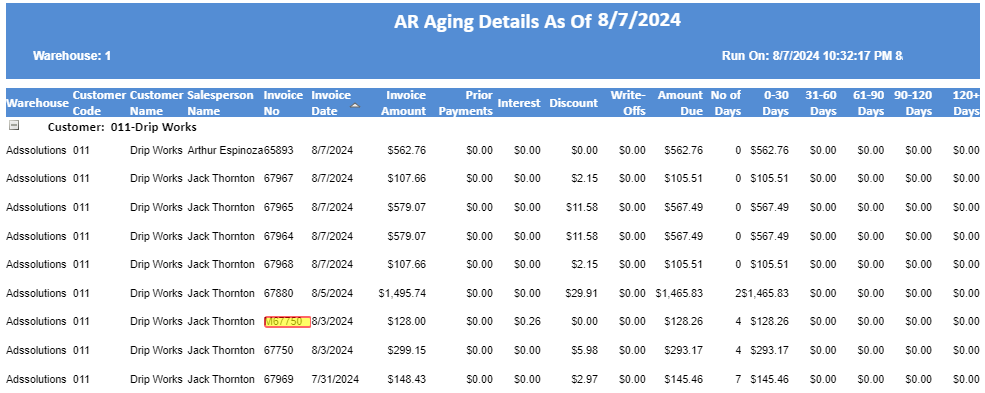
- The Accounts Receivable record was created as of 8/3/2024.
- The Manual Invoice appears next to the original invoice it is amending.
General Ledger Posting
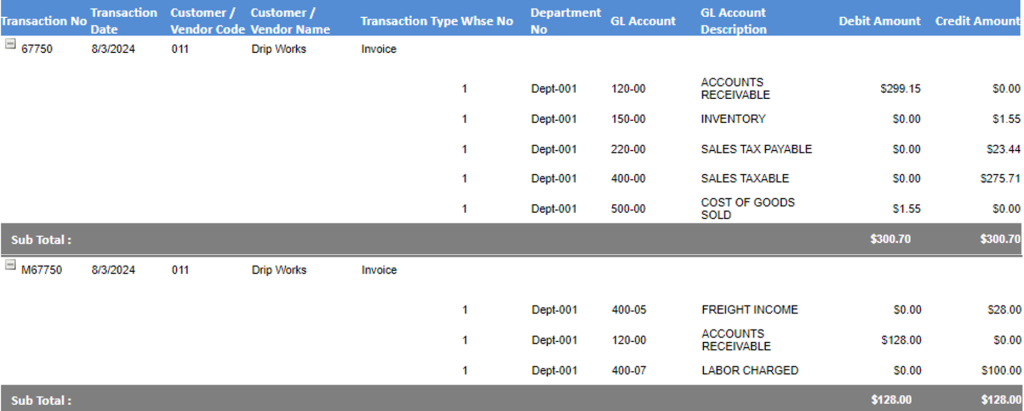
- GL Posting of M67750 recorded as of 8/3/2024.