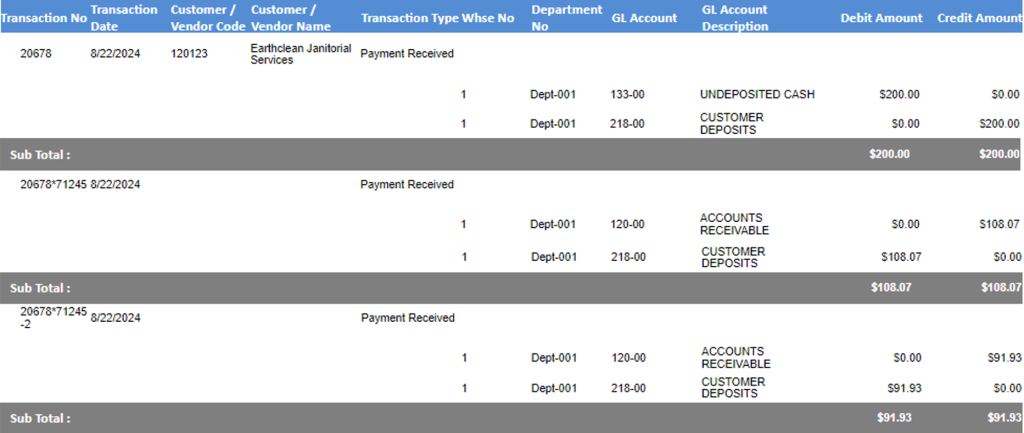
Accolent ERP allows taking deposits or payments at any time on orders. Prior to invoicing, any such payments are linked to the specific order and are booked to a Customer Deposits liability account in the General Ledger. The Customer Deposits Account must be set up in the Warehouse GL Defaults. The link between the deposit or payment and the order is inherited by all subsequent back orders deriving from the original order. As each part of the order is invoiced, some or all of the Customer Deposit balance is moved to Accounts Receivable and reflected as a payment on the invoice. This continues until the full amount of the Customer Deposit has been applied to invoices related to the original order.
Create Order/Take Deposit
- Create order 71245 for Customer 120123 for $432.26.
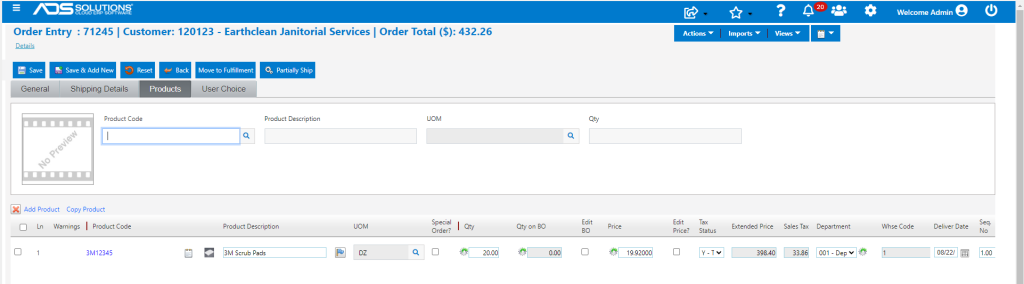
- Go to Actions > Take Payment to accept a deposit of $200.00 on Payment No 20678.
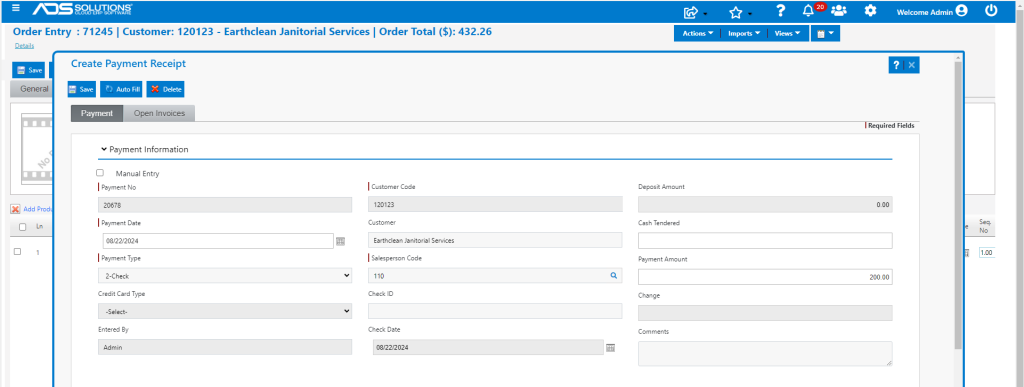
- Save payment no 20678 to complete the order.
- On the order, Views > Payments shows details of the payment taken.

- The payment receipt of $200 has a status Ready to Deposit and can be deposited.
- The order has not been invoiced so there is no AR record to reduce yet. Instead, the payment creates a Customer Deposit entry linked to this order.
- Go to Customer 120123, select Views > Customer Deposits Report to see this deposit linked to order 71245.

Move to Fulfillment and Partially Fill Order
- Move 71245 to fulfillment.
- Partially fill order to ship 5 DZ of the 20 DZ ordered. This will create a back order when the order is invoiced.

Move to Order to Invoice
- Move 71245 to Invoice, this brings up the Linked Payment screen.
- The deposit was $200.00, but this invoice is only $108.07 which is the maximum amount of the deposit that can be applied.
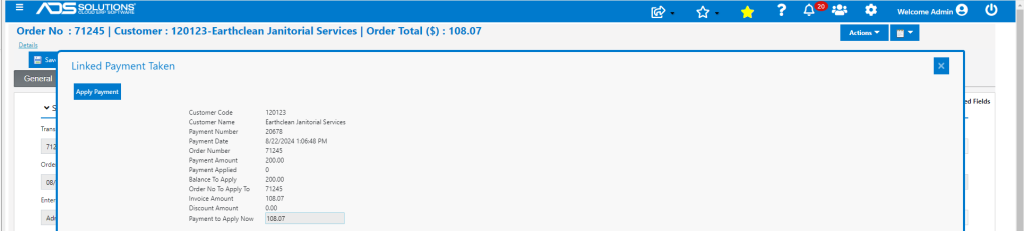
- Apply Payment against invoice 71245.
- The unfilled portion of the order is moved to back order as 71245-1.
Process Back Order
- Move back order 71245-1 to fulfillment as 71245-2, fulfill then move to invoice.

- This brings up the Linked Payment screen which allows applying the remaining $91.93 of the original deposit taken.
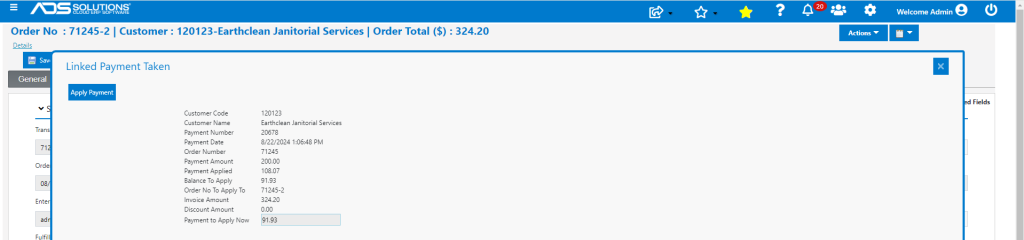
- Apply Payment to partially pay invoice 71245-2.

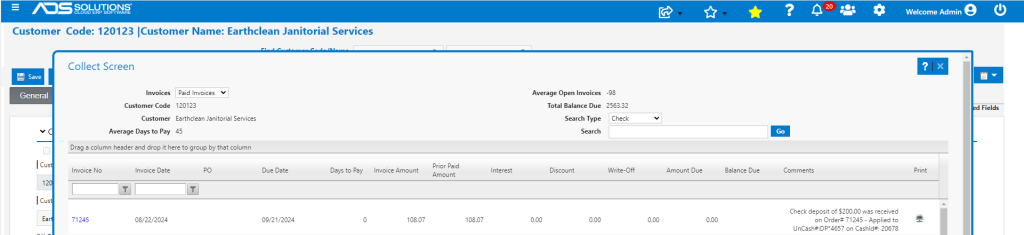
- Look up paid Invoice 71245.
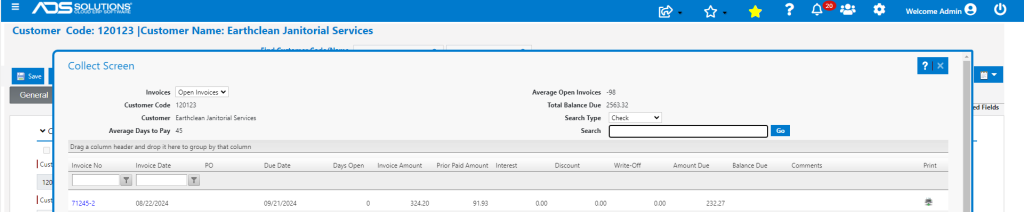
- Look up open Invoice 71245-2 with partial payment of $91.93 taken.
- The Customer Deposits Report shows the initial deposit of $200 as well as the 2 subsequent applications of the deposit against invoices 71245 and 71245-2.
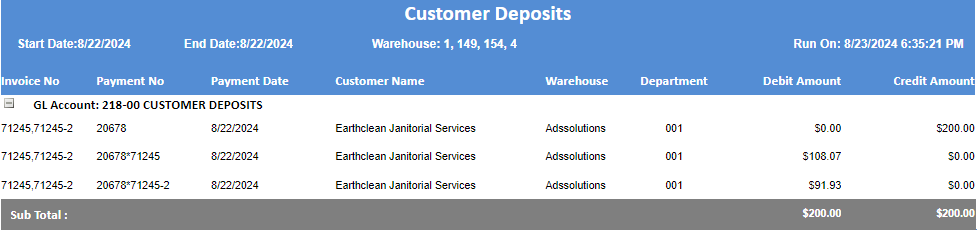
GL Posting
- The Payment Receipts Journal GL Posting shows Payment No 20678 the initial $200 deposit, and the subsequent application of $108.07 to invoice 71245 and $91.93 to invoice 71245-2.