Accolent ERP allows for making old products Inactive. This might be needed, for example, for a product that has been replaced by a new product. The old product code will still show on historical invoices that the old product was sold on. However, going forward the old product code will be Inactive but may be saved as an Add’l Reference for the product that replaced it.
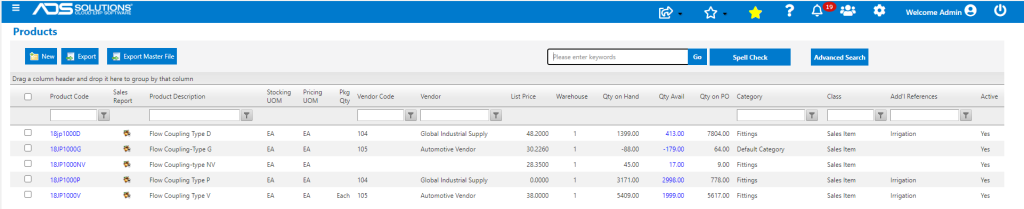
List Products
- In this example, product 18JP1000NV has been discontinued and is intended to be replaced by product 18JP1000V going forward.
- To accomplish this, first move all costs and inventory, if any, off product 18JP1000NV and onto product 18JP1000V; then inactivate product 18JP1000NV.
- Product 18JP1000NV will continue to appear on historical invoices.
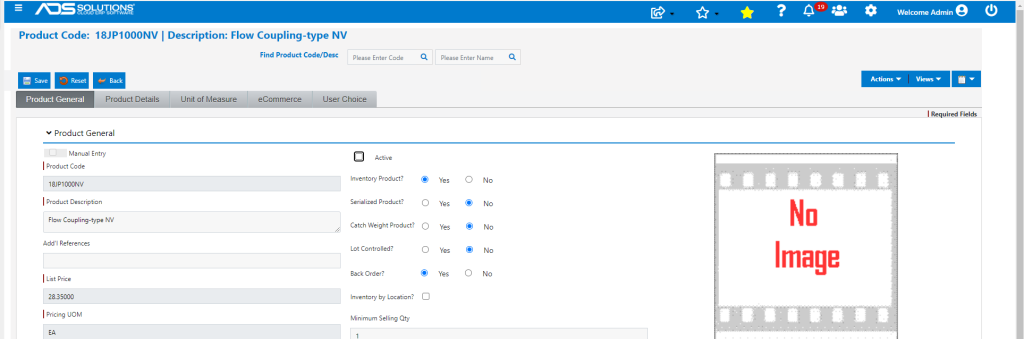
Inactivate Product 18JP1000NV
- To inactivate 18JP1000NV, open product and unselect Active checkbox.
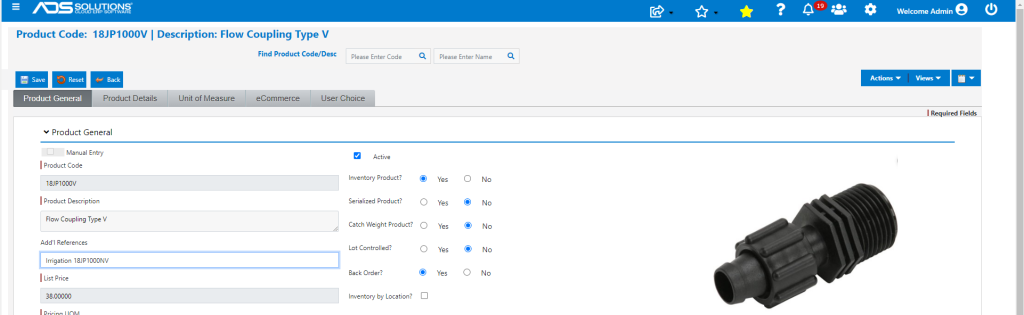
Record as an Add’l Reference
- Open Product Code 18JP1000V and add “18JP1000NV” in the Add’l Reference field.
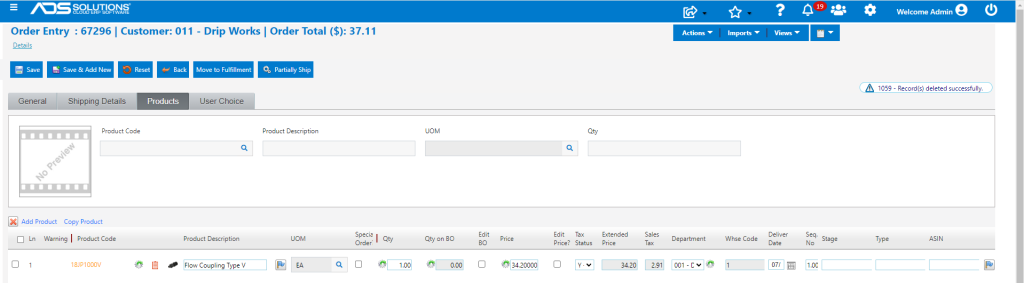
Create Order
- Now, assume user tries to specify product 18JP1000NV on an Order – doesn’t show up in the Autofill.
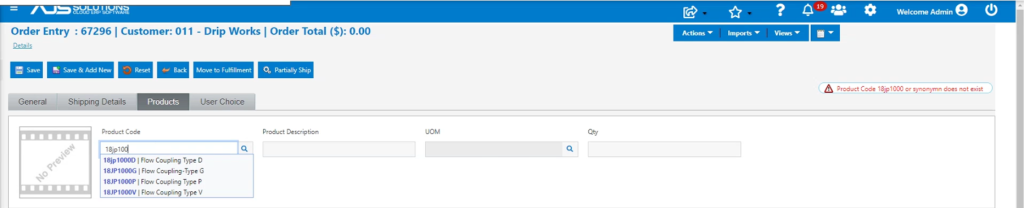
- To find the replacement for product 18JP1000NV, click on the magnifying glass search icon and type “18JP1000NV” in the Add’l References field and search.
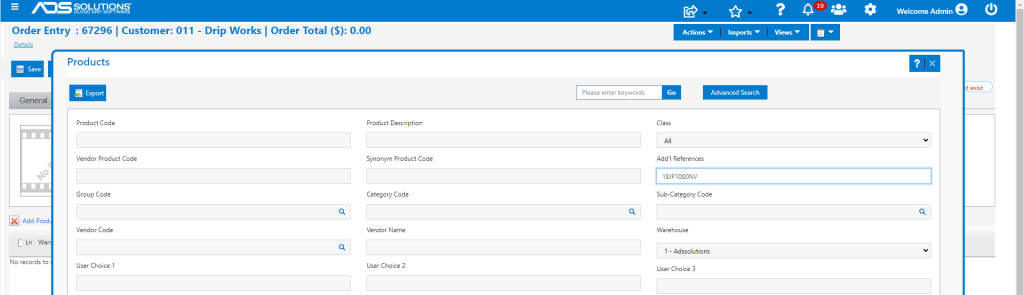
- Returns product 18JP1000V as the replacement for 18JP1000NV.

- Click on the hyperlink to bring product 18JP1000V back to the order.