
Accolent ERP supports catch weight products. Catch weight is used when products are stocked in one unit of measure (e.g., CS) but purchased and sold by weight (e.g., by the LB). Catch weight is used in many different industries, but most notably in food distribution and production. For a catch weight product, the ledger card is maintained in the Stocking UOM as well as by Actual Weight. Similarly, the Average Cost is maintained by Weight.
Setting up Catch Weight Products
- Set up product WHF3025 – 6 Oz Baseball Cut Sirloin Steaks; Frozen-12 LBs Case.
- Select Yes on the Catch Weight Product radio button.
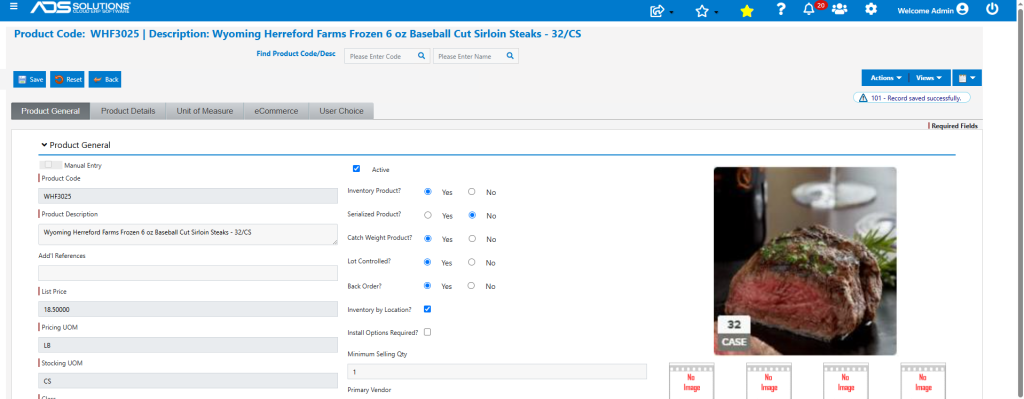
- The product is stocked by the CS (with a notional weight of 32 x 6 oz = 12 LBs per CS).
- It is sold only by the CS but priced by the LB at $18.50 per LB.
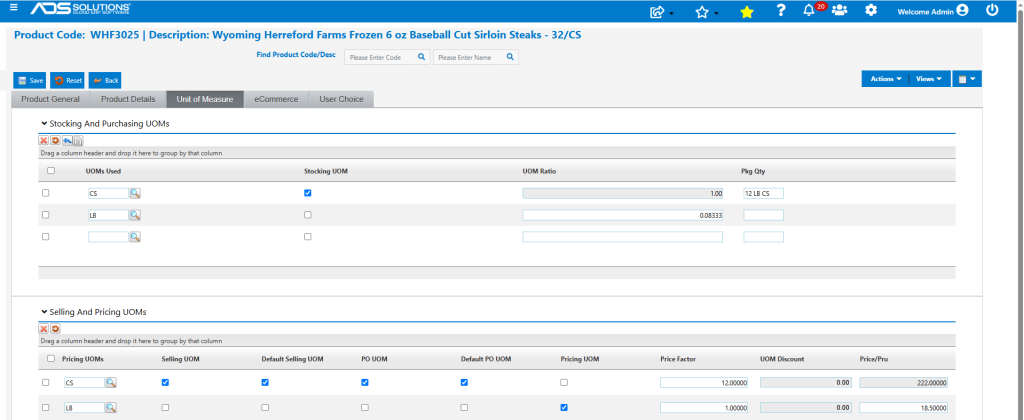
- Set up the Standard Cost at $12.00/LB and the Alternate Cost at $11.50/LB.
- Also set up Lot and Location tracking for this product.
- This catch weight product is now correctly set up.
Create then Receive PO
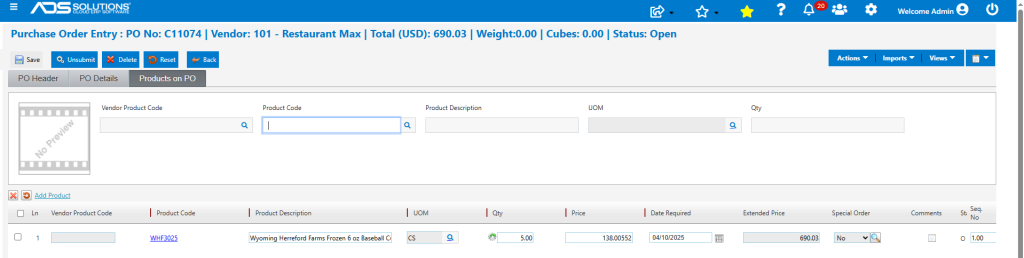
- Create PO No C11074 for 5 CS of WHF3025.
- The $138.00552 price per CS reflects the calculation (1/0.0833 x $11.50) of the notional weight of a 12 LB CS at $11.50/LB.
- Receive PO No C11074.
- Auto Receive to automatically record case count then click on the catch weight column.
- Catch Weight screen pops up and allows entry/scanning a barcode to record the weights of each CS received. Alternatively, at the top of the screen, the user can select to enter the combined weight of all 5 CS on the PO as supplied by the Vendor.
- In this example, choose to enter the individual case weights of the 5 CS that total 59.65 LBs.
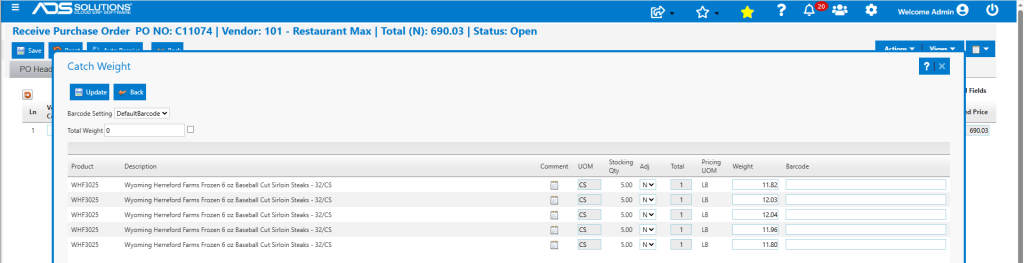
- Click Update to capture total weights and update the PO pricing for this weight.
- Extended Price changes from $690.03 for the notional weight to $685.975 (59.65 LBs x $11.50/LB) for the actual weight.

- Click on the Location column to enter Lots and Locations.
- All 5 CS are from the same Lot WHF04022025#P139 and are stored in freezer F1-A2-S2.
- Save to record Lot information.
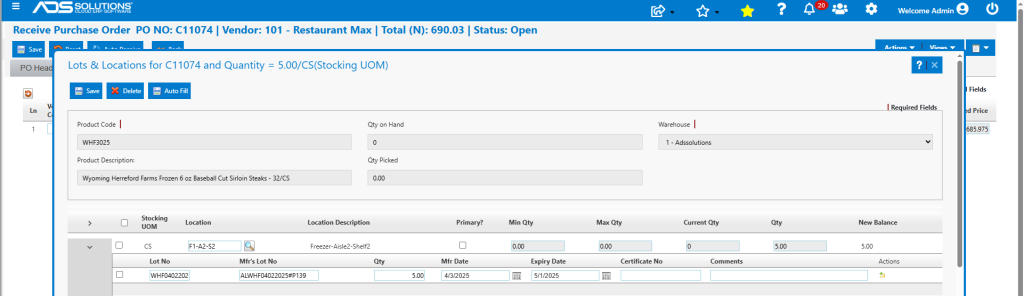
- Then Save to add any Landed Costs and receive the PO.
- Print Receiver which records the weights of each of the cases, the Lot Nos and the Locations to put the goods away to.
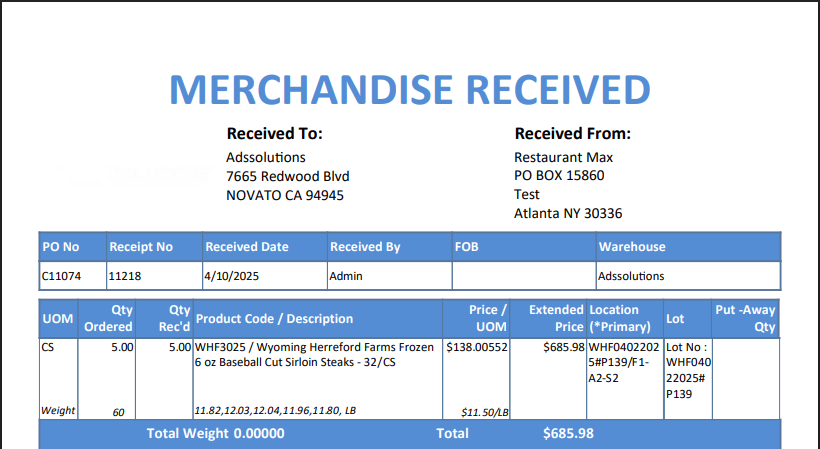
- The Average Cost History of WHF3025 reflects receipt of PO No C11074 for 5 CS and weight of 59.65 Lbs.

- Receive PO No C11075 for 2 more CS of WHF3025.
- This time enter total weight of 24.10 for both CS.
- Price updated correctly to 24.10 LBs x $11.50/LB = 277.15.

Create Sales Order
- Create order 78307 for 4 CS of WHF3025.
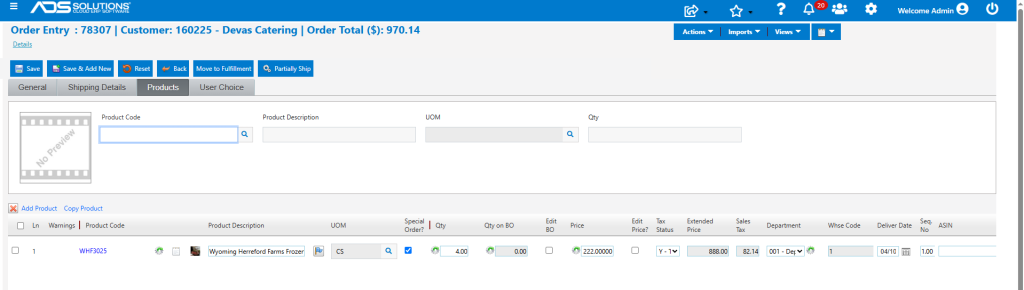
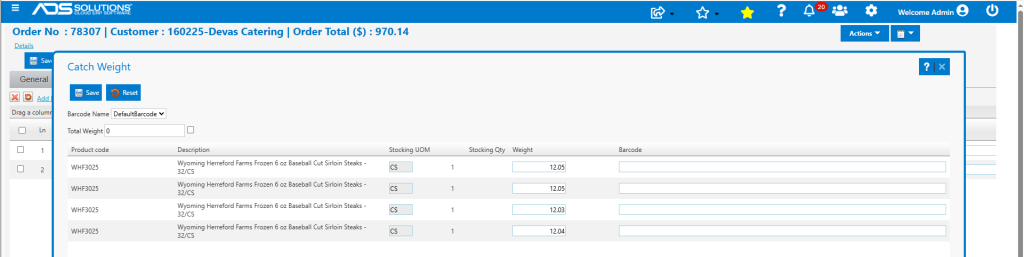
- Move to Fulfillment, then select CS by weight and Lots.
- Select Lots with nearest Expiry Date first.
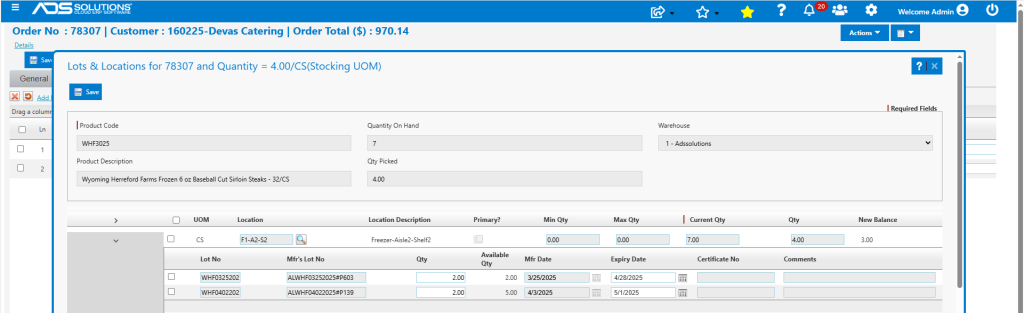
- Record/scan specific CS weights.
- Move to Invoice.
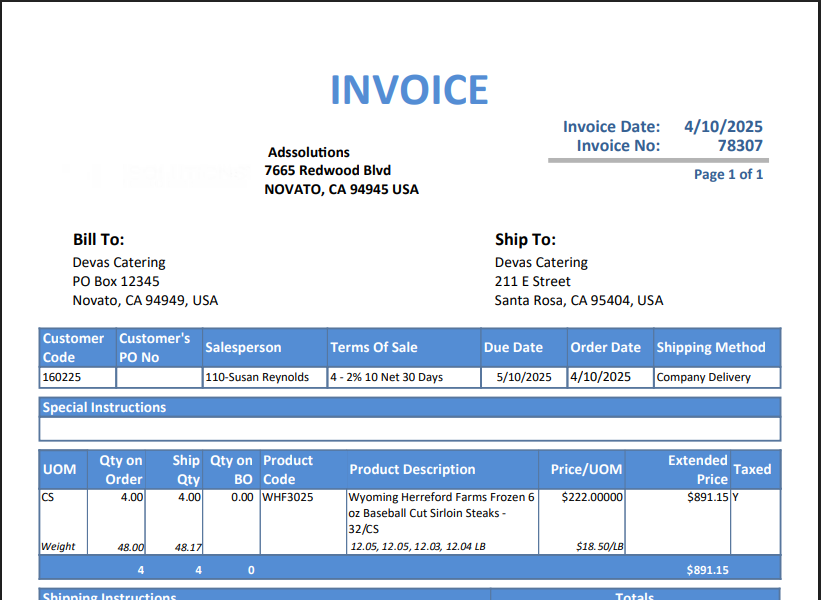
- Repriced invoice to $891.15 + $82.43 = $973.58.

- Print Invoice. Displays the CS weights.
- Look up Lots information. 3 CS of Lot WFH04022025#P139 remaining.

- Look up Locations. 3 CS in Freezer location F1-A2-S2.
