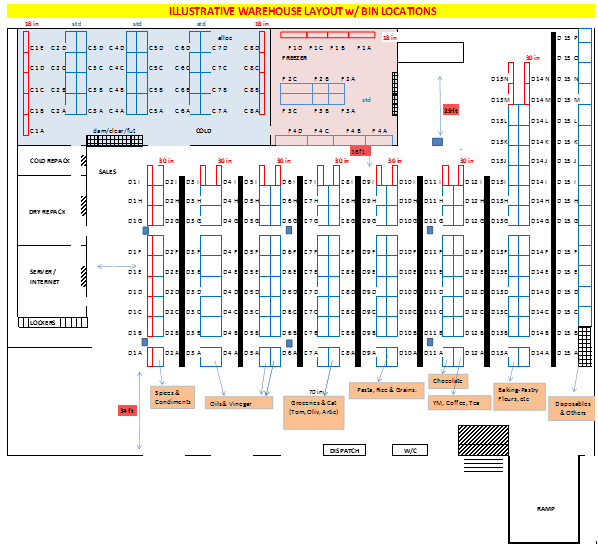
Accolent ERP allows creation of Location Codes to identify the different locations in your warehouses. Once you have mapped out your warehouse and created your Location Codes, you can assign Location Codes to your Products. Accolent ERP’s location numbering scheme is very flexible. Each Location Code consists of up to four components, corresponding to the traditional: Aisle-Row-Shelf-Bin descriptions for example, or anything else. Each component can have up to three alphanumeric characters as well as the “*” and “#” special characters.
Setting up Location Codes
- From the menus select Settings > Value Lists > Product Only Lists > Location Codes.

- Then click on the
 button.
 - This will let you enter a Location Code.

- Each Location Code has up to four components separated by hyphens (e.g., Aisle-Row-Shelf-Bin), but the Location Code is read from left to right and cannot have a blank component preceding a populated component.
- Each component of the Location Code can have up to 3 alphanumeric characters and the “*” and “#” special characters are allowed too. As with the components themselves, each component is read from left to right and a blank character cannot precede a non-blank character.
- A typical Location Code might be A12-R25-S4-B2, for example, which could be interpreted as Aisle 12, Row 25, Shelf 4, Bin 2.
Illustrative Warehouse Layout with Bin Locations
- Warehouse layout should reflect the typical picking, packing and shipping flow